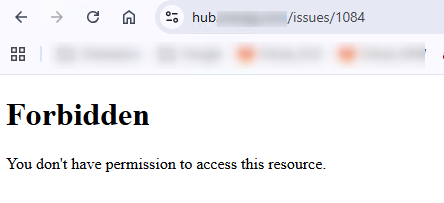
 Server returns status 403 / several errors
Added by Michael Koch 5 months ago
Hello
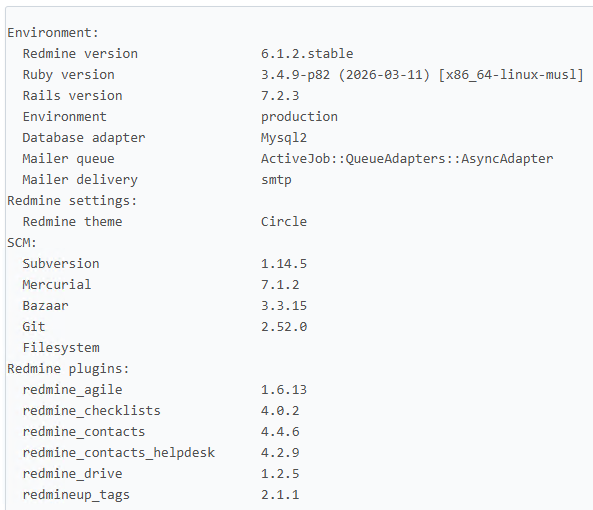
Although my system is up to date, we have numerous errors that make it impossible to work reliably.
Trying to delete a note on an issue. The server returns status 403 on PUT /journals/5347?journal%5Bnotes%5D= - the X-Csrf-Token request header is present.
The errors occur (permission denied) when editing TRACKERS, sometimes even when creating issues, when editing issues, when adding quotes, and when modifying them... but sometimes it just works (only deleting notes consistently fails). The permission in Redmine are correct.
Any idea, how to solve? The errors occured from one day to the next. Alle PlugIns from RedmineUp are updated to the newest version.
BR, Michael
Replies (2)
 RE: Server returns status 403 / several errors
-
Added by Florian Walchshofer 5 months ago
RE: Server returns status 403 / several errors
-
Added by Florian Walchshofer 5 months ago
Hi Michael,
this is expected behavior in Redmine.
Updating a journal does not work via URL parameters. The controller reads the data only from the request body, exactly like the UI does.
You must send the empty note in the request body. This will work:
curl --request PUT \
  --url https://redmine.example.com/journals/4.json \
  --header 'Content-Type: application/json' \
  --header 'X-Redmine-API-Key: 71c4e5e1c2c0ddadd708632ab6f8dd4caabd02f6' \
  --data '{
  "journal": {
    "notes": ""
  }
}'
This uses the same code path as the UI.
If the journal has no details and notes are empty, Redmine deletes it automatically.
BR Florian
RE: Server returns status 403 / several errors
-
Added by Michael Koch 5 months ago
Hello Florian
Thank you for your helpful tip. After spending days nearly at our wits' end over the numerous errors, the problem turned out to be very easy to solve: the URL accessed via a proxy had been altered in a way that caused these errors. We didn't need to investigate any further.