Defect #43730
open

Redmine generates invalid HTML when there are multiple `collapse` macros in one paragraph in Textile
Description
The issue has been observed last year on around January 21, 2025, though the behavior has been noted earlier. It's reproducible in the Redmine version on redmine.org and on 6+ versions as well.
Example 1 (one group - incorrect) + description
1 {{collapse(1)
1
}}
2 {{collapse(2)
2
}}
3 {{collapse(3)
3
}}
Validation with https://validator.w3.org/nu/#textarea highlights the following main issue:
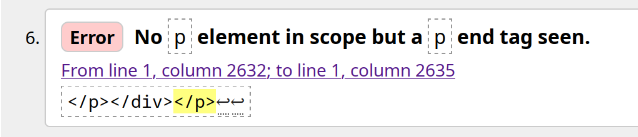
Browsers fix these kinds of HTML issues (in this case, by opening the "p" tag in the end before its closure), but this is not the intended markup. All of these collapses should be inside a single "p" tag.
In Redmine, the result is this:
1 1
2 2
3 3
Screenshot:
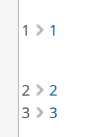
I.e. the first collapse in a group is separated from others by a big blank space.
Workaround 1: splitting collapses by newlines. However, this results in a different markup - between each collapse, there will be a blank space (though, a smaller one) - and it's impossible to group several collapses together in one logical section.
Workaround 2: using a list. However, this is also a different markup that may not be always applicable and it increases logical complexity of the formatting.
See more examples below.
Example 2 (without extra text - incorrect)
{{collapse(1)
1
}}
{{collapse(2)
2
}}
{{collapse(3)
3
}}
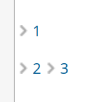
Result:
2 3Screenshot:
Example 3 (several groups - incorrect)
1 {{collapse(1)
1
}}
2 {{collapse(2)
2
}}
3 {{collapse(3)
3
}}

4 {{collapse(4)
4
}}
5 {{collapse(5)
5
}}
6 {{collapse(6)
6
}}
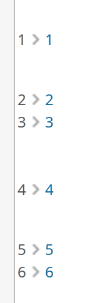
Result:
1 1
2 2
3 3
4 4
5 5
6 6
Screenshot:
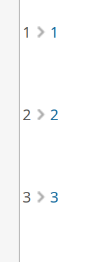
Example 4: Workaround 1 (all separate - correct, but impossible to group)
1 {{collapse(1)
1
}}

2 {{collapse(2)
2
}}

3 {{collapse(3)
3
}}
Result:
1 1
2 2
3 3
Screenshot:
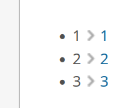
Example 5: Workaround 2 (list - correct)
* 1 {{collapse(1)
1
}}
* 2 {{collapse(2)
2
}}
* 3 {{collapse(3)
3
}}
Result:
Screenshot:
Files
 Updated by Artem Varaksa 9 months ago
We were able to reproduce this behavior on a clean Redmine installation with the following configuration (changed formatting to "Textile" and adjusted the "Welcome text" field by adding the aforementioned examples):
Environment:
  Redmine version                6.1.1.stable
  Ruby version                   3.3.8-p144 (2025-04-09) [x86_64-linux]
  Rails version                  7.2.3
  Environment                    production
  Database adapter               Mysql2
  Mailer queue                   ActiveJob::QueueAdapters::AsyncAdapter
  Mailer delivery                smtp
Redmine settings:
  Redmine theme                  Default
SCM:
  Git                            2.50.1
  Filesystem
Redmine plugins:
  no plugin installed
 Updated by Marius BĂLTEANU 8 months ago
- Status changed from New to Confirmed
- Assignee set to Marius BĂLTEANU
- Target version set to 6.0.9
The problem is that the text (in your example, 1, 2 and 3) is wrapped in a p tag, the macro is wrapped in a div tag and div inside p is not valid.
Updated by Marius BĂLTEANU 8 months ago
- Target version changed from 6.0.9 to Candidate for next minor release
 Updated by Akihiro Kubota 6 months ago
- File patch-issue-43730-fix-collapse-macro-invalid-html.diff patch-issue-43730-fix-collapse-macro-invalid-html.diff added
- File after.png after.png added
- File before.png before.png added
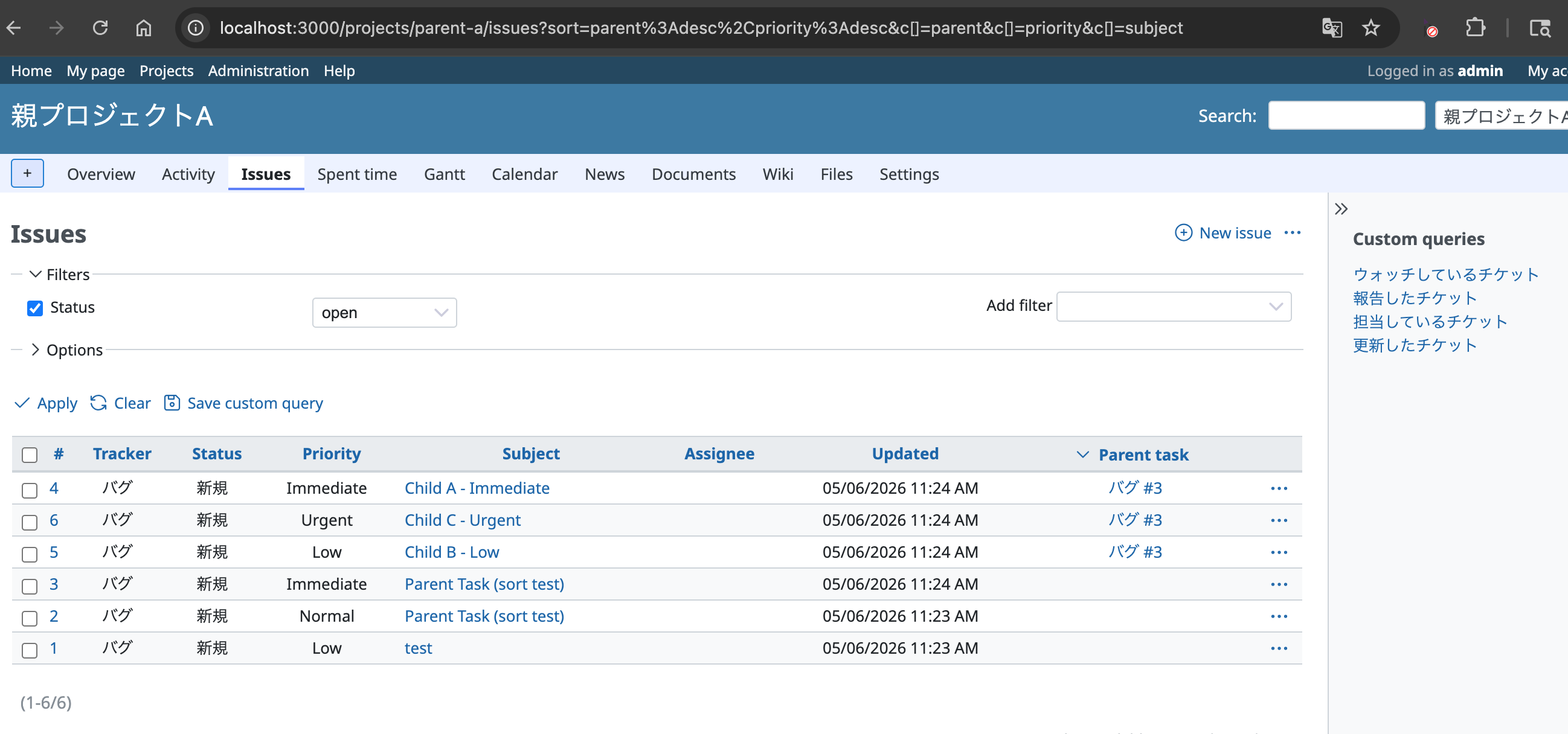
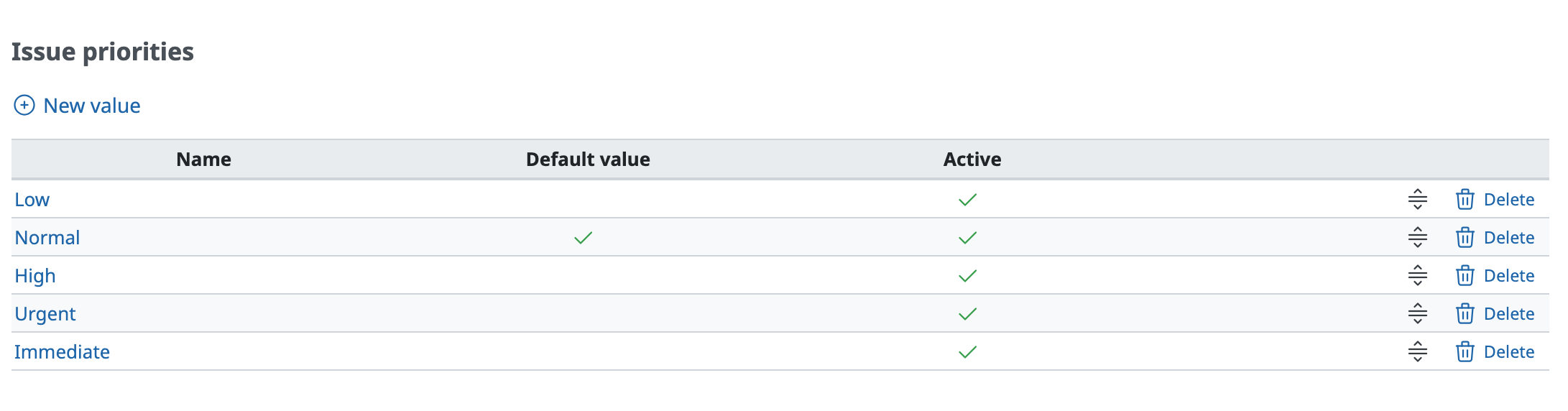
- File priority_settings.png priority_settings.png added
I have created a patch for this issue. I noticed this is assigned to you, Marius, so please feel free to use or ignore this patch as you see fit.
Root cause:
As identified by Marius BĂLTEANU in comment #2, the collapse macro outputs a
block-level `<div>` element. When a collapse macro appears inline (surrounded by
text or adjacent to other macros in the same paragraph), Textile wraps the
surrounding content in a `<p>` tag, resulting in `<div>` nested inside `<p>`,
which is invalid HTML. This causes browsers to implicitly close the `<p>` tag,
producing large unwanted blank spaces between consecutive collapse macros.
Fix:
Added a post-processing step `unwrap_paragraphs_containing_block_macros` in
`textilizable` (application_helper.rb). After macros are injected into the
formatted HTML, this method finds any `<p>` tags that contain a
`<div class="collapsed-text">` and replaces the `<p></p>` wrapper with
`<div></div>`. Using `<div>` rather than simply stripping `<p>` preserves the
block-level boundary between consecutive paragraph groups, so that collapse
macros separated by a blank line remain visually distinct.
Examples from the issue:
- Example 1 (text between collapses in the same paragraph): fixed ✓
- Example 2 (adjacent collapses with no text between): fixed ✓
- Example 3 (two groups separated by a blank line): fixed ✓
- Example 4 (workaround: each collapse on its own paragraph): already worked, still works ✓
- Example 5 (workaround: list format): already worked, still works ✓
- Example 6 (single collapse): already worked, still works ✓
Tests added:
- `test_macro_multiple_collapse_with_text_between_should_not_generate_div_inside_p`
— Example 1: text between collapses in the same paragraph
- `test_macro_multiple_collapse_adjacent_should_not_generate_div_inside_p`
— Example 2: adjacent collapses with no text between them
- `test_macro_multiple_collapse_groups_should_not_generate_div_inside_p`
— Example 3: two groups of collapses separated by a blank line
Updated by Artem Varaksa 6 months ago
Thanks Akihiro Kubota, wanted to note that the files you've attached (besides the patch) seem to be related to a different issue?
Updated by Akihiro Kubota 6 months ago
- File after.png after.png added
- File before.png before.png added
Artem sviridov I'm so sorry that images I have attached were different.
these are true ones.
Is there a way to delete the old one?
 Updated by Alexander Meindl 3 months ago
- File 0001-fix-block-level-macro-content-in-paragraph.diff 0001-fix-block-level-macro-content-in-paragraph.diff added
- File 0002-add-tests-for-block-level-macro-content.diff 0002-add-tests-for-block-level-macro-content.diff added
- File 0003-update-existing-child-pages-macro-tests.diff 0003-update-existing-child-pages-macro-tests.diff added
While investigating the same blank space issue in a plugin macro, I found that this defect is not specific to collapse, and not specific to several macros sharing one paragraph. It applies to every macro whose output contains block-level elements, including two other macros shipped with Redmine.
The problem is more general than the title suggests
Macros are replaced by a placeholder before the text is formatted and executed afterwards, so a macro standing on its own line has its output injected into the paragraph the formatter built for that placeholder. A single macro is therefore enough to produce the defect, and a div is not required either.
{{include}} returns the formatted wiki page without any wrapper, and still produces invalid markup:
<p><a name="Heading"></a>
<h2>Heading</h2>
<p>Some text</p></p>
The browser closes the paragraph before the h2 and turns the then orphaned </p> into a second, empty paragraph. This is the same blank space reported here, above and below the macro output.
{{child_pages}} is affected as well, and its current output is asserted in the test suite (test_macro_child_pages and friends), so the invalid markup is presently written down as the expected result:
"<p><ul class=\"pages-hierarchy\">\n" \
...
"</ul>\n</p>"
The behaviour is identical with textile and with common_mark.
About the attached patch
The patch by Akihiro Kubota fixes the reported case reliably. Since it matches on class="collapsed-text", it is limited to the collapse macro, so include, child_pages and macros provided by plugins keep producing invalid markup. I verified this by applying it and rendering the four macros: only collapse was fixed.
Generalised patch
I have generalised that same approach rather than replacing it: a paragraph is still turned into a div, but the decision is based on the presence of block-level content instead of a specific CSS class. Three patches are attached, against trunk:
- 0001-fix-block-level-macro-content-in-paragraph.diff -- the fix
- 0002-add-tests-for-block-level-macro-content.diff -- new tests
- 0003-update-existing-child-pages-macro-tests.diff -- updates the three
child_pagesassertions to the now valid markup
The third one is kept separate on purpose, as it changes the expectations of existing tests.
Two details worth mentioning:
- No regular expression for the nesting. A
</p>belonging to the macro output must not end the enclosing paragraph. Instead of treating one specific element as atomic, the patch counts the paragraph depth with aStringScanner. Since paragraphs cannot be nested legally, the matching closing tag is unambiguous. Unbalanced markup is left untouched. - The scan only runs when macros were present. Text without macros is not touched at all, so the common case of an issue description or a note does not pay for this.
Tests
Tested against trunk and 7.0-stable, with PostgreSQL and with MySQL, on Ruby 3.4.10.
test/unit/lib/redmine/wiki_formatting/macros_test.rb
62 runs, 158 assertions, 0 failures, 0 errors, 0 skips
The new tests cover collapse and include on their own (each with textile and common_mark), the three examples from the description of this issue, and two regression tests making sure a macro returning inline content keeps its paragraph and text without macros is not altered.
The remaining text formatting suites (application_helper_test.rb, test/unit/lib/redmine/wiki_formatting/, wiki_content_test.rb, wiki_page_test.rb) pass as well. Two failures in my environment (test_link_to_record and test_redmine_links_git_commit) are pre-existing and unrelated -- they occur without the patch as well. RuboCop reports no offenses for both changed files.
This would also address #29588, which describes the same underlying problem and already mentions the include macro.