Actions
Defect #44611
closed

Gantt column resize handles are initially enabled in mobile view
Resolution:
Fixed
Affected version:
Description
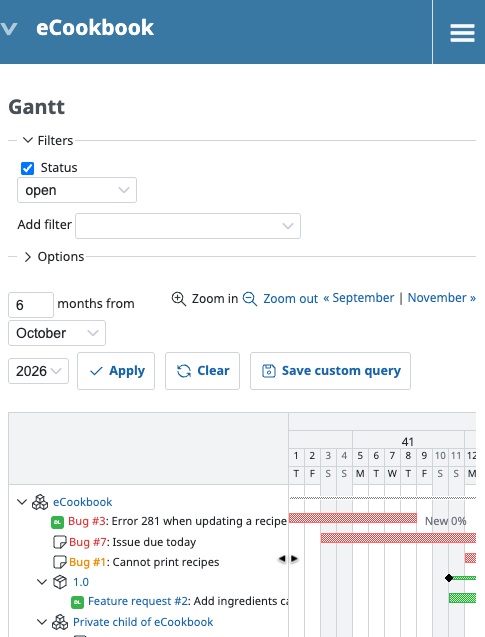
When the Gantt page first opens in mobile view, its column resize handles are enabled. They should be disabled in mobile view.
Steps to reproduce:
- Set the browser window width to less than 900px.
- Open a project's Gantt page.
- Move the pointer to the right edge of the subject column.
The cursor changes to a resize cursor but resizing does not work. Resizing the browser window disables the handles as expected.
Files
 Updated by Katsuya HIDAKA 22 days ago
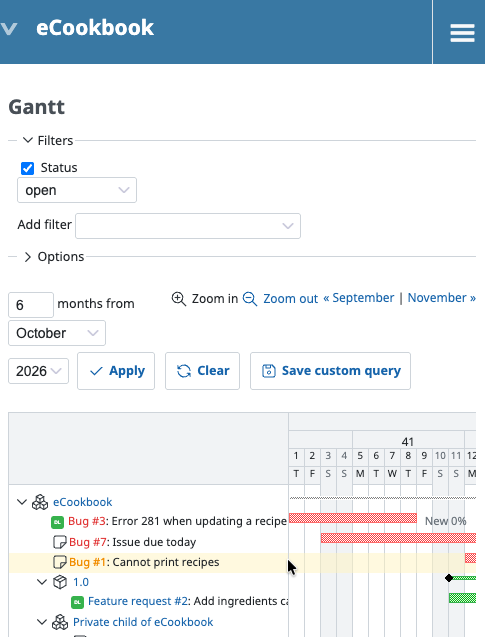
- File issue-after-fix.png issue-after-fix.png added
- File 0001-Fix-resize-handles-showing-on-initial-mobile-Gantt-view.patch 0001-Fix-resize-handles-showing-on-initial-mobile-Gantt-view.patch added
I'm attaching a patch to fix this issue.
 Updated by
Actions