Plugins Directory » Redmine Labels
|
|
Author: | Shi-Xun Huang |
|---|---|---|
| Website: | https://github.com/enricohuang/redmine_labels/ | |
| Code repository: | https://github.com/enricohuang/redmine_labels/ | |
| Registered on: | 2026-02-09 (8 months ago) | |
| Current version: | 1.0.1 | |
| Compatible with: | Redmine 6.1.x, 6.0.x, 5.1.x, 5.0.x | |
| User ratings: |
A Redmine plugin that adds a label/tag system to issues with colored badges. Labels are project-scoped, support multiple assignments per issue, and integrate into issue forms, detail views, list columns, and filters.
Features
- Colored Labels: Create project-scoped labels with custom colors and automatic contrast text
- Tag-Input Selector: Modern autocomplete widget for adding/removing labels on issues, with inline label creation
- Issue List Integration: Labels available as a column and filter in issue lists (supports `is`, `is not`, `any`, `none` operators)
- Bulk Edit: Assign labels across multiple issues at once
- CSV Export: Labels included in CSV exports as comma-separated values
- Project Settings: Manage labels (create, edit, delete) from the project Settings tab
Screenshots
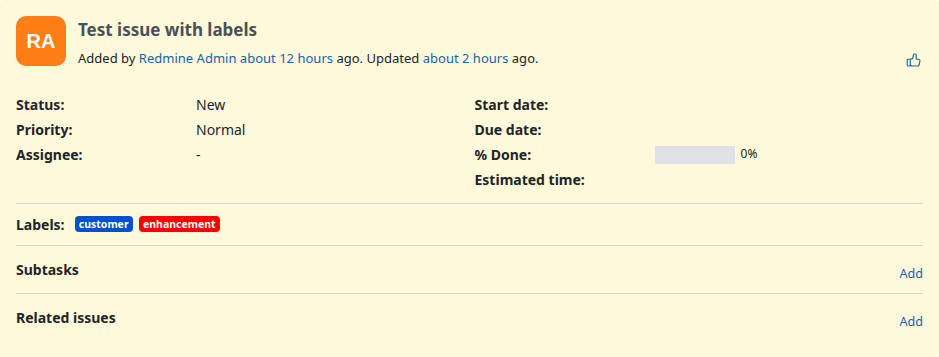
Issue Detail View
Labels are displayed as colored badges on the issue detail page.
Editing Labels on an Issue
A modern tag-input widget lets you add and remove labels. Click the x on a badge to remove it, or type to search and add labels.

Autocomplete Dropdown
Clicking the input field shows a dropdown of available labels as colored badges. Already-assigned labels are excluded.

Inline Label Creation
Type a label name that doesn't exist yet, and a + Create option appears. Clicking it creates the label via AJAX and assigns it immediately.

Issue List with Labels Column
Labels appear as colored badges in the issue list when added as a column.

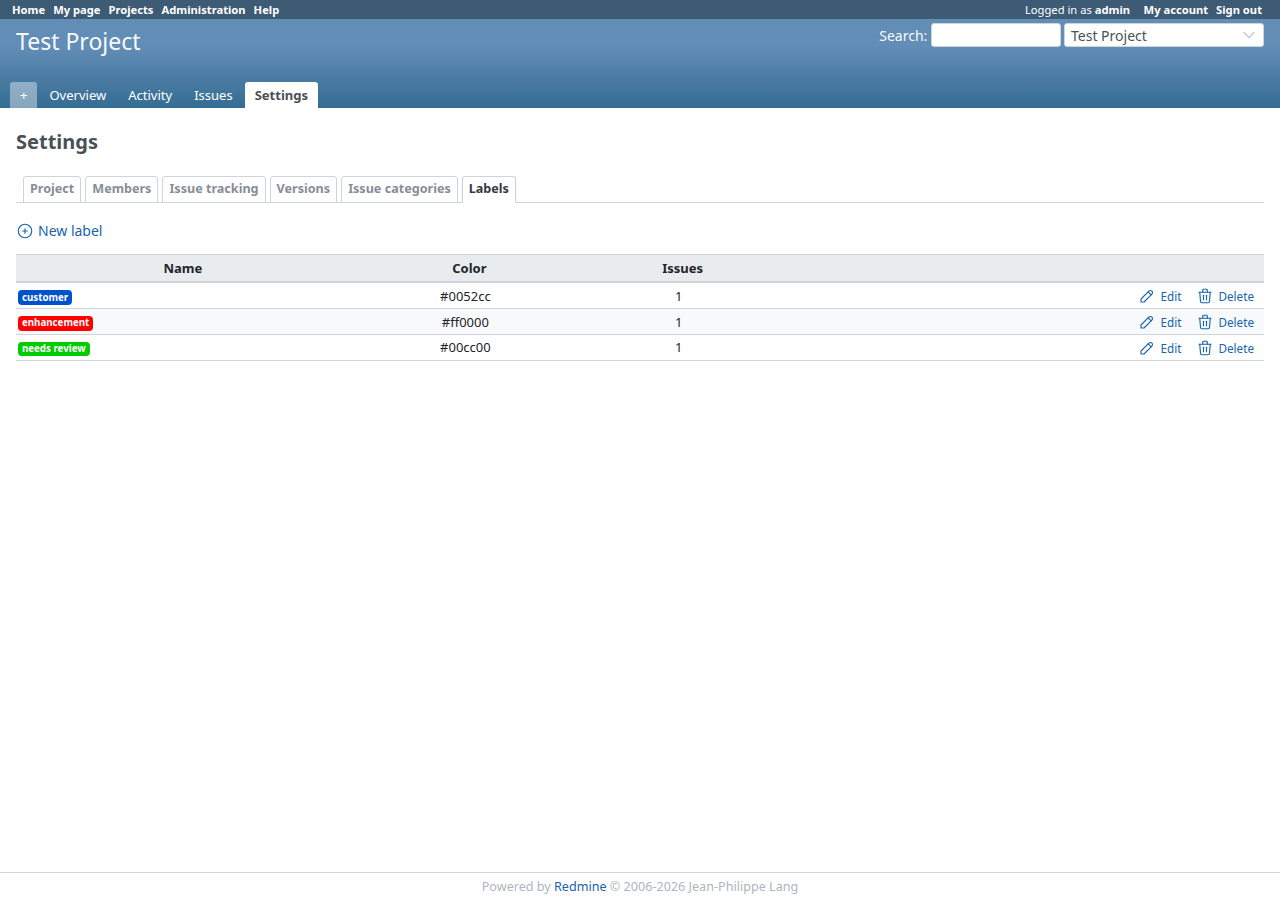
Label Management in Project Settings
Create, edit, and delete labels from the Labels tab in project settings.
Label Form with Color Picker
Each label has a name and color. A live preview shows how the badge will look.

Installation notes
cd /path/to/redmine/plugins
git clone https://github.com/enricohuang/redmine_labels.git
Changelog
1.0.1 (2026-02-09)
Compatible with Redmine 6.1.x, 6.0.x, 5.1.x, 5.0.x.
- Add redmine 5.x support
1.0.0 (2026-02-08)
Compatible with Redmine 6.1.x, 6.0.x.
- Initial version.
- A Redmine plugin that adds a label/tag system to issues with colored badges. Labels are project-scoped, support multiple assignments per issue, and integrate into issue forms, detail views, list columns, and filters.