 How can i set project in row by row?
Added by Wei C about 9 years ago
Dear All,
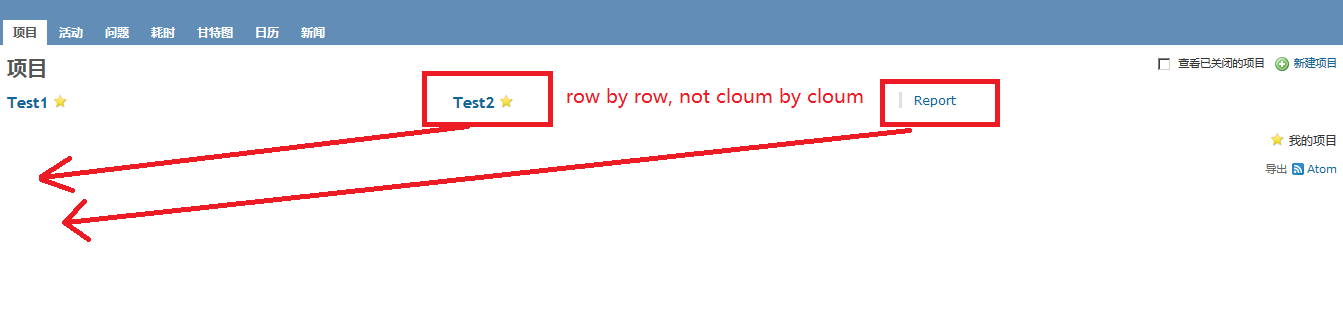
where can i find the setting to set all project and subproject row by row. By default, if i make a new project, the project name position cloumn by cloumn.
Thanks for your help.
Wei
| Problem.PNG (14.7 KB) Problem.PNG |
Replies (1)
 RE: How can i set project in row by row?
-
Added by Bernhard Rohloff about 9 years ago
Hallo Wei,
there is no setting for that in Redmine. This is handled by the selected theme.
It looks like you use the default theme. So I would suggest, you create your own "theme".
Then you can easily switch between the vanilla redmine and your customized version, afterwards.
Just create a folder in REDMINE_ROOT/public/themes/YOUR_THEME with a subfolder 'stylesheets'.
In that you can copy the default application.css file from REDMINE_ROOT/public/themes/stylesheets
and append the following lines to the end of it.
Now, you can select your theme in the administration panel and enjoy your single column project overview.
Cheers,
Bernhard
PS: You can also look after the lines where #projects-index is defined and change the value there.