How to enable changing the project in an issue for role 'reporter'
Added by Klaus Friese 3 months ago
Hi,
we're running redmine 5.1.9.stable since a while and users with the role 'Reporter' can not change the project when editing an issue. Users with the 'Manager' role can do that. I searched a while in the administration but I can't find where to enable that for the 'Reporter' role. Can you help?
Thanks
Klaus
Replies (3)
 RE: How to enable changing the project in an issue for role 'reporter'
-
Added by Florian Walchshofer 3 months ago
RE: How to enable changing the project in an issue for role 'reporter'
-
Added by Florian Walchshofer 3 months ago
Hi Klaus
You need to:
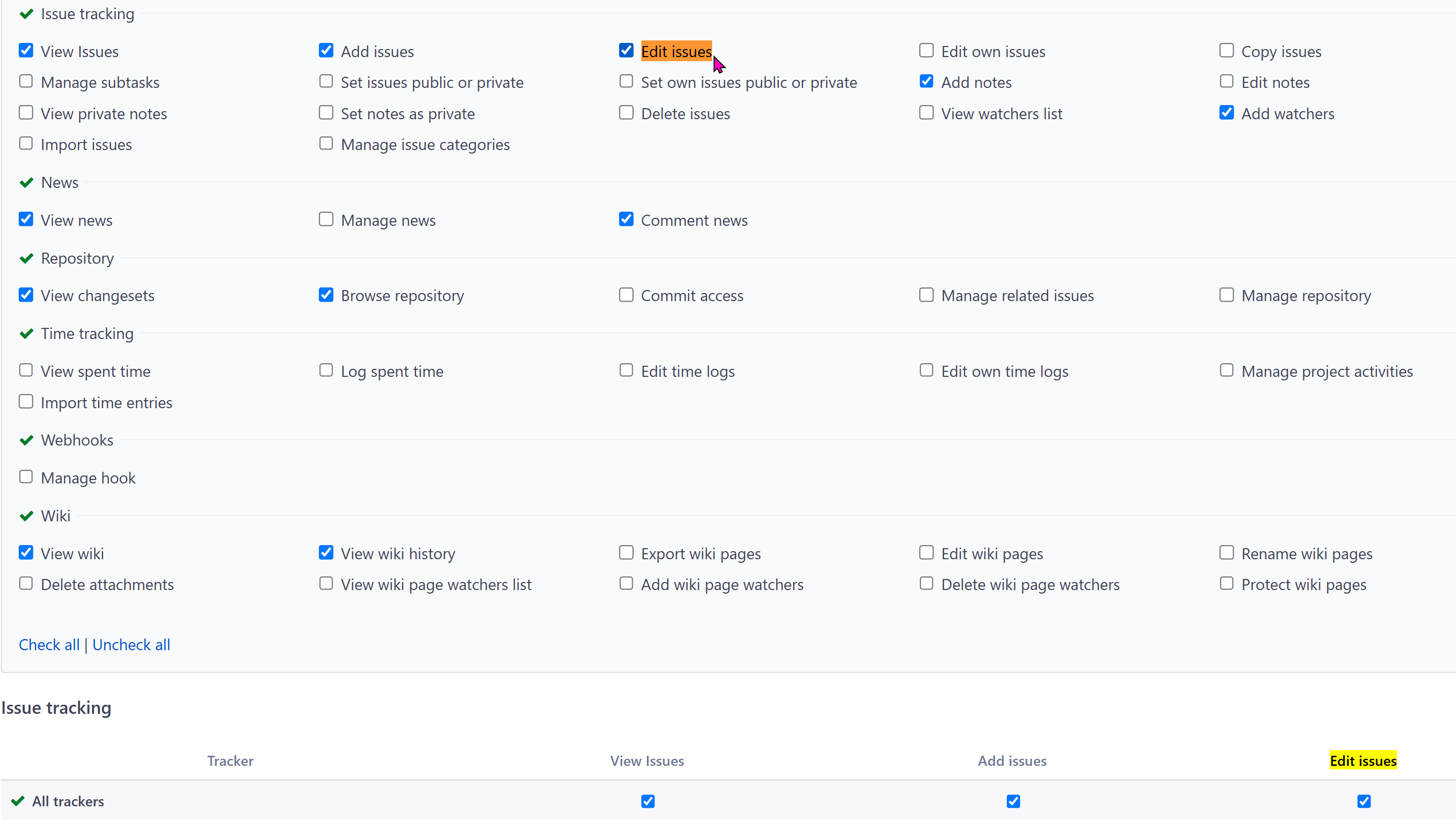
- Enable Edit issues in the main permissions for the role
- AND enable it in the tracker matrix at the bottom
If it’s not checked for at least one tracker (or “All Trackers”),
the user still cannot edit issues — even if the main permission is set — and therefore cannot change the project.
RE: How to enable changing the project in an issue for role 'reporter'
-
Added by Klaus Friese 3 months ago
Hi Florian,
Thanks - both are enabled for the Reporter role, but it didn't work.
Best regards
Klaus
| editissues.png (162 KB) editissues.png |
RE: How to enable changing the project in an issue for role 'reporter'
-
Added by Florian Walchshofer 3 months ago
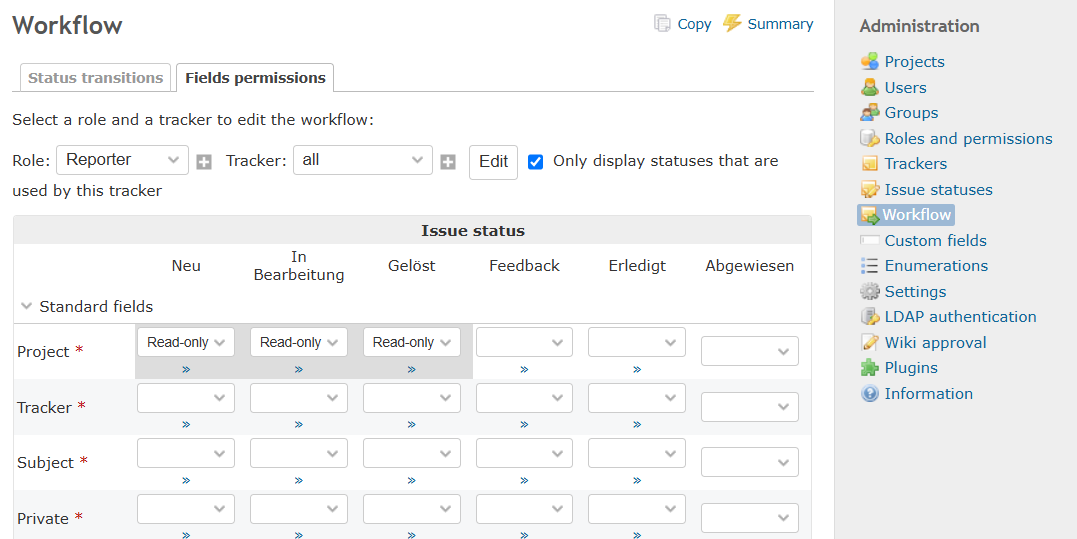
I think this might be caused by the workflow field permissions.
In Administration → Workflow → Fields permissions, you can define permissions per role, tracker, and status.
Fields like Project can be set to read-only, which prevents users from changing them once the issue reaches those statuses.