Actions
Feature #15167
closed

Hide unused Options section in spent time report
Resolution:
Fixed
Description
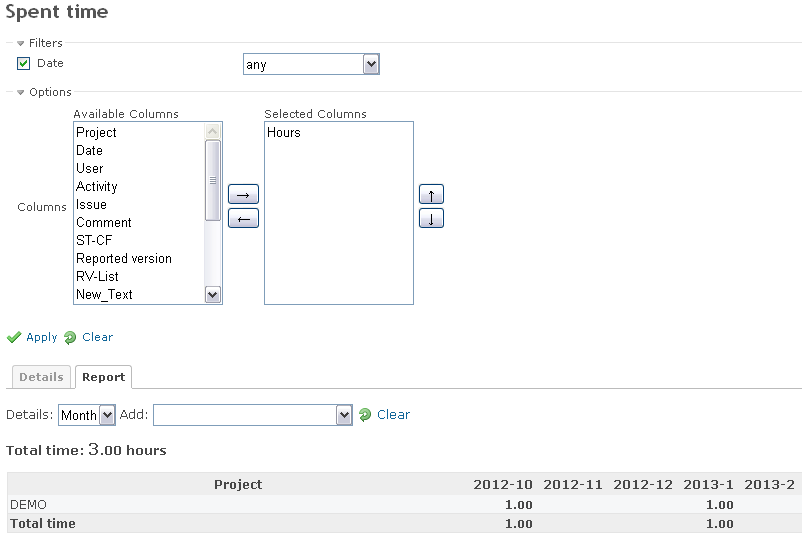
The filter section on the spent time report contains the column selection options while the report isn't affected by these options. I think it would be better to hide these elements when they are not being used by the respective view.
Files
Related issues
 Updated by Mischa The Evil about 13 years ago
- Subject changed from Removed useless column selection in spent time report to Remove useless column selection in spent time report
 Updated by Go MAEDA over 5 years ago
- Has duplicate Defect #15539: Report : columns select not used added
Updated by Go MAEDA 8 months ago
- File 0001-Hide-unused-Options-section-in-spent-time-report.patch 0001-Hide-unused-Options-section-in-spent-time-report.patch added
- Target version set to Candidate for next major release
I wrote a patch to fix this issue.
Since none of the options in the filter form are used in the spent time report, this patch hides the "Options" section in the filter form with CSS.
Actions