Feature #4301
open
position Wiki Toc in sidebar
Description
It would be nice to add an option on the TOC directive that would place the table of content onto the right sidebar.
Another option would be to use a CSS's fixed positioning.
When the page summary grows, the wiki page gets bloated by the summary.
Files
 Updated by
 Updated by
 Updated by
 Updated by Anonymous
 Updated by Nick Peelman over 16 years ago
+1
Would like to see this as well. Would be willing to work up a patch if somebody is willing to slip it in.
 Updated by Seth Sandler over 15 years ago
Are we able to do this now somehow? I'd like the table of content like the 'index by title' to be in the sidebar.
 Updated by Minoru Nagata 14 days ago
- File after.png after.png added
- File before.png before.png added
- File redmine-7.0.1-wiki-sidebar-toc.patch redmine-7.0.1-wiki-sidebar-toc.patch added
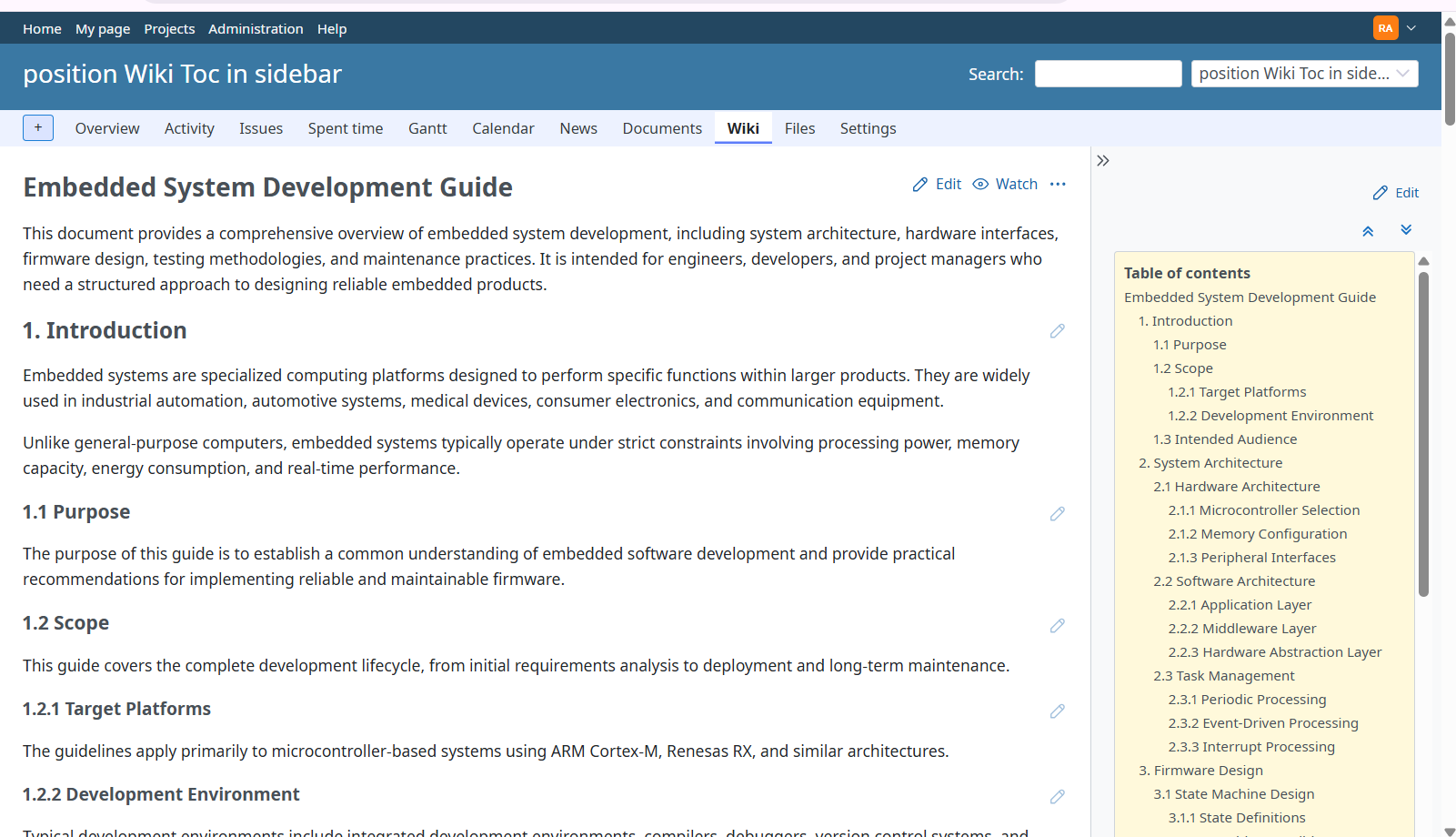
I have attached a patch ( redmine-7.0.1-wiki-sidebar-toc.patch ) that adds an option to display the wiki table of contents in the right sidebar.
On pages with many headings, an inline table of contents takes up a large amount of vertical space before the main content. Displaying it in the sidebar allows users to see the main content immediately while keeping the page structure accessible.
To enable this feature, add {{toc(sidebar)}} on a separate line in the wiki page. Both Textile and Markdown (CommonMark) are supported.
On desktop screens, the table of contents stays visible while scrolling and has its own scrollable area. All heading levels included in the table of contents remain expanded, and the current heading is highlighted. Two buttons allow users to jump to the top or bottom of the page.
The patch is based on Redmine 7.0.1 (commit 752772866745) and includes helper, controller, and system tests. The updated system tests pass in Docker using SQLite and headless Chromium (4 tests, 41 assertions, no failures or errors).
The new syntax has not yet been added to the formatting help.
Feedback on the behavior and implementation would be appreciated.
Before: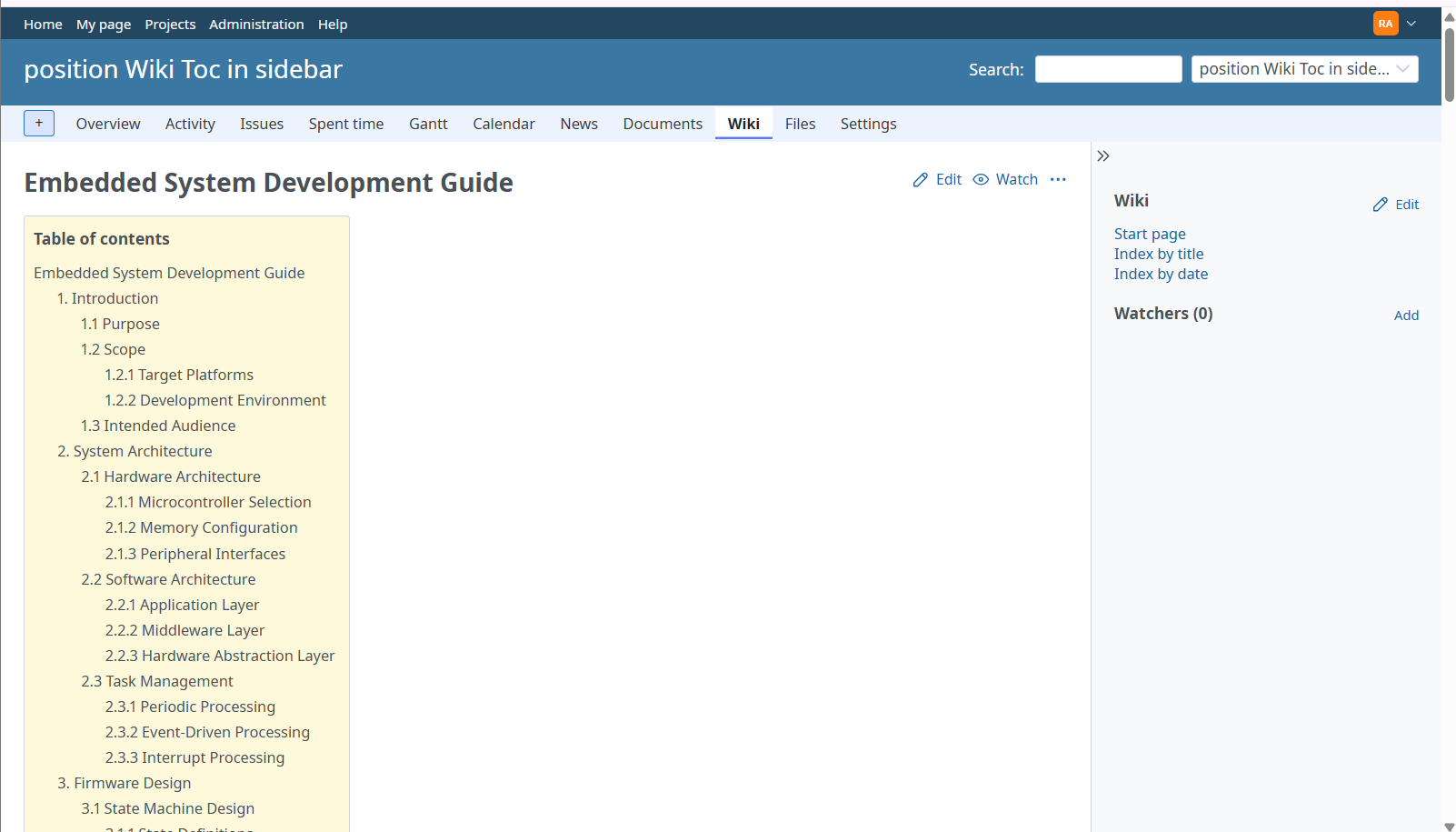
After: