Feature #44646
open
Allow administrators to upload a custom favicon
Description
Currently, the favicon can only be changed by using a theme that includes one or by replacing the default favicon file on the server. Creating a theme only for this purpose is inconvenient, and a replaced file is overwritten on upgrade.
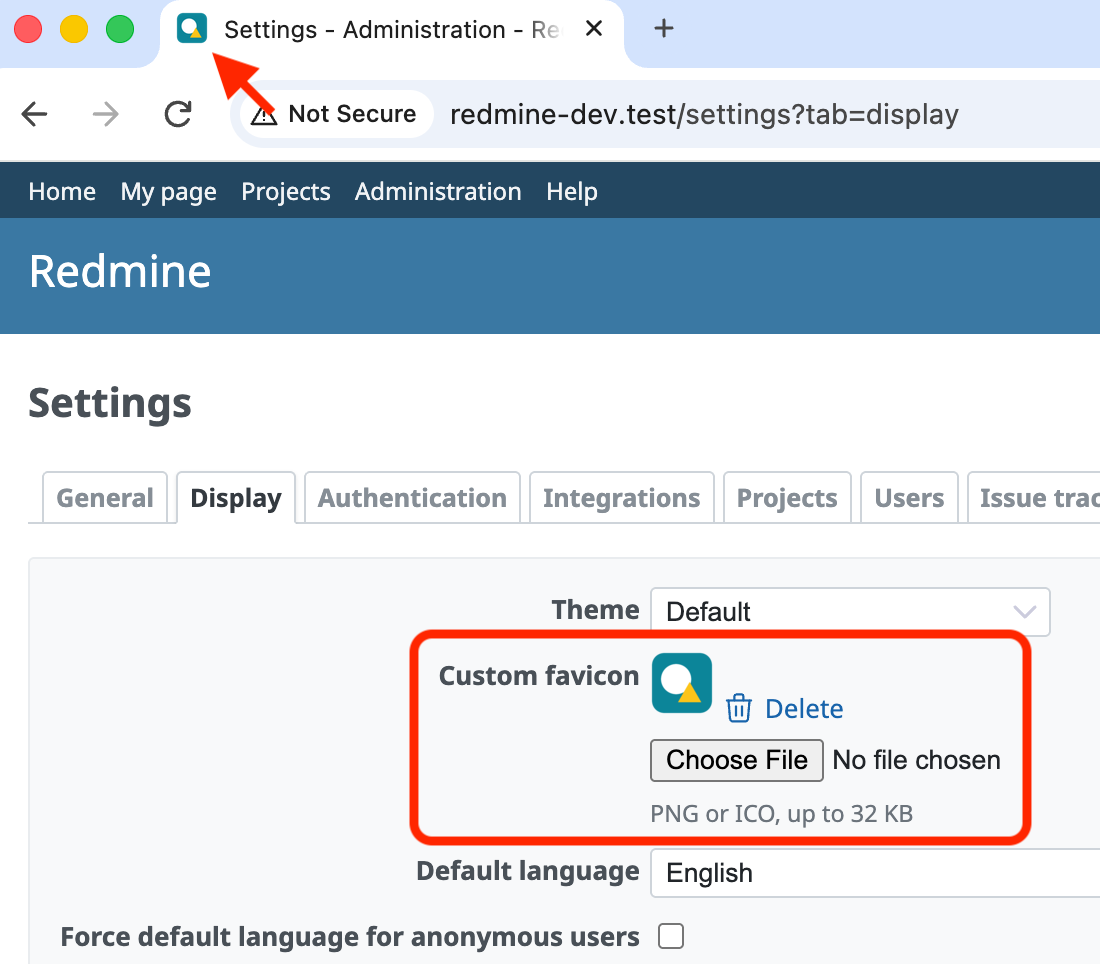
The attached patch allows administrators to upload a custom favicon in Administration > Settings > Display. The custom favicon takes precedence over the favicon of the theme and the default favicon, and when it is deleted, the theme or default favicon is used again. It is also used as the icon of Atom feeds.
PNG and ICO images up to 32 KB are accepted. The format is detected from the file contents rather than from the file name, and SVG images are not accepted because they may contain scripts.
The favicon is stored in the settings table as a serialized hash containing the content type, the Base64-encoded data and the SHA-256 digest of the data, which is included in the URL of the favicon and serves as the cache key for browsers. An attachment was not used because there is no suitable container for it, and attachments without a container are removed by Attachment.prune. The size limit ensures that the value fits in a TEXT column on MySQL (64 KB), even after Base64 encoding.
The favicon is served at /favicons/:digest without requiring a login, so that it is also shown on the login page when "Authentication required" is enabled. Since the URL changes whenever the favicon is replaced, the response can be cached for a long time. Because setting values are cached, keeping the digest in the setting value means that rendering a page requires no additional database query.
Files
 Updated by