Plugins Directory » Redmine Automation
|
|
Author: | Ivan Marangoz |
|---|---|---|
| Website: | https://redmineplus.com/plugins/automation/ | |
| Code repository: | https://redmineplus.com/plugins/automation/ | |
| Registered on: | 2026-03-03 (8 months ago) | |
| Current version: | 1.0.0 | |
| Compatible with: | Redmine 6.1.x, 6.0.x, 5.1.x, 5.0.x | |
| User ratings: |
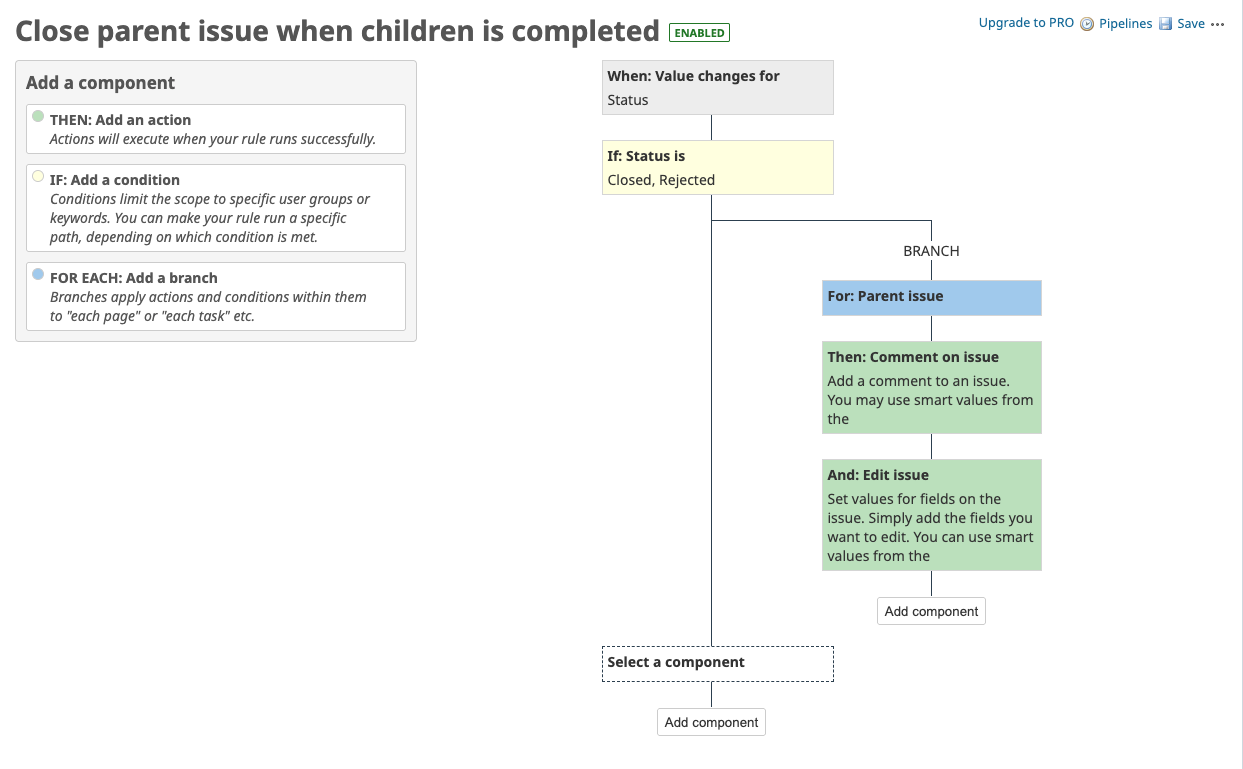
Redmine Automation is a plugin for Redmine that enhances automation capabilities within the Redmine project management system. It provides additional features and tools to streamline workflows, automate repetitive tasks.
Features
- Advanced workflow automation
- Customizable triggers, actions and conditions
- User-friendly interface for managing automation rules
- Support for Redmine 5.x and later versions
Free vs Pro Comparison
| Feature Category | Community (Free) | Pro Version |
| Triggers | • Issue CRUD • Issue Comments CRUD |
• Issue CRUD • Issue Comments CRUD • Issue Moved • Issue Transitioned • Manual from Issue • Spent Time • Scheduled |
| Actions | • Clone Issue • Comment on Issue • Create Issue • Create Sub-task • Delete Attachments • Delete Issue • Edit Comment • Edit Issue |
• Assign Issue • Clone Issue • Comment on Issue • Create Issue • Create Sub-task • Delete Attachments • Delete Issue • Delete Issue Links • Edit Comment • Edit Issue • Link Issues • Log Work • Manage Watchers • Send Email • Send Web Request • Log Action |
| Branches for Related Issues | • Parent Issue • Current Issue |
• Parent Issue • Current Issue • Sub-tasks • Linked Issue • Created Issue |
| Advanced Redmine Query Language | X | Enables complex filtering and triggering options |
| Support & Updates | Community-based | Priority support and continuous updates |
Get the full Pro version here: https://redmineplus.com/redmine-automation/
Demo
Try the live demo of full Redmine Plus Automation plugin https://redmineplus.com/sign-up-to-redmine-plus/
Installation notes
Installation
To install the Redmine Plus Automation Community plugin, follow these steps:
1. Download the plugin from the repository.
2. Extract the plugin files to the `plugins` directory of your Redmine installation.
3. Run the following commands in your Redmine root directory:
   bundle install
   rake redmine:plugins:migrate RAILS_ENV=production
4. Restart your Redmine server.
For more detailed installation instructions, please refer to the [official documentation](https://redmineplus.com/how-to-install-redmine-automation-plugin/).
Usage
To start using the Redmine Plus Automation Community plugin, follow these steps:
1. Navigate to the "Administration" section in Redmine.
2. Click on "Automation" menu to access the plugin settings.
3. Configure the automation rules according to your requirements.
4. Save the settings and start using the automation features.
For detailed documentation and tutorials, please refer to the [official documentation](https://redmineplus.com/docs/introduction).
Changelog
1.0.0 (2026-03-03)
Compatible with Redmine 6.1.x, 6.0.x, 5.1.x, 5.0.x.