Plugins Directory » Redmine Resource Planner
|
|
Author: | redminekit support |
|---|---|---|
| Website: | https://redminekit.com/en/redmine/plugins/redmine-resource-planner | |
| Code repository: | - | |
| Registered on: | 2026-10-13 (4 days ago) | |
| Current version: | 1.0.0 | |
| Compatible with: | Redmine 7.1.x, 7.0.x, 6.1.x, 6.0.x, 5.1.x, 5.0.x, 4.2.x, 4.1.x, 4.0.x | |
| User ratings: |
Redmine Resource Planner
See who is working on what, and who has room for more. Resource Planner adds a drag-and-drop planning board to Redmine. Book people onto issues, meetings, training and leave, and let the plugin work out capacity, overbooking and the weeks ahead from your working hours, holidays and approved leave.
Bookings sit on top of the users, groups, projects and issues you already have in Redmine. Nothing is entered twice: issue bookings link back to the issue, and spent time is read from Redmine's own time entries.
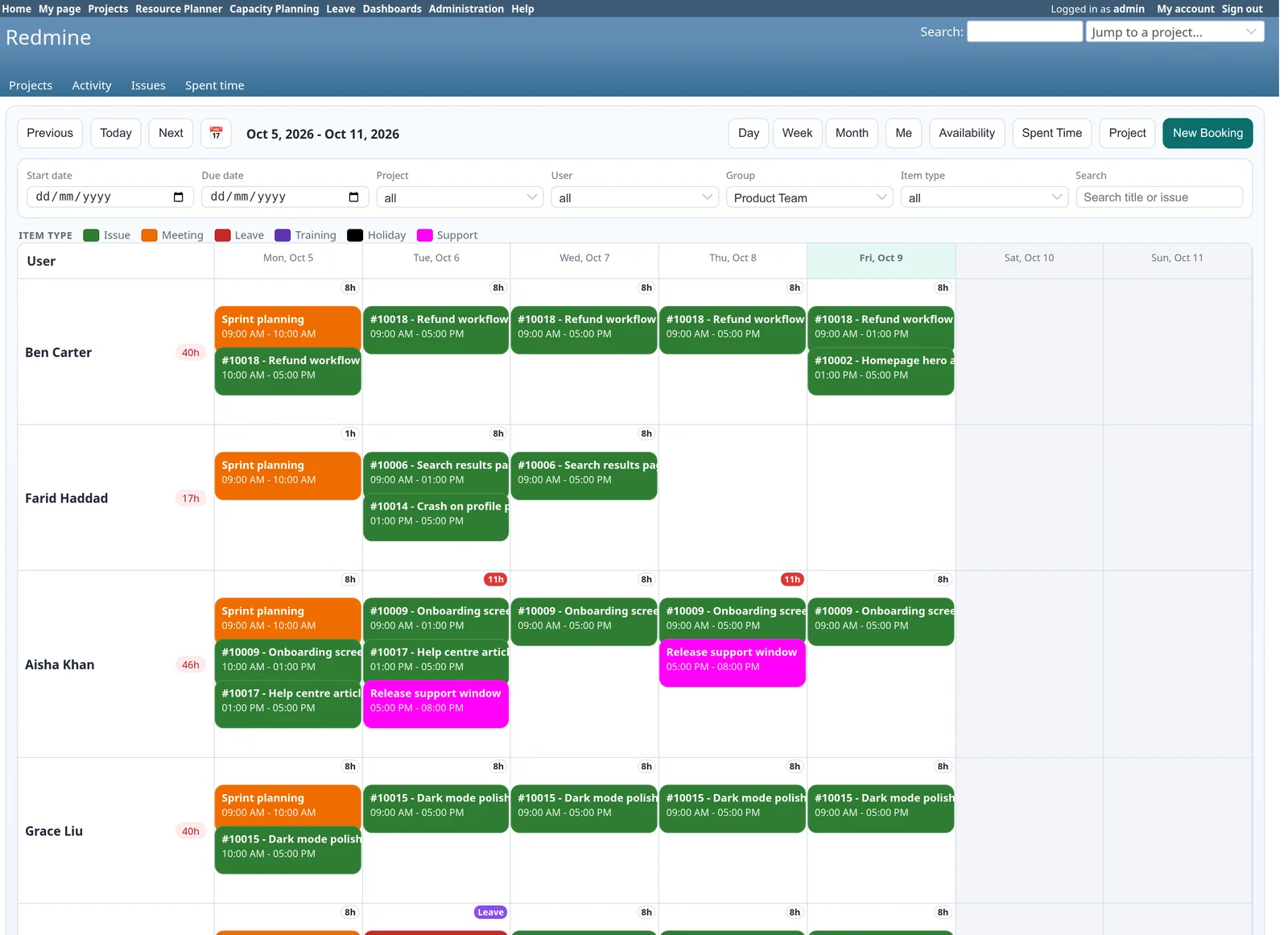
Week view: one row per person and one column per day, with the hours booked each day and overbooked days flagged in red.
Plan a month of work for the whole team
Switch between day, week, month or any date range. Filter by project, person, group or booking type, or search by title.
- Drag, drop and resize - move a booking to another day or another person, or drag its edge to make it longer. Select several bookings and shift them together.
- Conflict detection - a warning when a booking overlaps another one for the same person. Managers can override it, or you can allow overlaps altogether.
- Recurring bookings - daily, weekly or monthly, on the weekdays you pick, until a date or for a number of occurrences, optionally skipping weekends and holidays.
- Booking types - issue, meeting, leave and training are built in. Add your own, such as support or on-call, each with its own colour.
- Global, project and personal views - one board for everyone, one inside each project, and a "Me" calendar for each person. What you see follows your Redmine permissions.
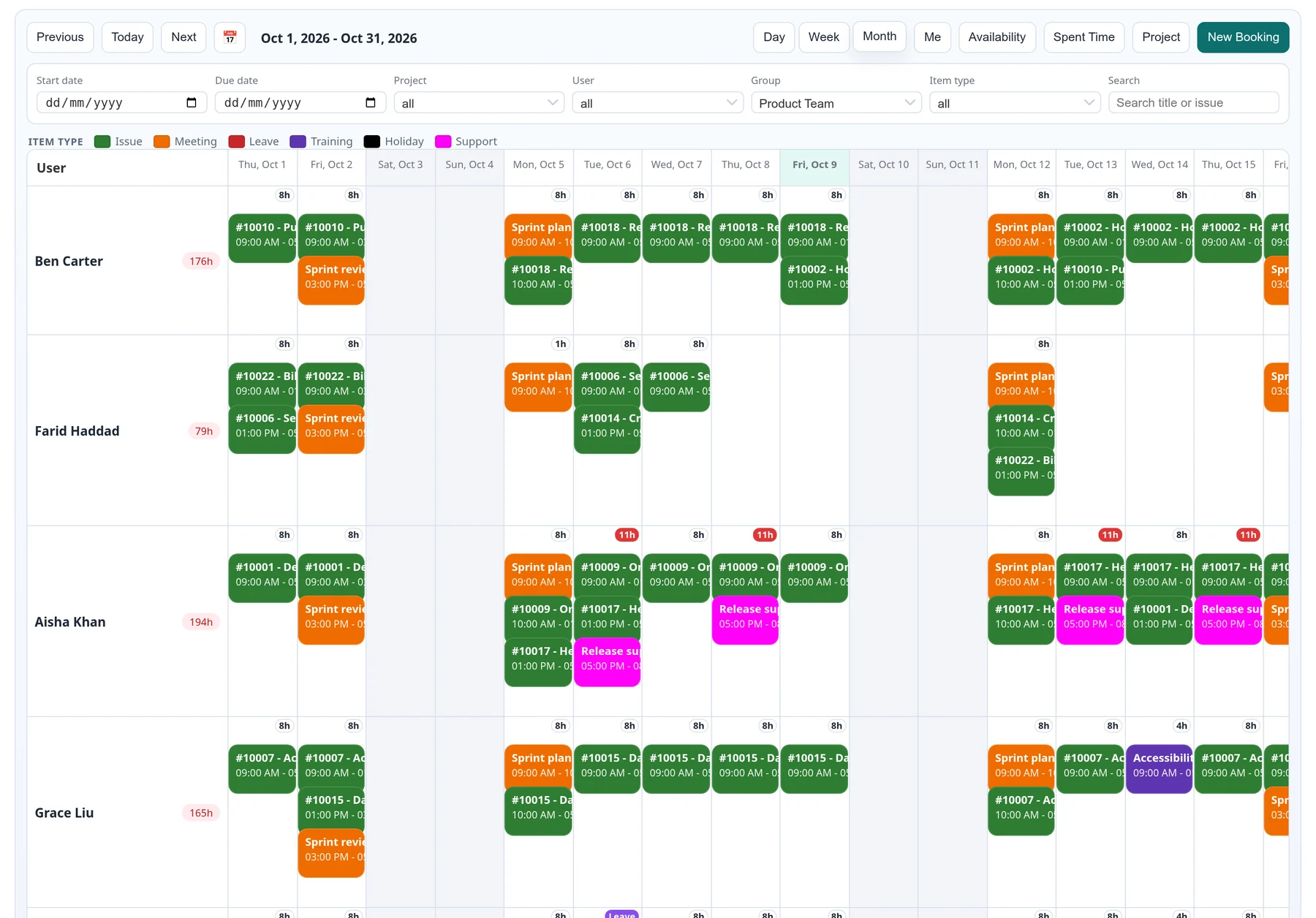
Month view: colour shows the kind of work, the badge shows hours booked that day, and red badges mark days over capacity.
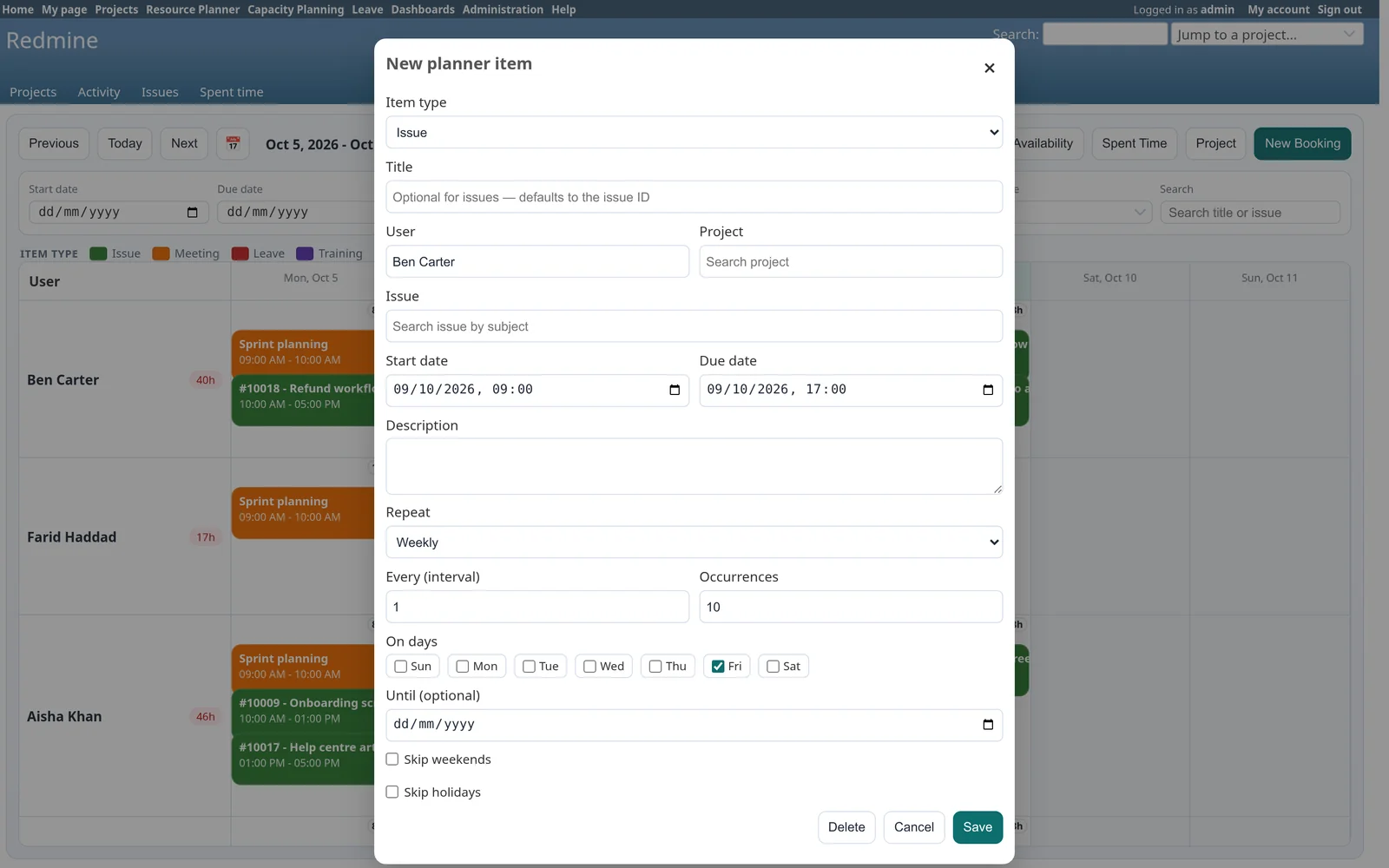
New booking: pick a type, a person and an issue, set the times, and repeat it daily, weekly or monthly.
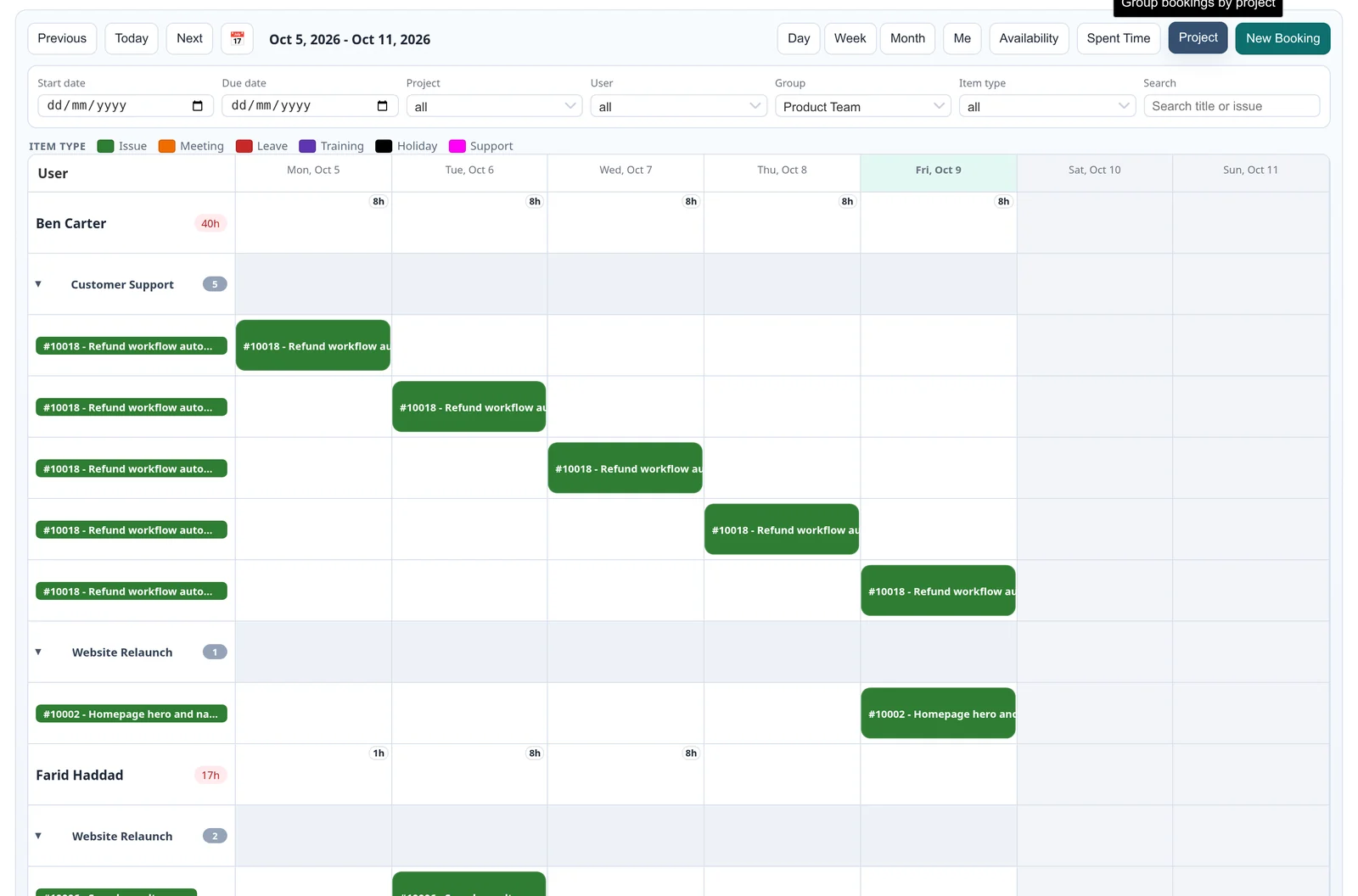
Grouped by project: person, then project, then one line per issue.
See who is free, and what was actually worked
- Availability view - one cell per person per day showing free hours, who is full, who is overbooked and who is on leave.
- Planned against spent - hours booked each day next to the time people logged in Redmine, with spent, planned and estimated totals per person.
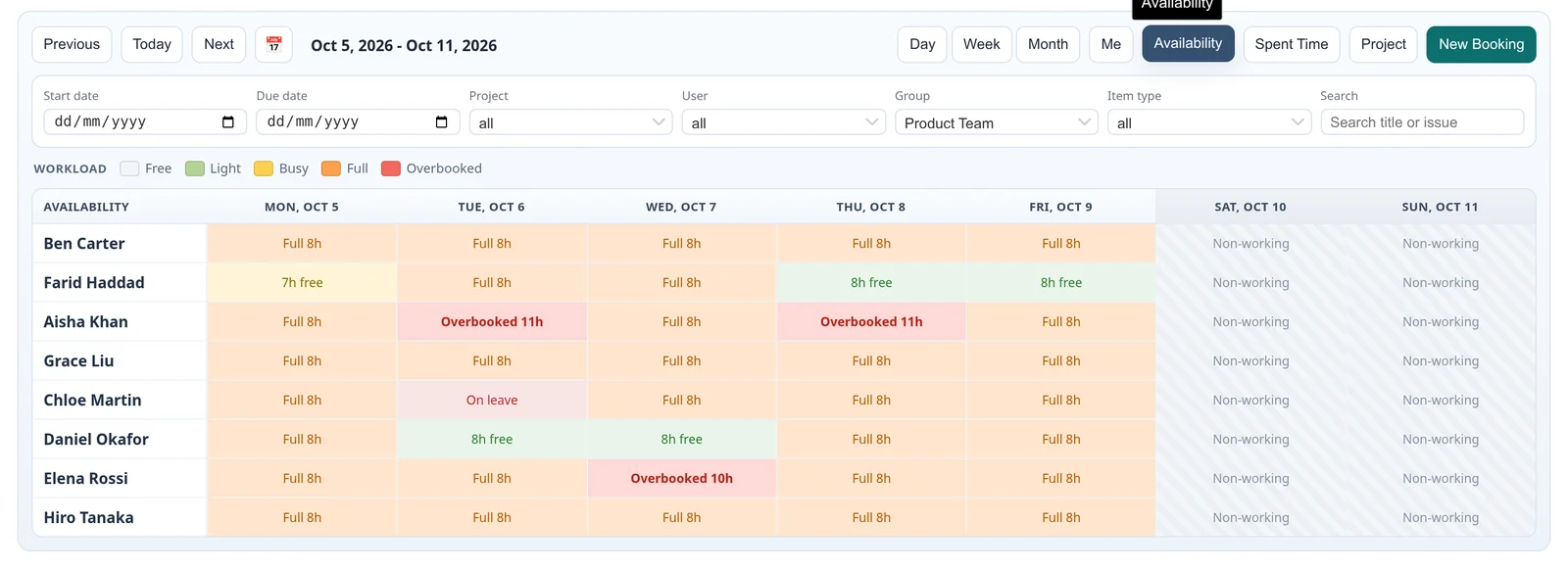
Availability: the view to open when new work arrives.
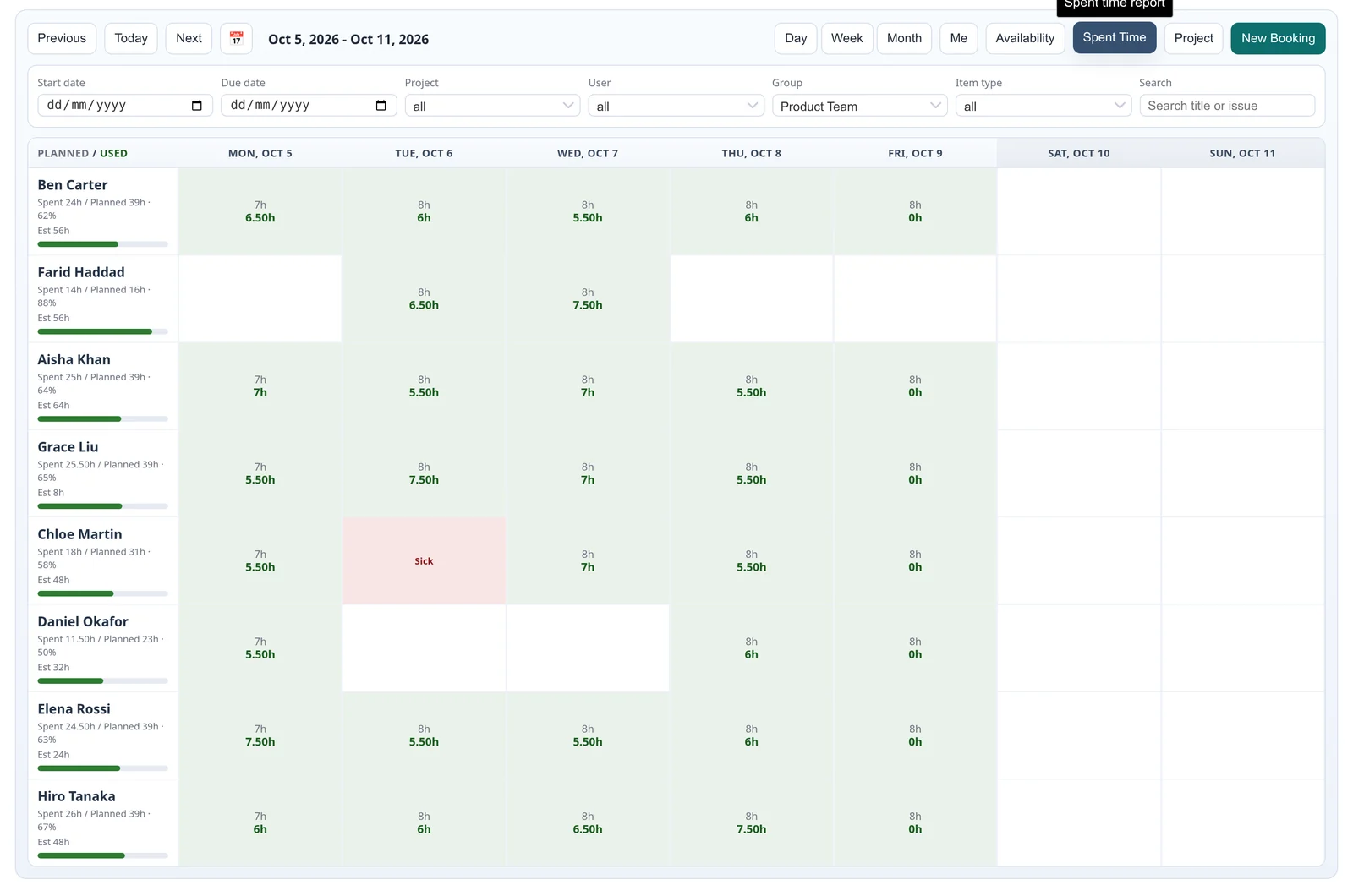
Planned against spent.
Capacity planning and forecast
Capacity is working days times daily hours, minus holidays and approved leave. Bookings are counted against it.
- Capacity planning - available, planned and remaining hours for the team and for each person, with utilisation bars and a count of overbooked days.
- Forecast - how booked the team is over the next 30, 60, 90 and 180 days, with overallocation flagged early.
- Workload balancing - when someone is overbooked, the plugin suggests moving a booking to a colleague with free hours or to a later date. Nothing changes until you apply it.
- Dashboards - build personal, shared or per-project dashboards from eleven widgets, including team capacity, utilisation, overbooked people, upcoming leave, forecast, workload trend, project allocation and a utilisation heatmap.
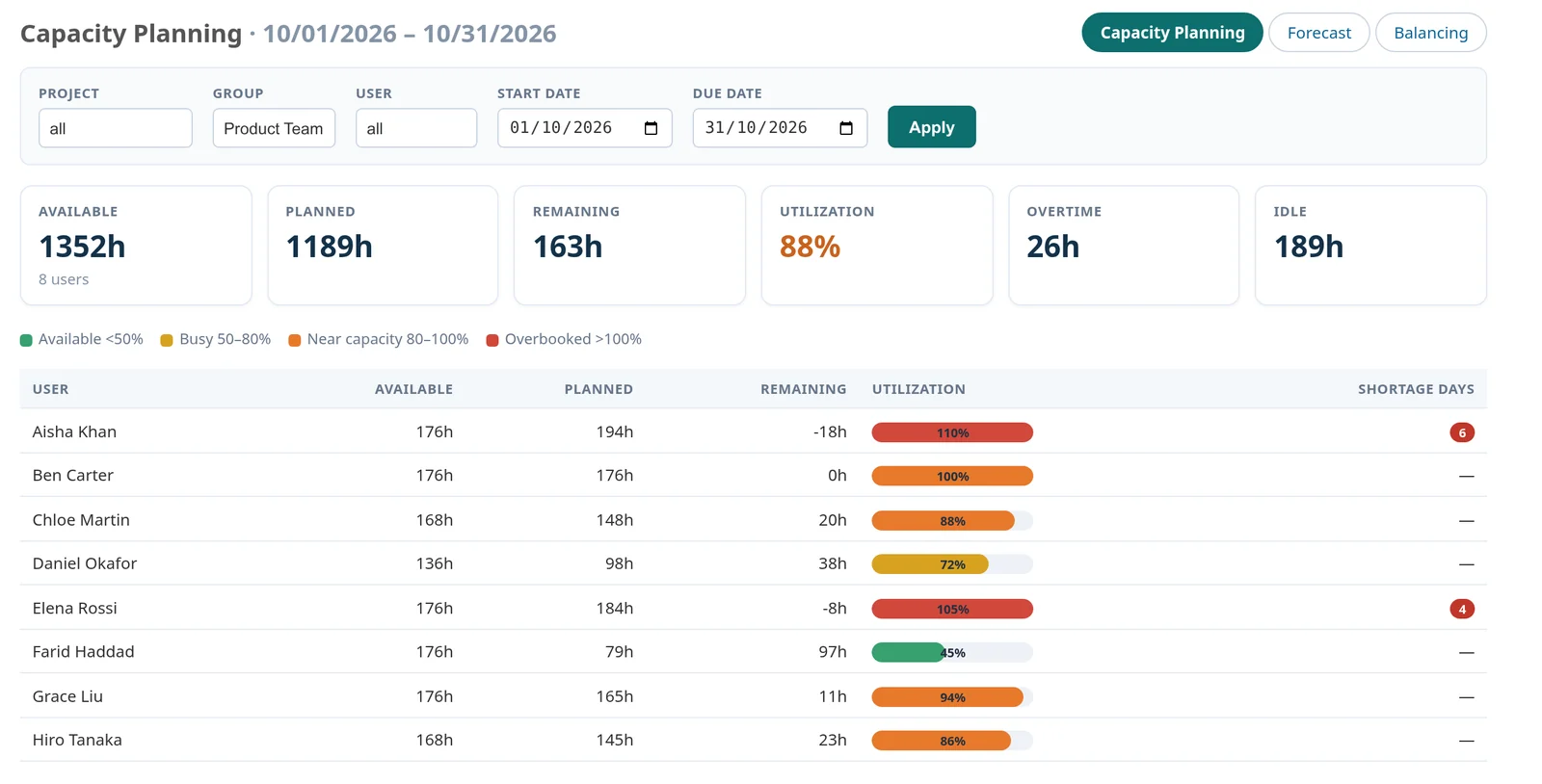
Capacity planning.
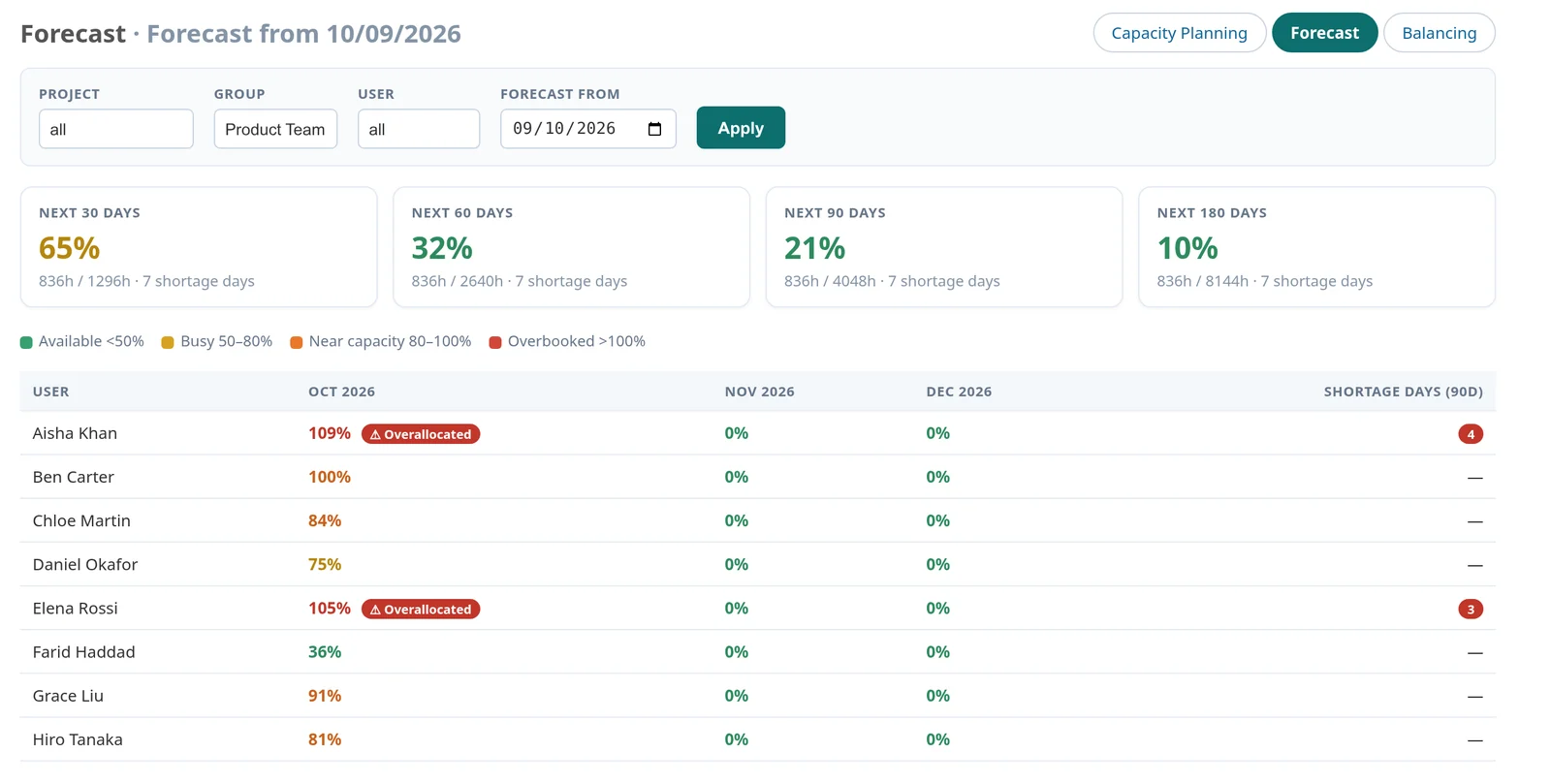
Forecast for the next 30, 60, 90 and 180 days.
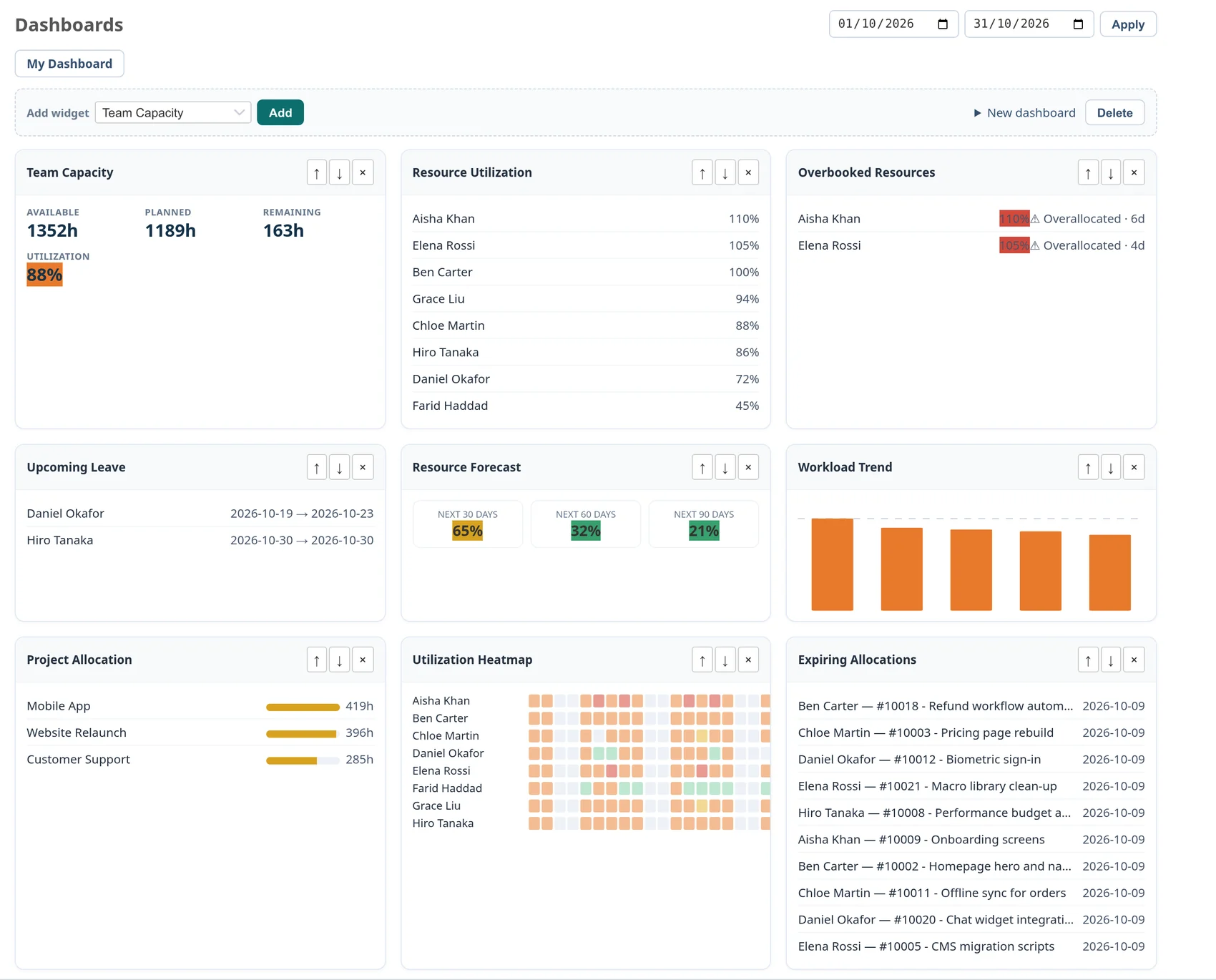
Dashboards built from eleven widgets.
Leave that the plan knows about
- Leave requests - vacation, sick, personal, unpaid or other, with dates and a reason.
- Approvals - a manager approves or rejects with a comment, and the employee is notified by email.
- Part of the plan - approved leave appears on the board and reduces that person's capacity for those days.
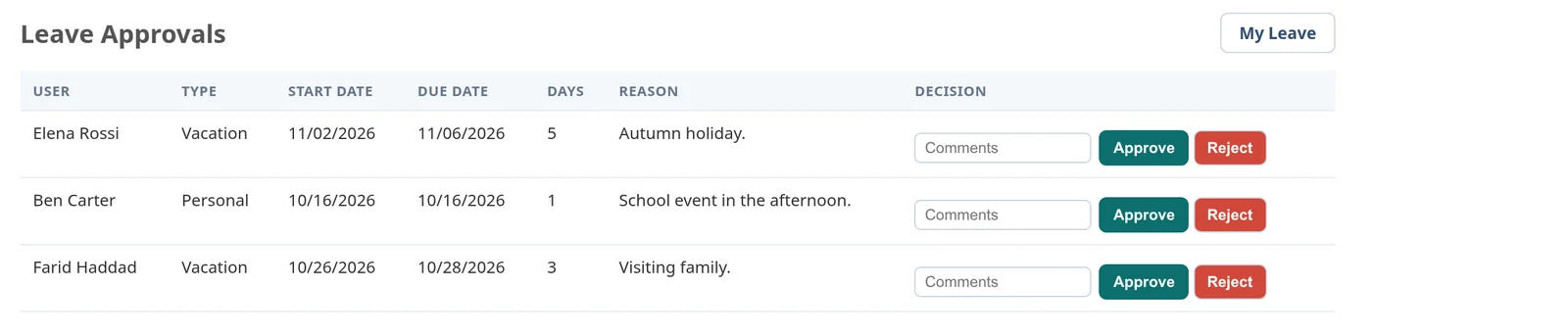
Leave approvals.
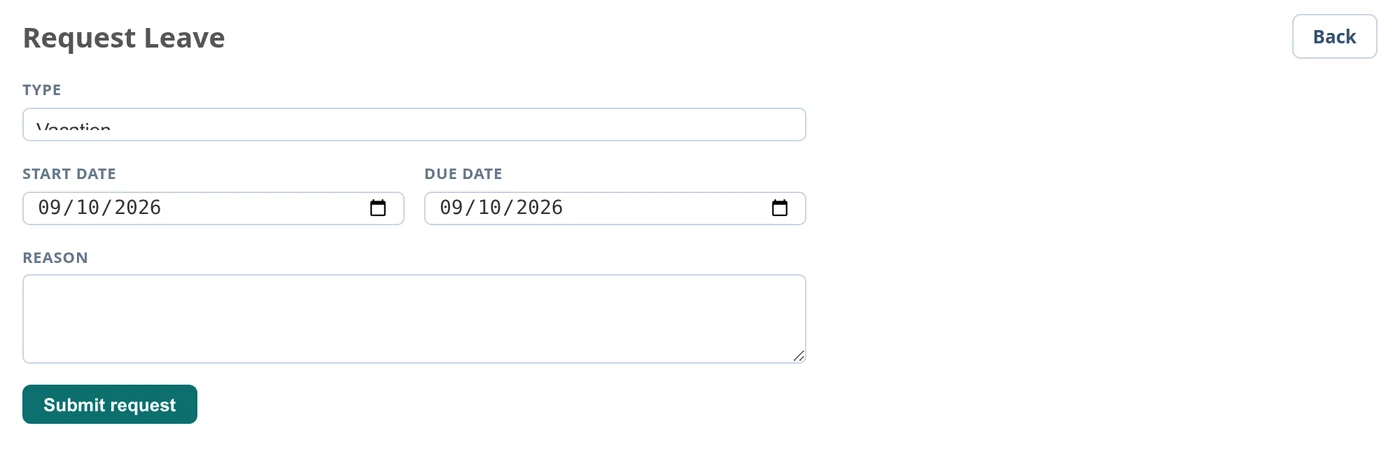
Requesting leave.
Reports, holidays and settings
- Report - estimated, planned, spent and remaining hours, grouped by person, project or booking type.
- Holidays - add them by hand or import them from CSV or Excel, per country, one-off or yearly, and assign them to groups or to individual people.
- Settings - daily capacity, working hours, weekend days, conflict rules, default view, booking types and their colours.
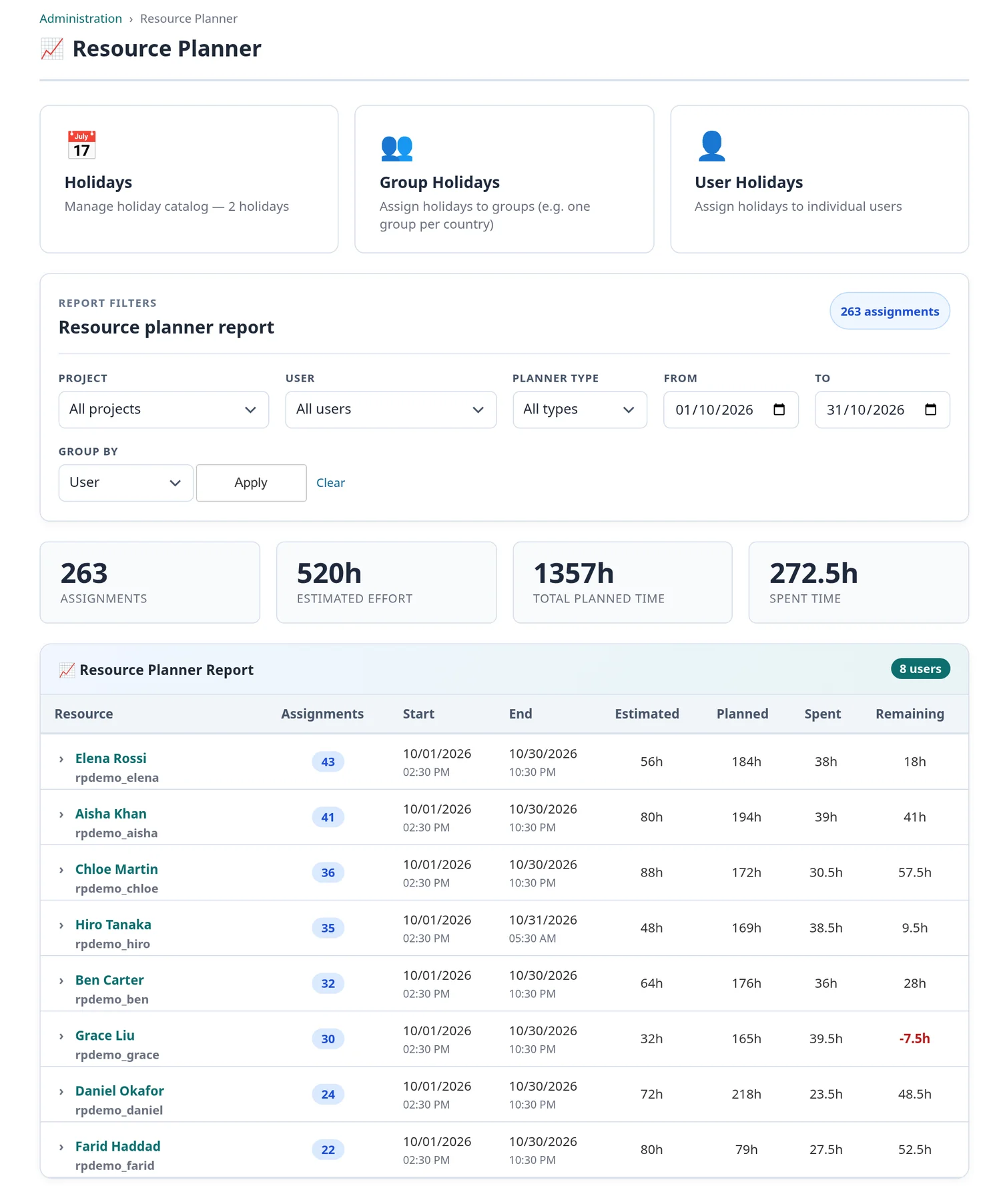
Utilisation report.
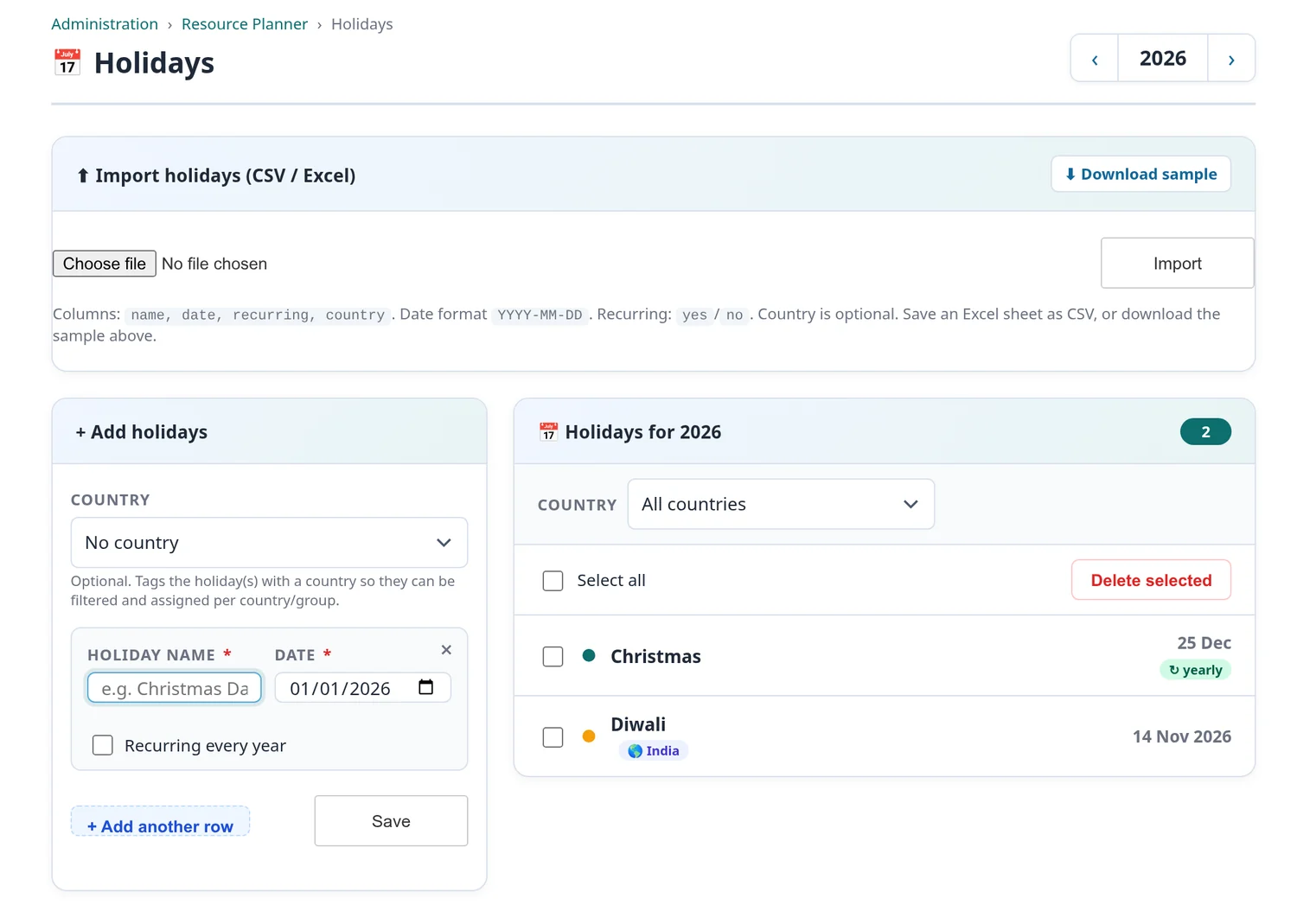
Holidays, with CSV and Excel import.
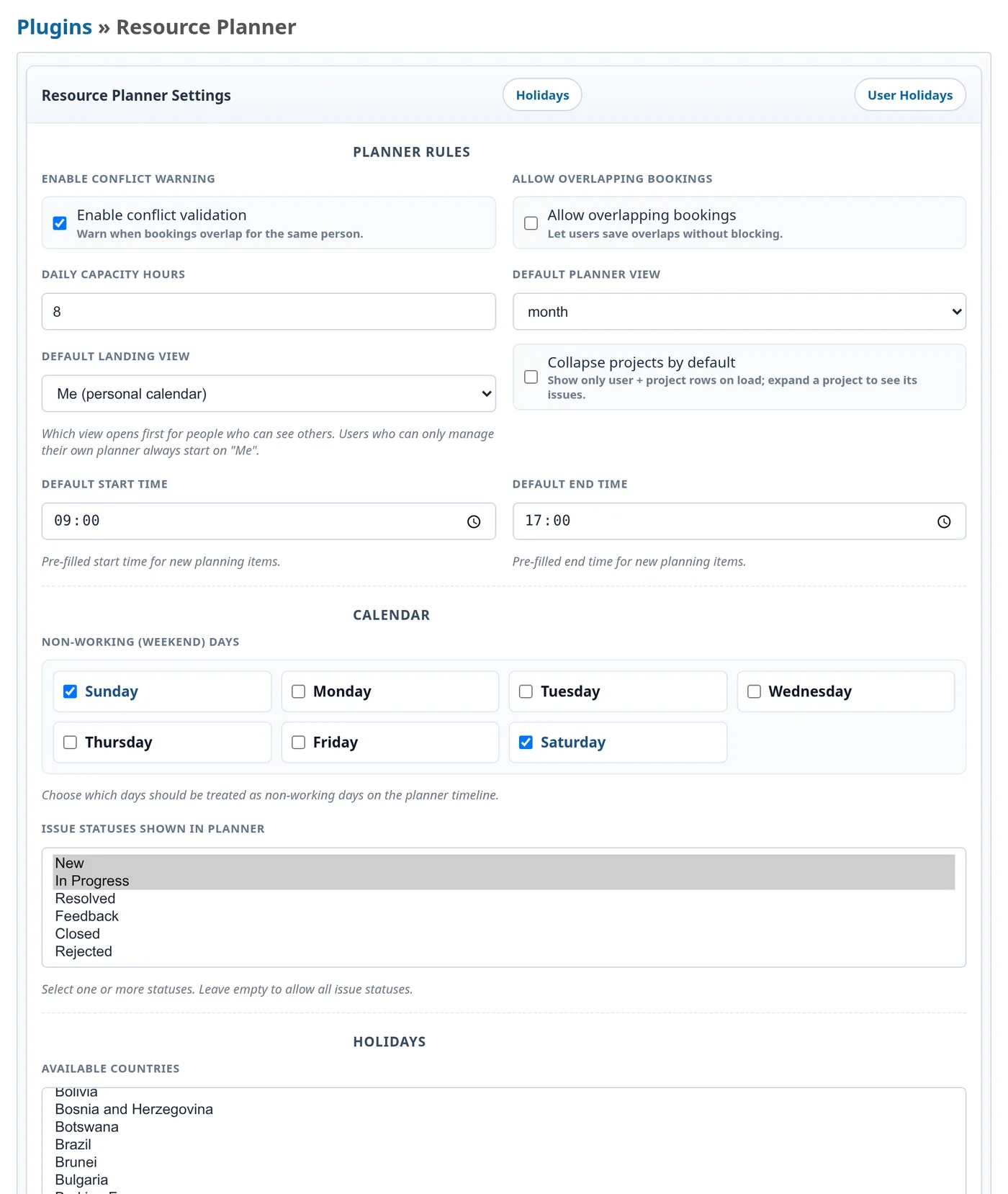
Plugin settings.
JSON API
Bookings, capacity, forecast, holidays and the utilisation report are available as JSON under /api/resource_planner. Every endpoint authenticates with a normal Redmine API key and follows the same permissions as the screens.
| Method | Endpoint | Purpose |
|---|---|---|
| GET | /bookings |
Bookings, workload and spent time for a range |
| POST | /bookings |
Create one or many bookings |
| PATCH | /bookings/:id |
Move, resize or edit a booking |
| DELETE | /bookings/:id |
Remove a booking |
| GET | /capacity |
Available, planned and remaining hours |
| GET | /forecast |
Future utilisation and shortages |
| GET | /holidays |
Holiday list |
| GET | /report |
The utilisation report |
Compatibility
- Redmine: 4, 5, 6 and 7
- Databases: MySQL, MariaDB and PostgreSQL
Installation
cd /path/to/redmine
# the folder must be named plugins/resource_planner
unzip resource_planner-0.1.0.zip -d plugins/
RAILS_ENV=production bundle exec rake redmine:plugins:migrate NAME=resource_planner
touch tmp/restart.txt
Then, in Redmine:
- Go to Administration > Roles and permissions and grant the Resource Planner permissions.
- Go to Project > Settings > Modules and enable Resource Planner on each project that needs a board.
- Go to Administration > Plugins > Resource Planner and set daily capacity, working hours and weekend days.
- Go to Administration > Resource Planner > Holidays and add or import your public holidays.
More information
- Product page: https://redminekit.com/en/redmine/plugins/redmine-resource-planner
- Contact and support: contact@redminekit.com
Already using another resource planning plugin? Tell us which one, and we will help you move your existing plan into Resource Planner.
Changelog
1.0.0 (2026-10-01)
Compatible with Redmine 7.1.x, 7.0.x, 6.1.x, 6.0.x, 5.1.x, 5.0.x, 4.2.x, 4.1.x, 4.0.x.