Plugins Directory » Easy Add Note
|
|
Author: | Joao Figueira |
|---|---|---|
| Website: | https://github.com/joaoperfig/redmine_easy_notes | |
| Code repository: | https://github.com/joaoperfig/redmine_easy_notes | |
| Registered on: | 2026-08-31 (about 2 months ago) | |
| Current version: | 1.0.0 | |
| Compatible with: | Redmine 7.1.x, 7.0.x | |
| User ratings: |
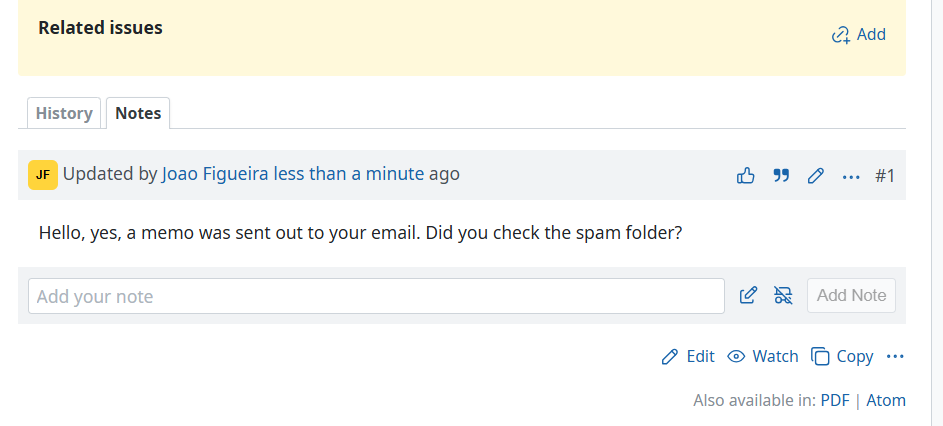
Adds a one-line "Add note" box under the issue history, so leaving a comment does not mean opening the whole issue edit form.
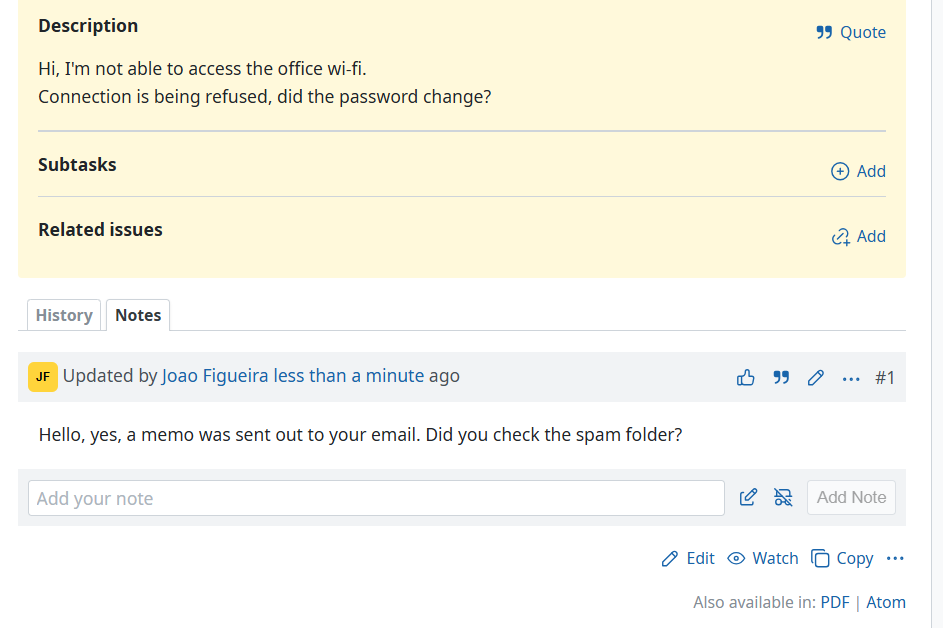
Redmine has no way to add a note without revealing the full editor, which also exposes the subject, description and every other attribute. That makes it easy to change the issue by accident on the way to commenting. See feature #3143, open since 2009 and still not in core.
What you get
A bar styled like a journal entry appears below the notes:
- a one-line text field, placeholder "Add your note"
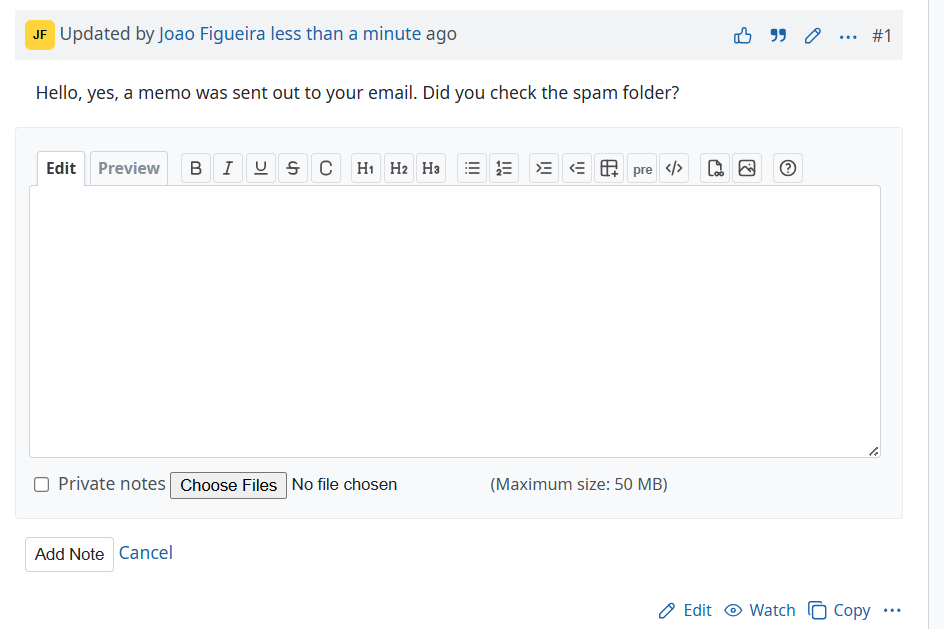
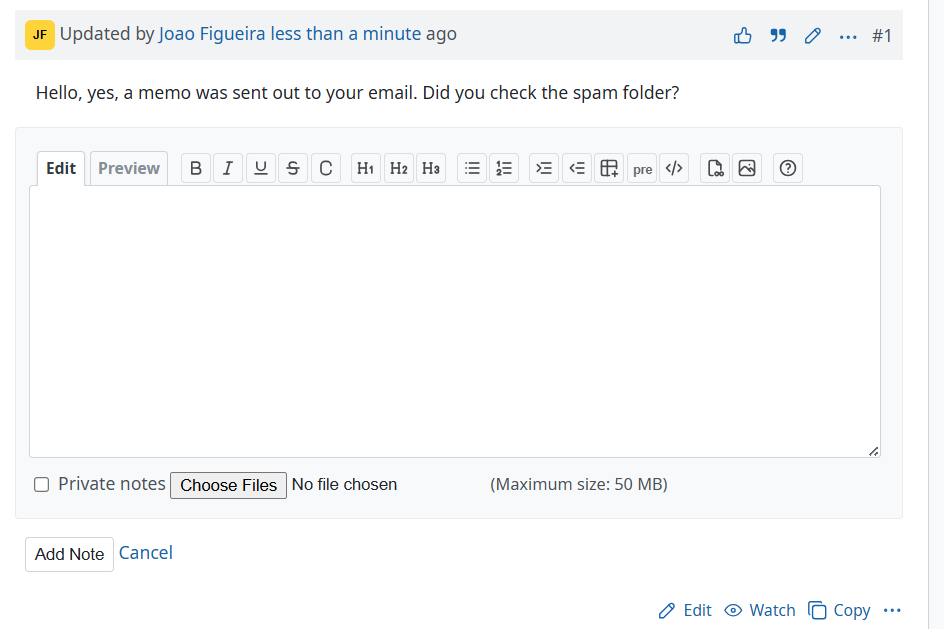
- an "Open full editor" icon that swaps the bar for the full editor, keeping whatever was typed: jstoolbar, preview, mention autocomplete, private notes and attachments
- a public/private toggle, coloured like a checked checkbox
- an "Add Note" button, disabled until the field has something in it
The form submits only the note, never lock_version, so adding a note cannot fail with a stale object error because somebody else edited the issue meanwhile. That is the original complaint in #3143.
Keys and behaviour
| Action | Result |
|---|---|
| Enter | Submits the note |
| Shift+Enter | Opens the full editor, keeping the text and adding the line break |
| Cancel | Discards the note and returns to the one-liner |
| Drop a file on the one-liner | Opens the full editor, attaches the file and inserts the inline image markup, exactly as core does |
| Quote on an existing note | Lands in this editor instead of reopening the issue edit form |
Quoting keeps whatever was already being written and appends the quote after it, and quoting a private note keeps the reply private. If the issue edit form is already open when you click Quote, quoting is left alone.
Permissions
The bar renders only for users with the "Add notes" (add_issue_notes) permission. The private toggle and checkbox appear only with set_notes_private, and the attachment field only when attachments are allowed.
Requirements
Redmine 7.0.0 or later. The markup mirrors Redmine 7's journal header, so earlier versions are untested. No gems, no migrations, no new controllers, routes or permissions.
Installation notes
Clone into plugins/ and precompile the assets:
cd {REDMINE_ROOT}/plugins
git clone https://github.com/joaoperfig/redmine_easy_notes.git
cd ..
RAILS_ENV=production bin/rails assets:precompile
Then restart Redmine. The restart is not optional. Propshaft resolves .manifest.json once at boot, so a running server keeps serving the old asset digests and the plugin looks like it did nothing.
There are no migrations, so redmine:plugins:migrate is not needed. To uninstall, delete the directory and restart.
Theming
The private toggle takes its colour at runtime from the computed accent-color of the "Private notes" checkbox, so a theme that sets accent-color on checkboxes is matched with no configuration. To force a colour instead:
#easy-notes { --easy-notes-private-color: #e90062; }
Changelog
1.0.0 (2026-08-31)
Compatible with Redmine 7.1.x, 7.0.x.