Plugins Directory » Redmine Reporting
|
|
Author: | Like HOPPER |
|---|---|---|
| Website: | https://github.com/likehopper/redmine_reporting | |
| Code repository: | git@github.com:likehopper/redmine_reporting.git | |
| Registered on: | 2026-09-30 (22 days ago) | |
| Current version: | 1.2.1 | |
| Compatible with: | Redmine 7.0.x, 6.1.x, 6.0.x, 5.1.x, 5.0.x | |
| User ratings: |
Redmine Reporting







Digest
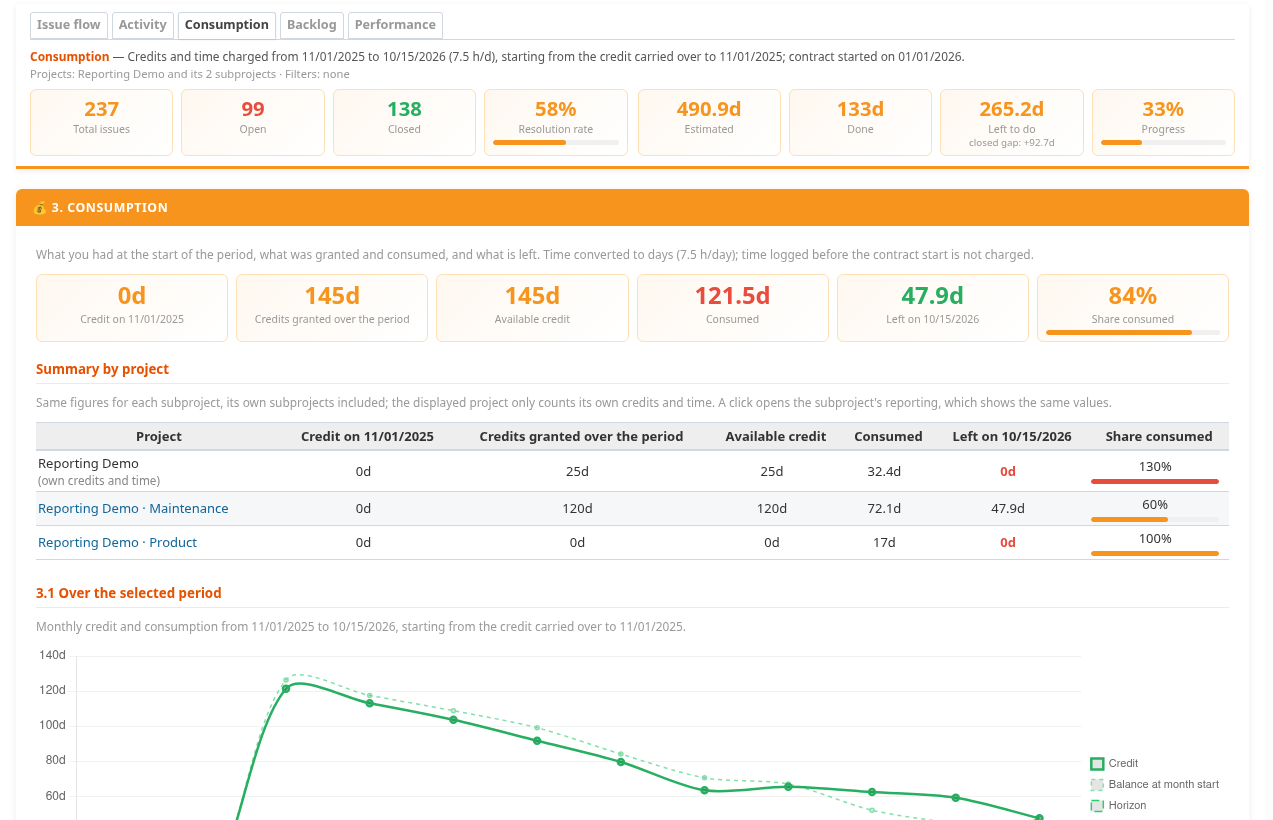
Redmine Reporting adds interactive project dashboards to track issue flow, activity, time consumption, backlog and performance. It includes configurable annual time credits with recurring refills, flexible filters and subproject reporting. Charts link directly to Redmine’s native issue and time-entry lists, respecting project permissions. Available in English and French.
Credits
Installation notes
Requirements
- Redmine 5.0, 5.1, 6.0, 6.1 or 7.0.
- Ruby 3.1 or later, using a version supported by your Redmine release.
- See the compatibility matrix for tested combinations.
- No external service is required. Chart.js is bundled with the plugin.
Installation
Back up your Redmine database before installing.
From your Redmine root directory:
git clone https://github.com/likehopper/redmine_reporting.git plugins/redmine_reporting
RAILS_ENV=production bundle exec rake redmine:plugins:migrate NAME=redmine_reporting
Restart Redmine, then:
- Enable the Reporting module in each project's Settings > Modules.
- Grant View reporting to the appropriate roles in Administration > Roles and permissions.
- Grant Configure reporting to users who manage reporting settings and time credits.
- Enable Issue tracking and/or Time tracking, and grant the corresponding viewing permissions for the reports you need.
- Open Reporting from the project menu.
Upgrading
Back up the database and the installed plugin directory. Review the changelog, stop Redmine, update the plugin files, run the migration command above, then restart Redmine.
Changelog
1.2.1 (2026-10-04)
Compatible with Redmine 7.0.x, 6.1.x, 6.0.x, 5.1.x, 5.0.x.
Improve the plugin's visual identity and icon attribution.
- Add the Reporting logo to the README and dashboard title.
- Add localized icon credits linking to Magnific and Flaticon.
- Include attribution information alongside the image assets.
1.2.0 (2026-10-04)
Compatible with Redmine 7.0.x, 6.1.x, 6.0.x, 5.1.x, 5.0.x.
Add Workload & Team reporting.
- Show open issues and calculated remaining effort by assignee, including groups and unassigned issues.
- Show logged time by contributor over the selected period.
- Add a RUN/BUILD time distribution chart, including unclassified trackers and time without an issue.
- Link charts to matching native issue and time-entry lists while respecting visibility permissions.
- Flag missing estimates. Remaining effort does not represent available team capacity.
1.1.0 (2026-10-03)
Compatible with Redmine 7.0.x, 6.1.x, 6.0.x, 5.1.x, 5.0.x.
Add Build & Projects reporting with configurable tracker classification.
- Track open and closed issues, overdue issues and estimated versus spent time by version.
- Add historical Burnup charts showing total scope and completed issues, including version changes and reopened issues.
- Open matching native Redmine issue lists directly from charts.
- Respect project permissions and document historical reconstruction limitations.
1.0.0 (2026-10-01)
Compatible with Redmine 7.0.x, 6.1.x, 6.0.x, 5.1.x, 5.0.x.