Plugins Directory » redmine_stopwatch
|
|
Author: | IPS Company |
|---|---|---|
| Website: | https://www.ips.lv/en | |
| Code repository: | https://github.com/ipslv/redmine_stopwatch | |
| Registered on: | 2026-07-29 (3 months ago) | |
| Current version: | 1.5.2 | |
| Compatible with: | Redmine 6.1.x | |
| User ratings: |
A Redmine plugin that adds an interactive stopwatch timer directly to the site header. It allows you to track real working time on issues and record it via the standard Redmine time tracking mechanism. See more details on GitHub: README.md , User manual .
Features
- Timer in the header — always available on any Redmine page
- Context — the widget displays a link to the current issue or project; when navigating to another page, both contexts are visible
- Start / Pause / Resume — control the timer without resetting accumulated time
- Snaps — the ⏭ button saves the current time segment and resets the counter for the next issue
- Stop without redirect — when the timer is stopped, the user stays on the current page; a counter of unsaved snaps is displayed next to the ☰ icon
- Persistence — state is stored on the server: the timer keeps running after closing the tab
- Cross-tab synchronization — switching the timer (start, stop, snap, etc.) instantly updates the widget in all open browser tabs via the BroadcastChannel API
- Snaps page — a list of all unsaved segments with editable project, issue, time, activity and comment fields
- Active timer — a block at the top of the snaps page shows the currently running/paused timer with editable time (H:MM), activity and comment fields; entering a time less than the current one creates a snap with the remainder and continues the timer, entering a greater one — snap and timer reset; saved values are transferred to the snap when the timer is stopped/switched; the ⏹ Stop button stops the timer preserving the comment and activity (blocked if the hours were edited)
- Editable time — the Hours field in snaps has become editable (H:MM format); when the time is decreased, the record is automatically split into the specified part and the remainder; increases are limited by a plugin setting
- Other users' timers — on the snaps page (with the appropriate permission) active timers of colleagues are displayed in read-only mode with ticking time
- Three actions per snap — Save (save fields), Log time (create a Redmine record), Delete (remove segment)
- Issue autocomplete — when editing an issue on the snaps page, autocomplete works with automatic project filling
- Spent time block — the snaps page displays the user's latest time entries grouped by date, with links to project/issue and an Edit button
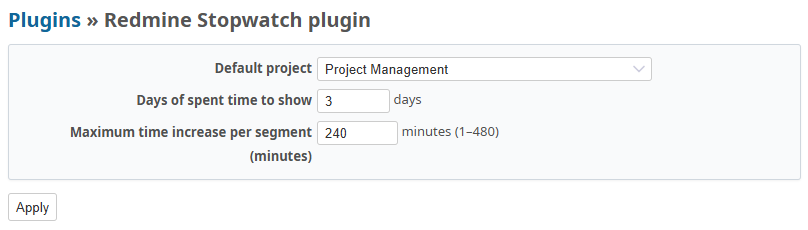
- Plugin settings — default project, number of days for the Spent time block, maximum time increase per snap
Screenshots
| 1. Open an issue — the widget in the header shows its context and the ▶ button | 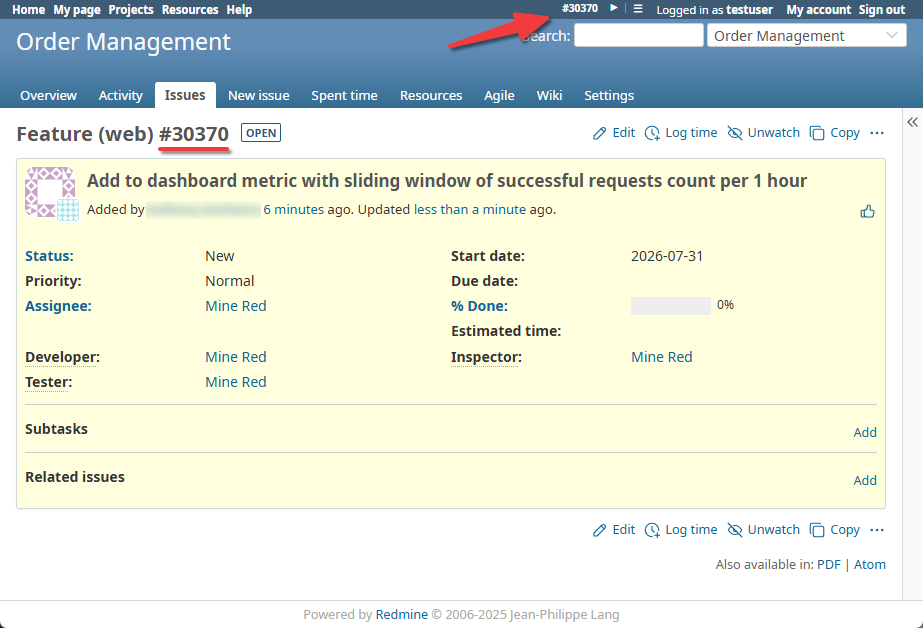 |
| 2. Start the timer — the accumulated time and the ⏸ ⏹ ⏭ controls appear | 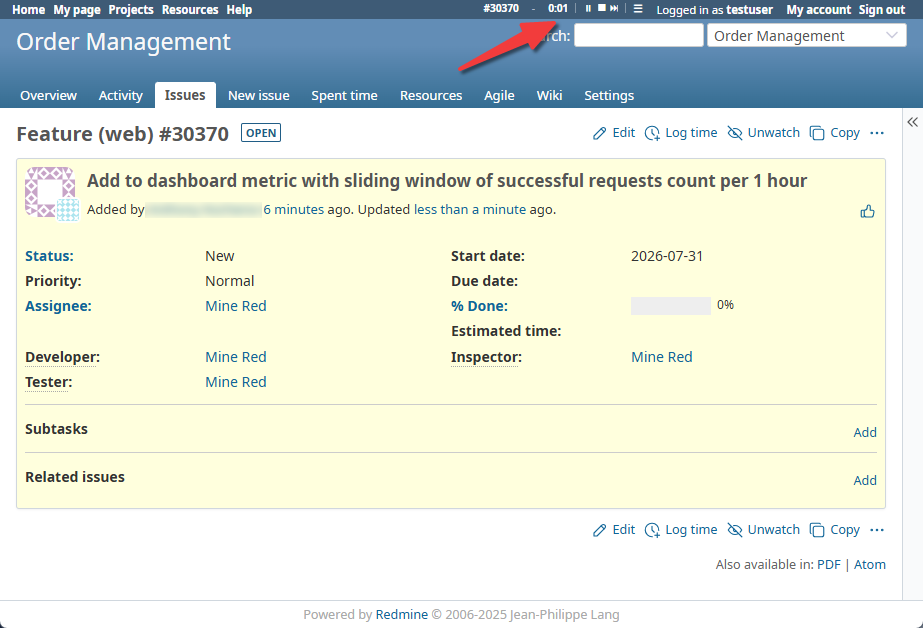 |
| 3. Go to another page — the widget shows both contexts: the timer's one and the current page's one | 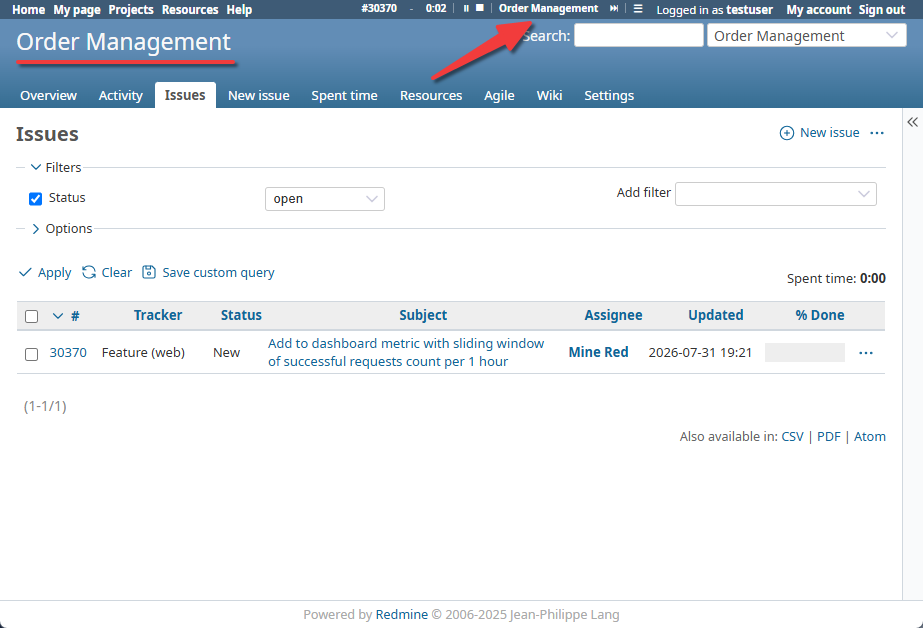 |
| 4. Click ⏭ — the time of the previous context is saved as a snap | 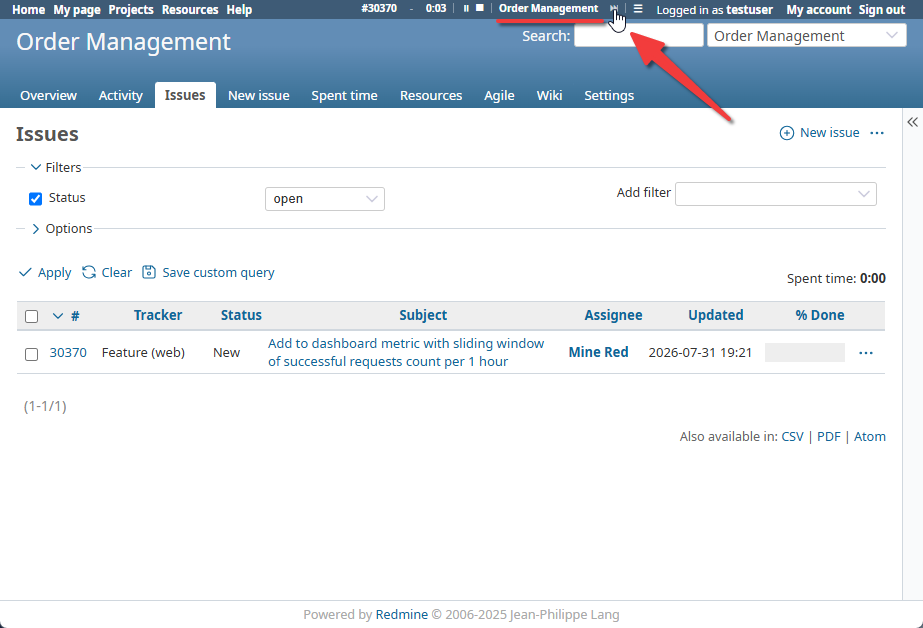 |
| 5. The timer is rebound to the new context, and the badge next to ☰ counts unsaved snaps | 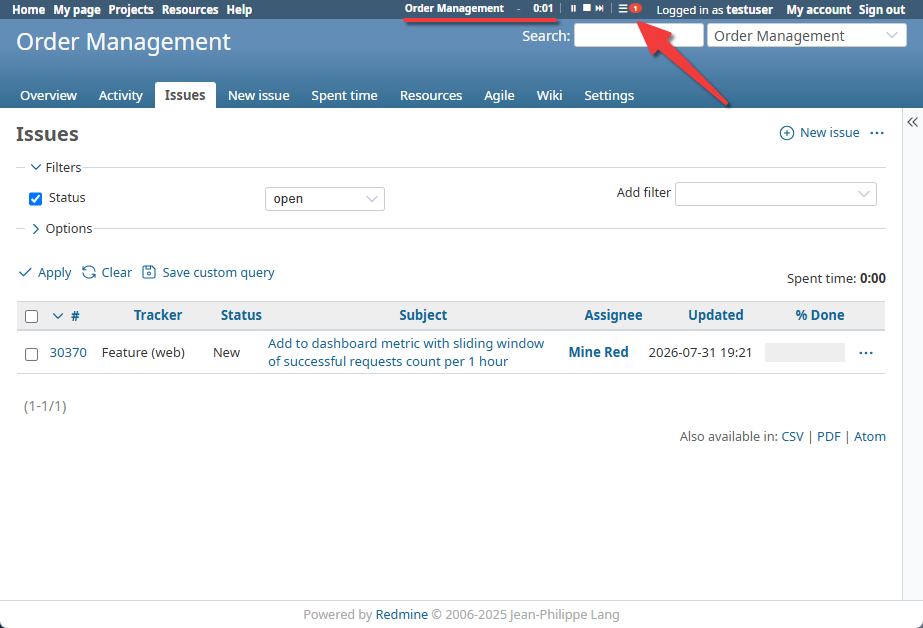 |
| 6. 5. The timer is rebound to the new context, and the badge next to ☰ counts unsaved snaps | 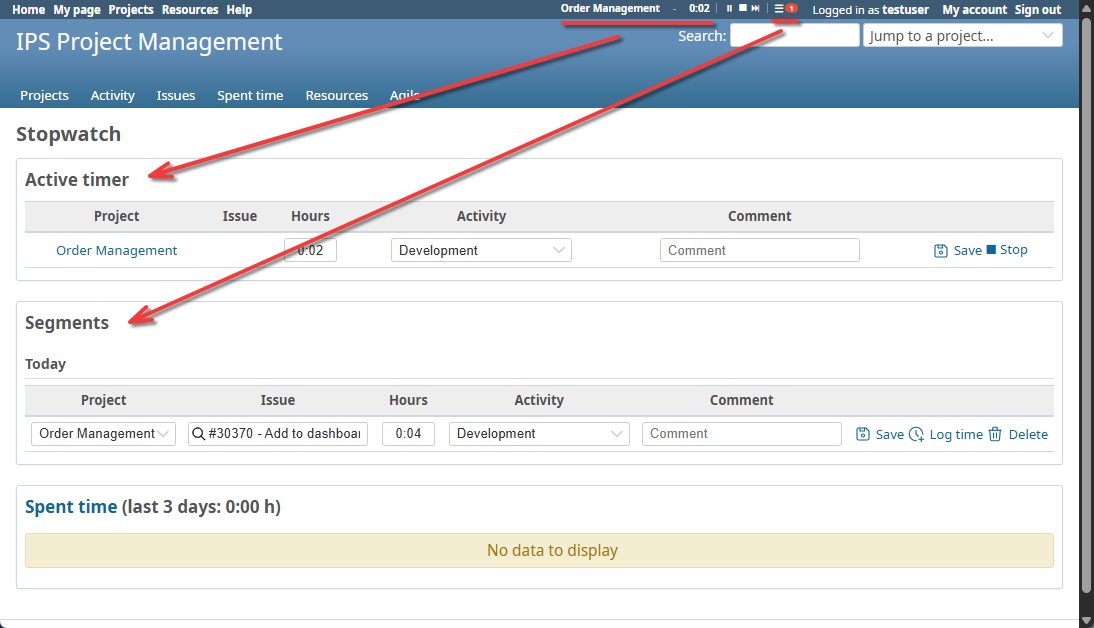 |
7. Plugin settings — Administration > Plugins > Redmine Stopwatch > Configure |
 |
Changelog
1.5.2 (2026-07-29)
Compatible with Redmine 6.1.x.