Feature #14508
open
Workflow administration screen - loss of overview when working with many statuses
Added by Matthias Petermann over 13 years ago.
Updated 4 months ago.
Description
Hello,
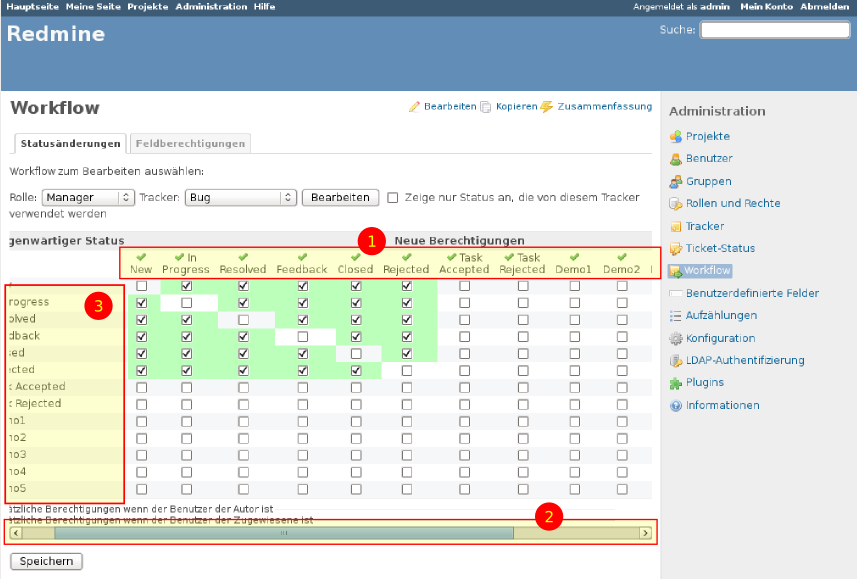
in our project we have a lot of statuses in the workflow. This results in a big number of columns (1) in the workflow administration screen.
While this works acceptable, there is one side effect constantly leading to a loss of overview during editing. For seeing the higher columns it is required to scroll (2). This leads the vertical legend to flow out of the screen (3).
The attached screenshot hightlighths the mentioned numbers 1-3.
Would it be possible to make the vertical legend fixed, so that it is visible everytime?
Kind regards,
Matthias
Files
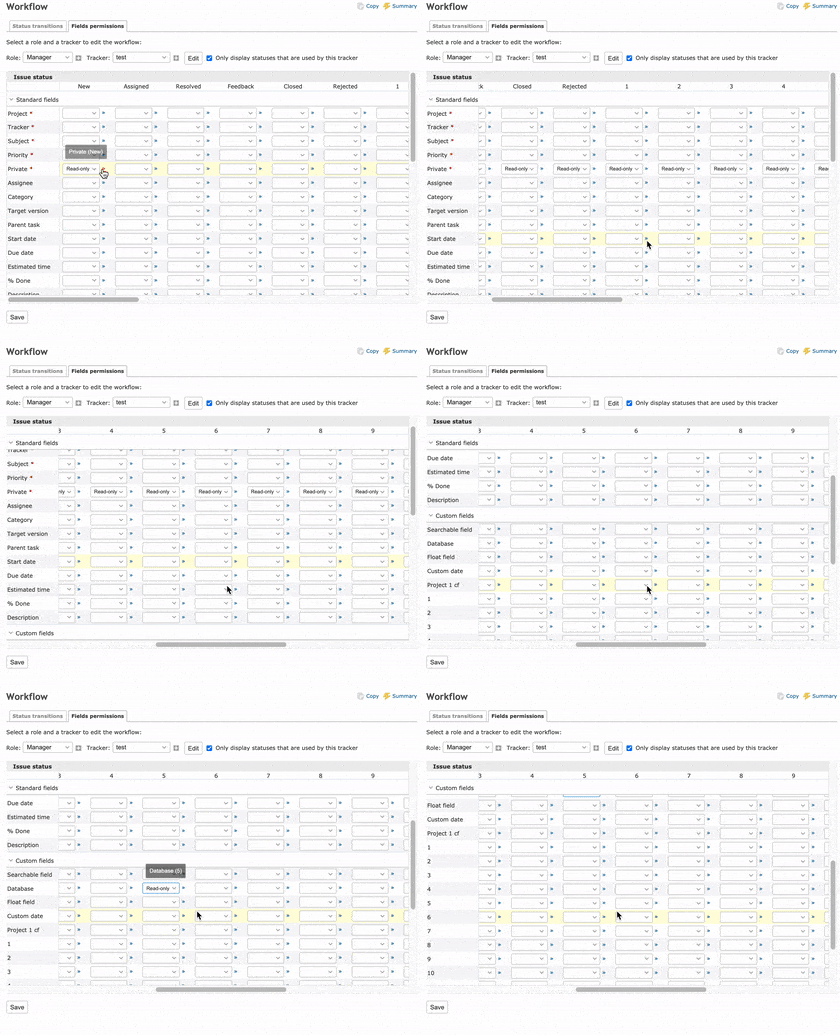
By applying the attached patch, the header of the large table in the workflow is fixed and easy to see.
It is a simple change that uses a CSS property position: sticky and does not require JavaScript.
It works fine with Chrome, Firefox, Safari and Edge.
In IE11, the header is not fixed because position: sticky; cannot be used, but it will be displayed in almost the same way as before the change.
- Target version set to Candidate for next major release
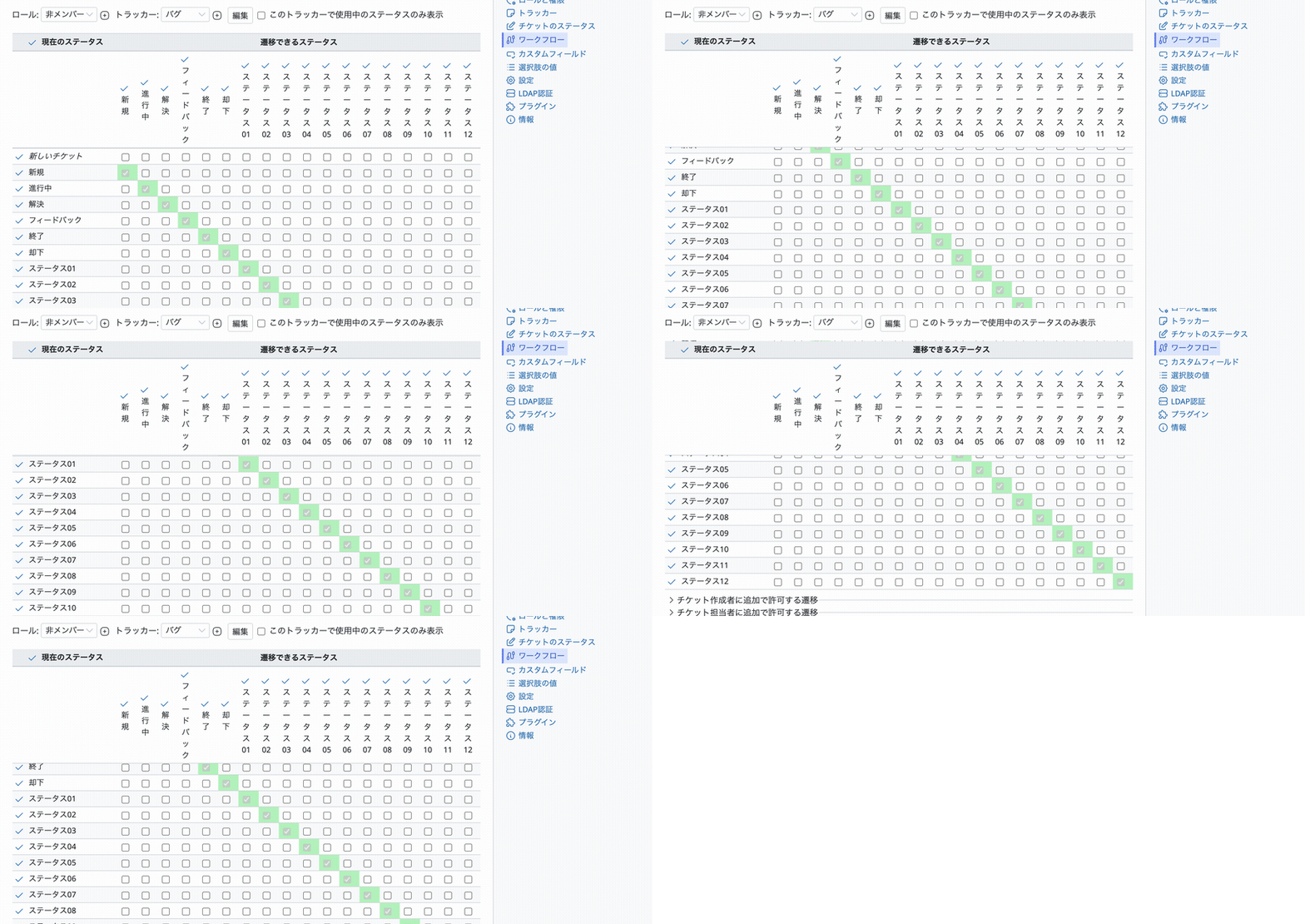
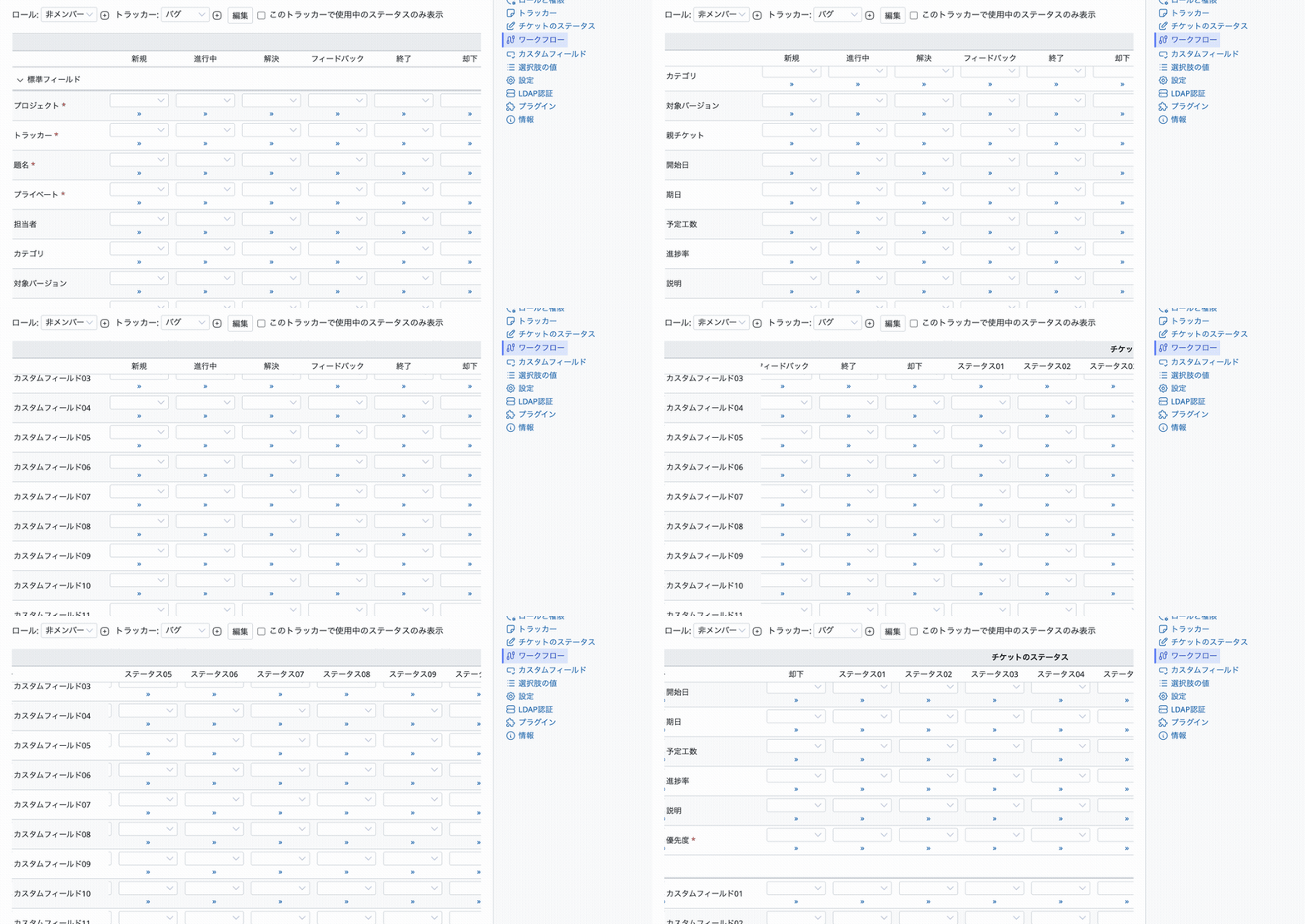
Here is an updated patch for the current trunk.
It is CSS-only and keeps the table headers and the first column visible while scrolling the workflow tables, on both the "Status transitions" and the "Fields permissions" tabs. See the attached GIFs, recorded with 18 statuses and 20 custom fields.
Tested with Chrome 149 on macOS. When the tables are small enough not to scroll, the pages look the same as before.
Also available in: Atom
PDF

 Updated by
  Updated by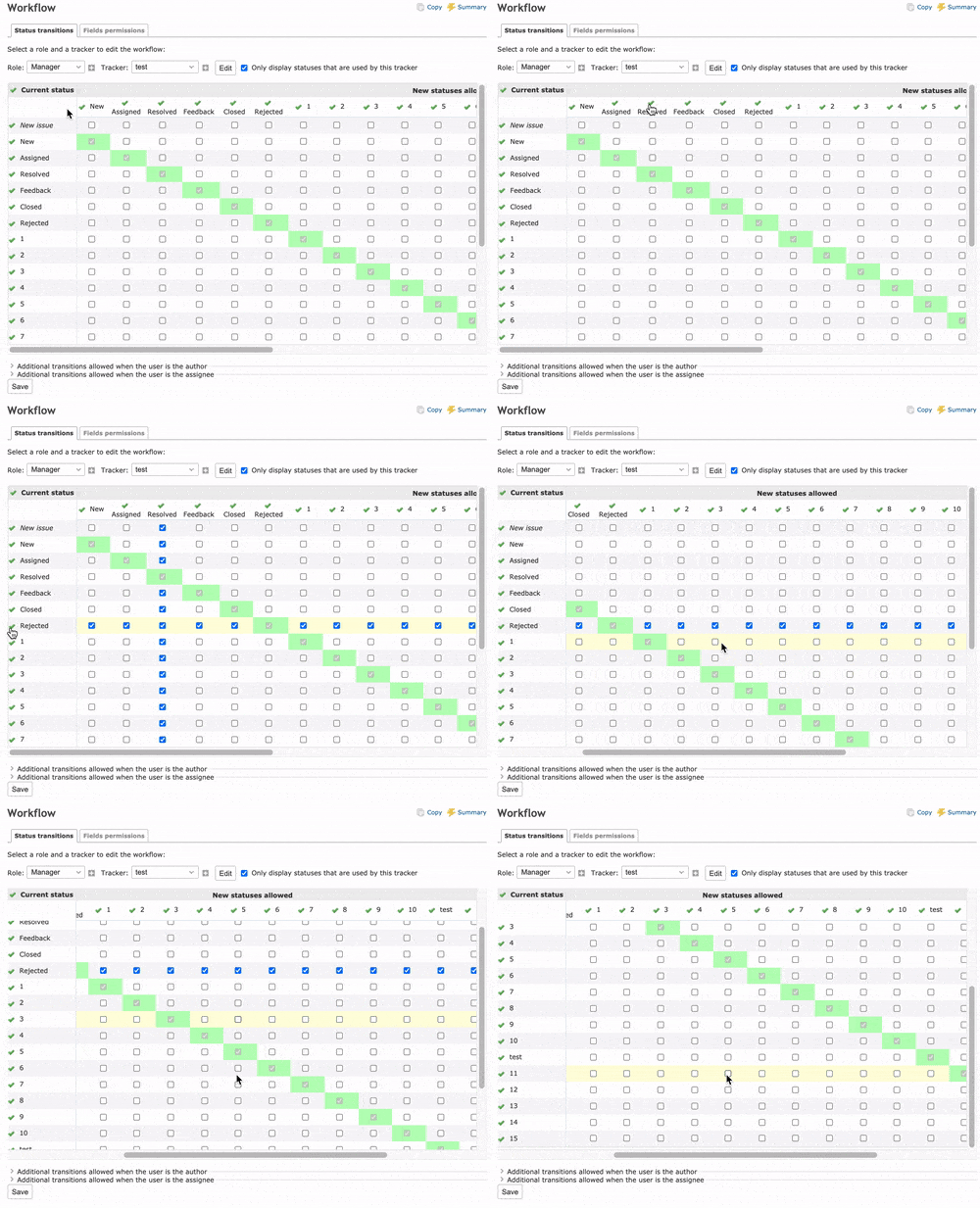
 Updated by
  Updated by