Feature #44521
open
Extend Open Color to syntax highlighting
Description
Redmine 7.0.0 adopted Open Color as the color palette for the default theme. However, syntax highlighting was not part of that migration. It still uses the colors of the Pygments "colorful" theme, which were introduced in Redmine 4.0.0 when the syntax highlighter was changed from CodeRay to Rouge.
The attached patch changes the syntax highlighting colors to Open Color, which completes the migration of the default theme to Open Color.
The patch keeps the current appearance of syntax highlighting as much as possible. The main changes are as follows:
- Replaced all hex color codes in the
.syntaxhlrules with Open Color variables, choosing a similar color for each. - Kept the hue of each token type. For example, keywords are still green, class names are pink, function names are blue, and strings have a light red background.
- Where Open Color has no close match, used a color from the same family instead. For example, the brown used for Ruby symbols and for variables in PHP and shell scripts is now orange (
--oc-orange-9). - Merged similar shades into one color. The number of colors is reduced from 44 to 22. This is still more than most Pygments themes: 37 of the 50 built-in themes in Pygments 2.21.0 use fewer than 22 colors.
- Applied the same changes to the stylesheets for the wiki syntax help pages (
wiki_syntax.cssandwiki_syntax_detailed.css).
With this patch, syntax highlighting uses the same color palette as the rest of the default theme, so the colors look consistent across the whole UI. In addition, application.css no longer contains hex color codes outside of variable definitions.
The screenshots below compare syntax highlighting before and after the patch.
Ruby, before the patch (Pygments "colorful" theme)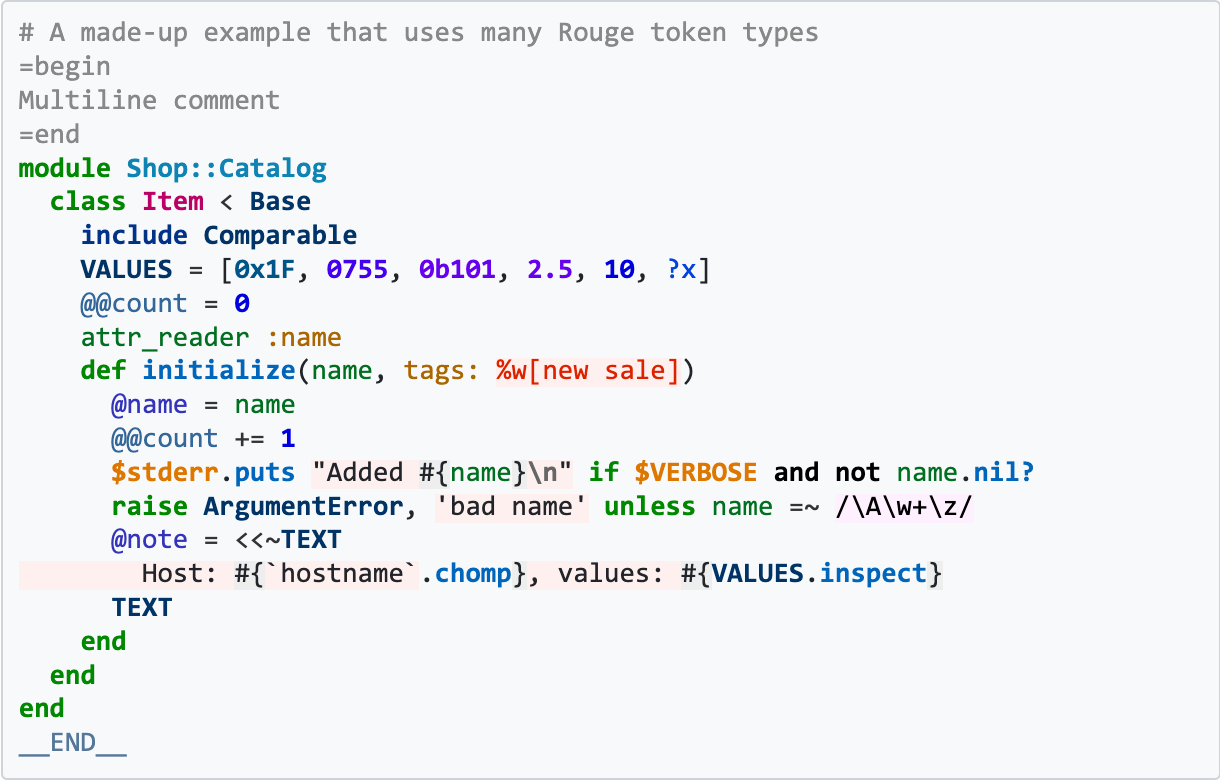
Ruby, after the patch (Open Color)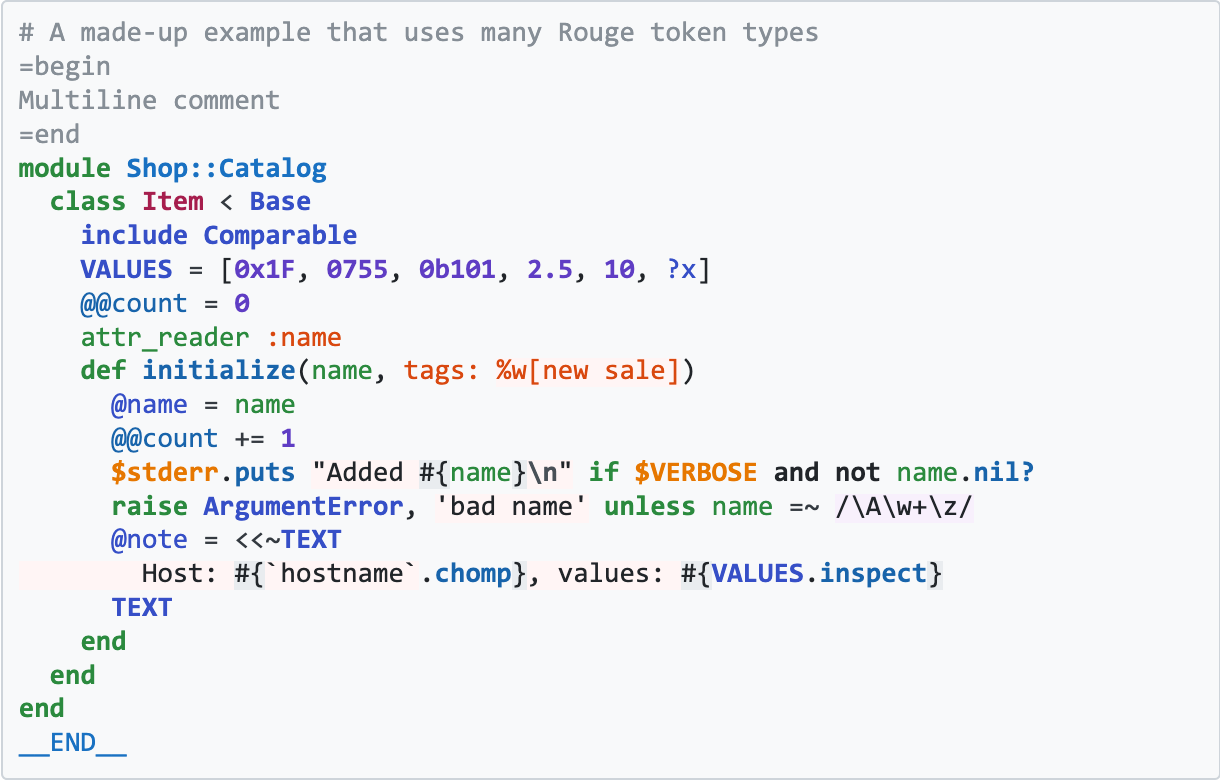
CSS, before the patch (Pygments "colorful" theme)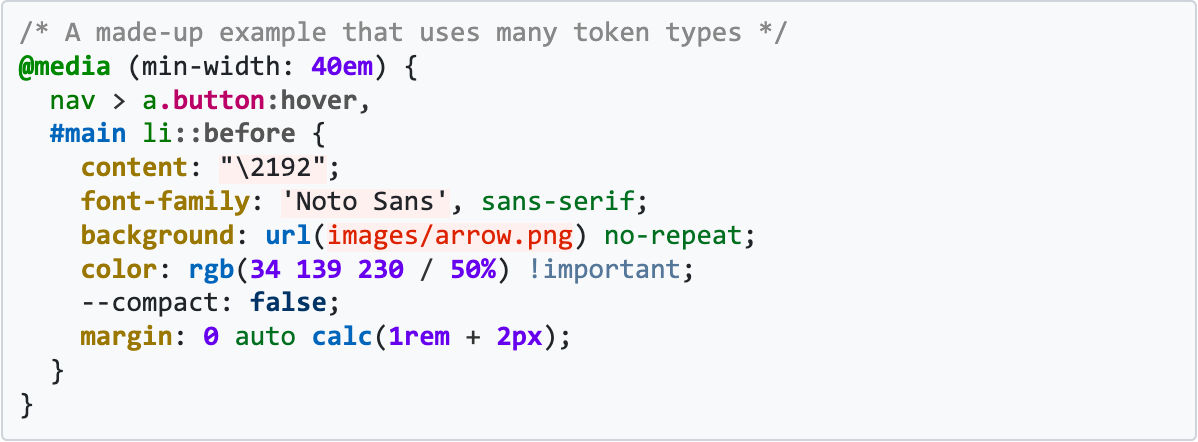
CSS, after the patch (Open Color)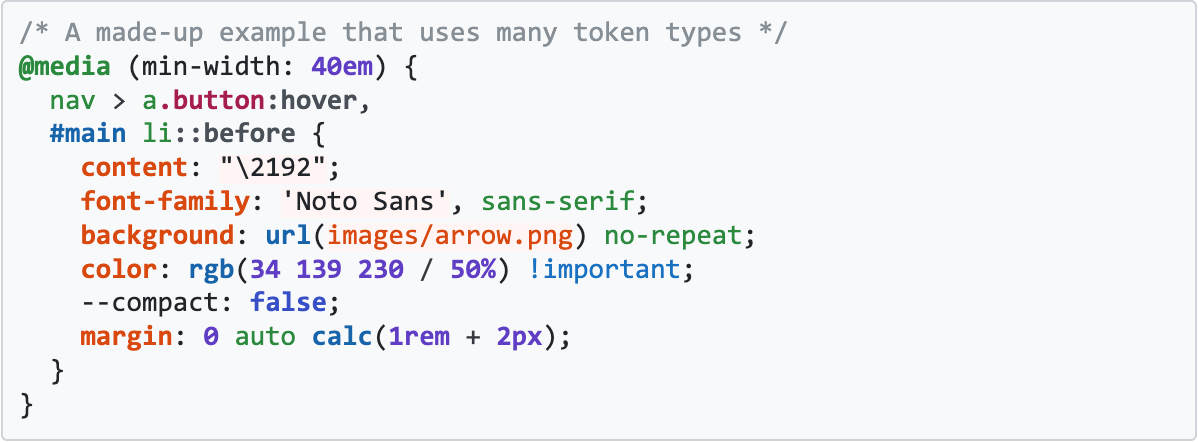
Files
Related issues
 Updated by