Actions
Feature #44581
open

Make project members page available to all users with the "View members" permission
Resolution:
Description
Currently, project members are displayed in two distinct places:
- On the Overview page in the Members box, where only active members are listed grouped by role for any user who can view the project.
- In the Members tab under project Settings, which is only accessible to users with the Manage members permission.
Users who do not have permission to manage members cannot view the full, paginated, or searchable list of project members (#43355, #44458).
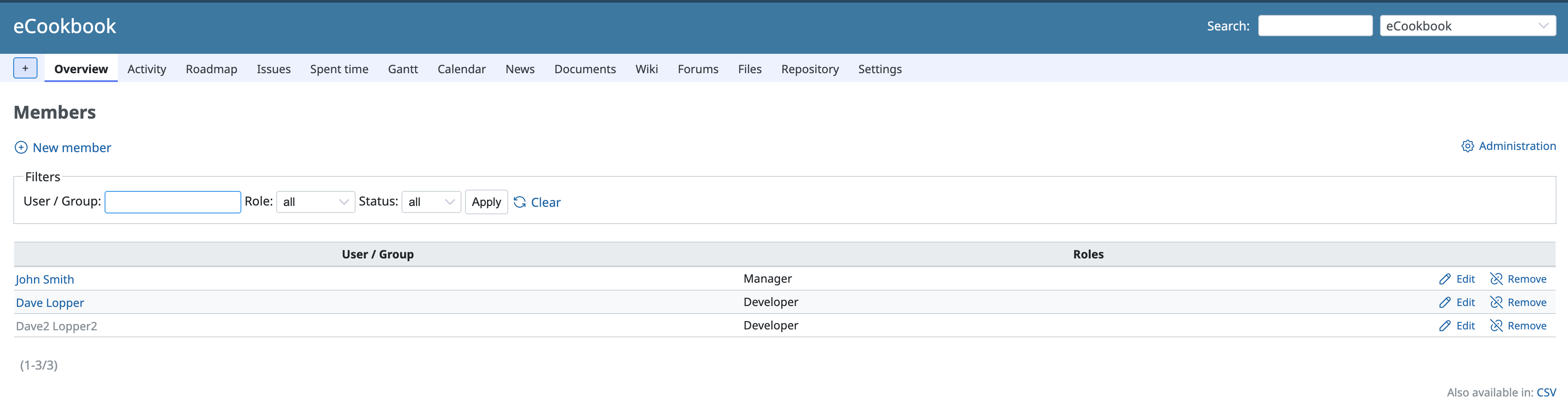
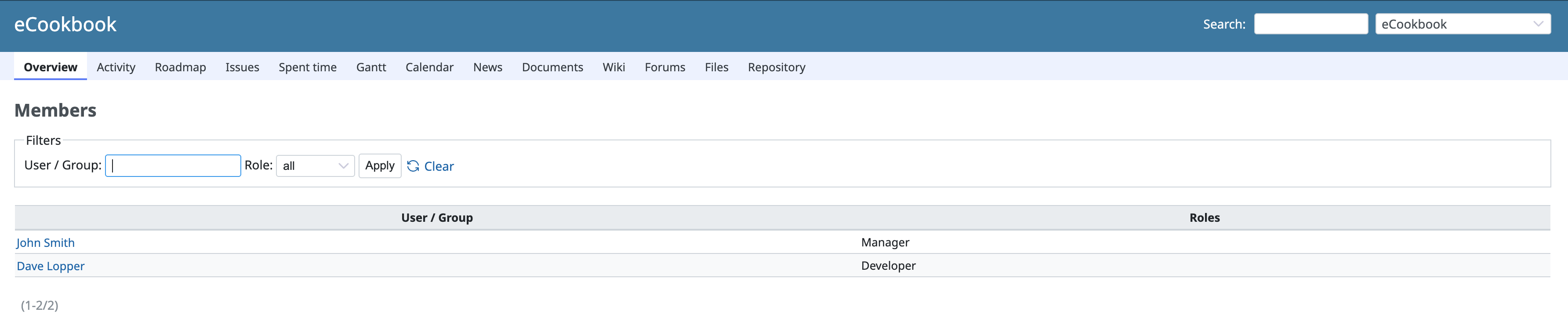
The attached patch introduces a project members page (/projects/:id/members) available to all users with the View members (:view_members) permission, unifying it with the settings members tab while maintaining appropriate permission boundaries:
- A "View all members" link is added at the bottom of the Members box on the project overview page (visible to users with the
:view_memberspermission). - When accessed via this link (or directly via
/projects/:id/members), the members list is rendered under the Overview project menu tab. - Filtering (by principal name and role) and pagination work seamlessly across both views.
- Users without the
:manage_memberspermission are restricted to viewing active members only (matching the overview box and preserving consistency with user visibility rules), and administrative action buttons (add, edit, remove) as well as CSV export remain hidden and restricted.
Files
Related issues
 Updated by
Actions