Feature #33056
open
Dark Mode setting (per user)
Added by Anestis Kozakis over 6 years ago. Updated about 7 hours ago.
Description
It would be nice for a user to be able to set a "Dark Mode" for the Redmine UI.
This would allow people who prefer working with darker colours or have light-sensitivity issues to be able to use Redmine without any issues.
Many apps and mobile devices offer Dark Mode as a standard per-user setting.
Files
Related issues
 Updated by Anonymous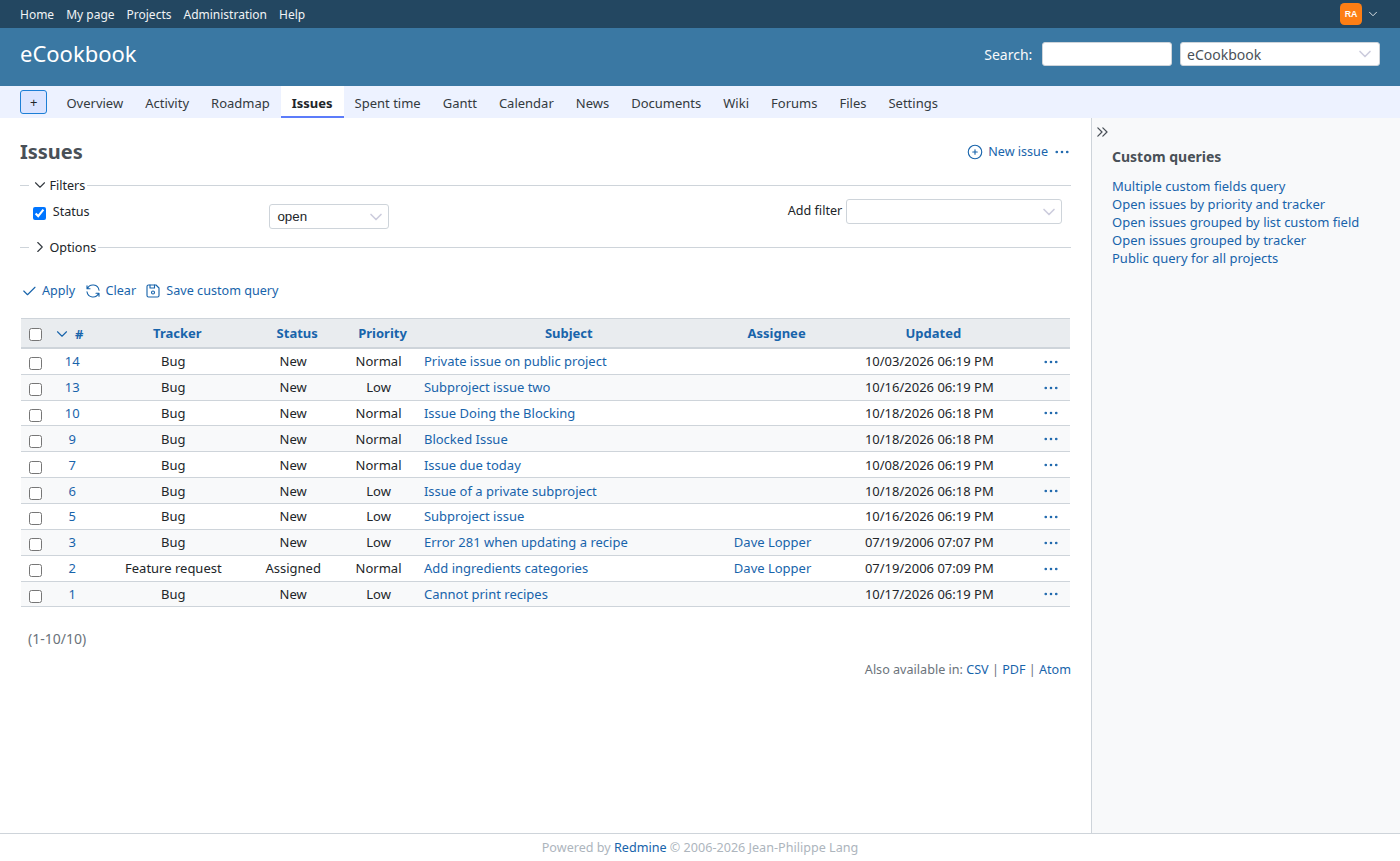
 Updated by Bernhard Rohloff over 6 years ago
- File deleted (
banner-01-300x250-1a.jpg)
 Updated by tixo hojkro over 6 years ago
Many apps and mobile devices offer Dark Mode as a standard per-user setting.
Would love to have this feature on my website
 Updated by Michael M about 3 years ago
found this plugin: https://github.com/fraoustin/redmine_dark
Updated by Michael M about 3 years ago
and this as well: https://9to5tutorial.com/use-dark-mode-in-redmine
https://darkmodejs.learn.uno/
https://github.com/onozaty/redmine-view-customize
not perfect, but makes the site dark
 Updated by Go MAEDA over 1 year ago
- Has duplicate Feature #42635: missing dark feature added
 Updated by f0x Autumn 12 months ago
Is it possible to create a completely color-inverted skin based on the default one?
 Updated by Harald Welte 3 months ago
Would anyone among the redmine developer community be interested in implementing this? If the amount of effort is rasonable, I might be willing to fund the related development. The important part is that it's not a separate global per-site theme, but a per-user setting. Or alternatively even simply automatically use dark mode if the OS/browser request it.
 Updated by Florian Walchshofer about 19 hours ago
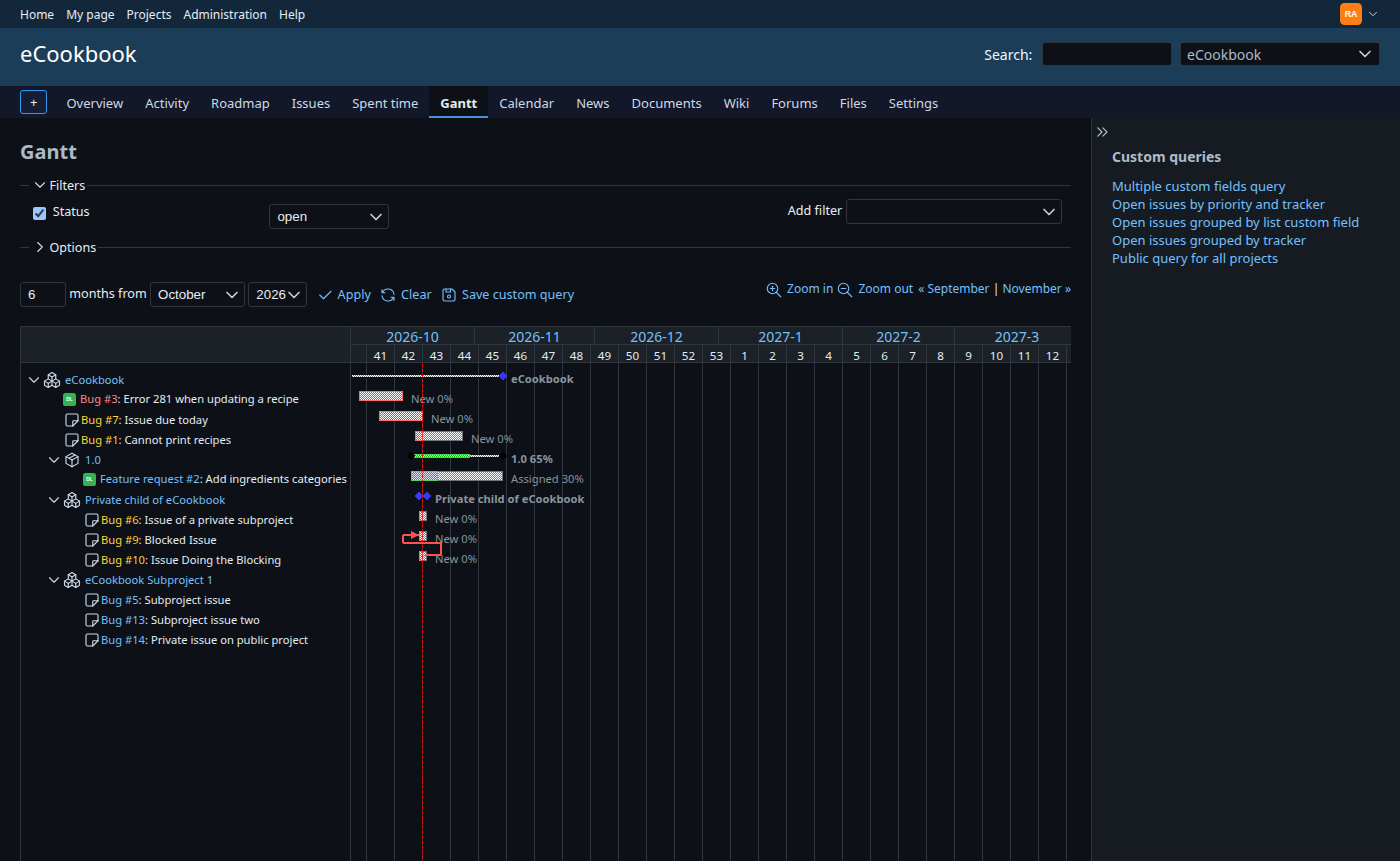
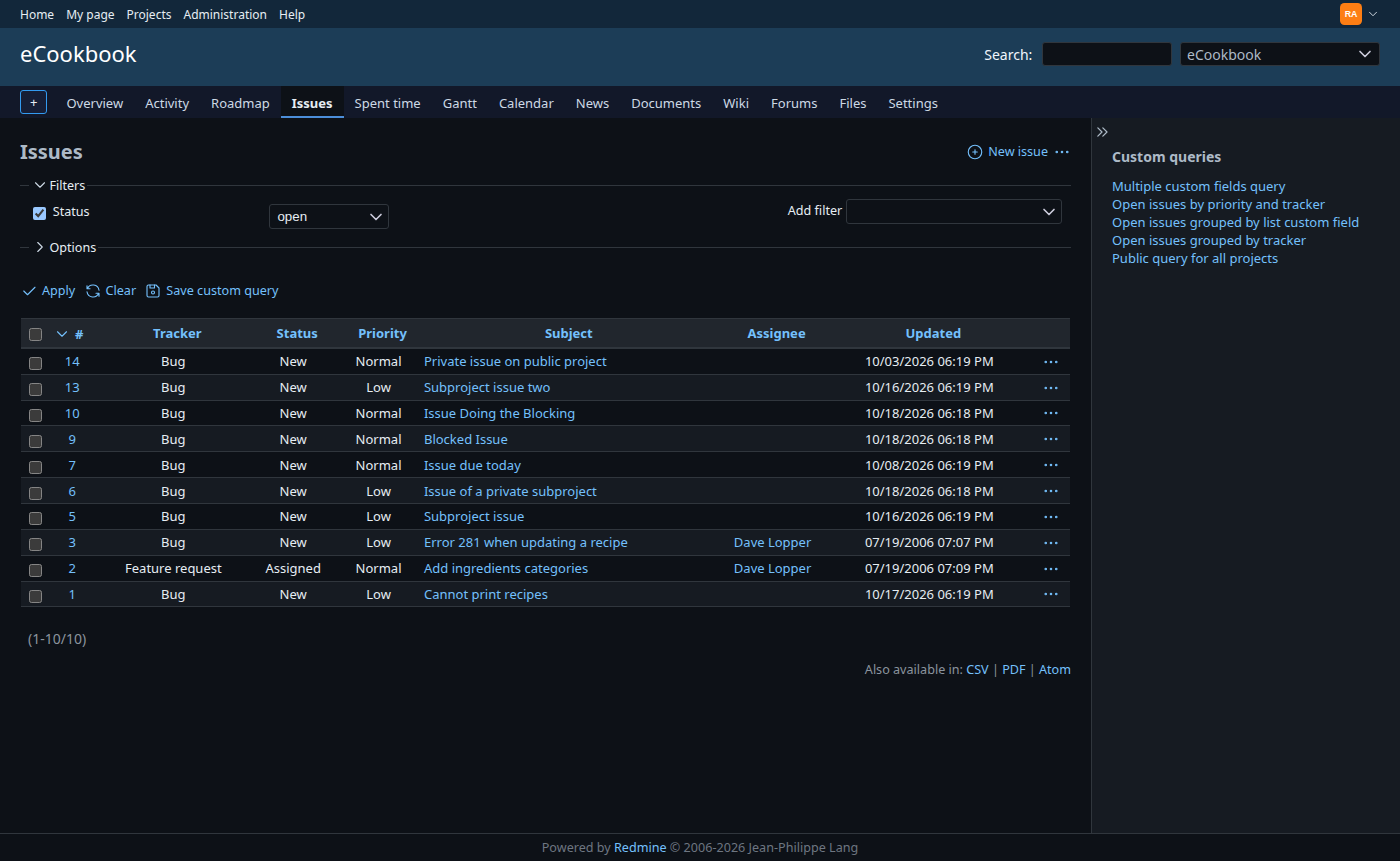
- File dark-01-issues.png dark-01-issues.png added
- File light-01-issues.png light-01-issues.png added
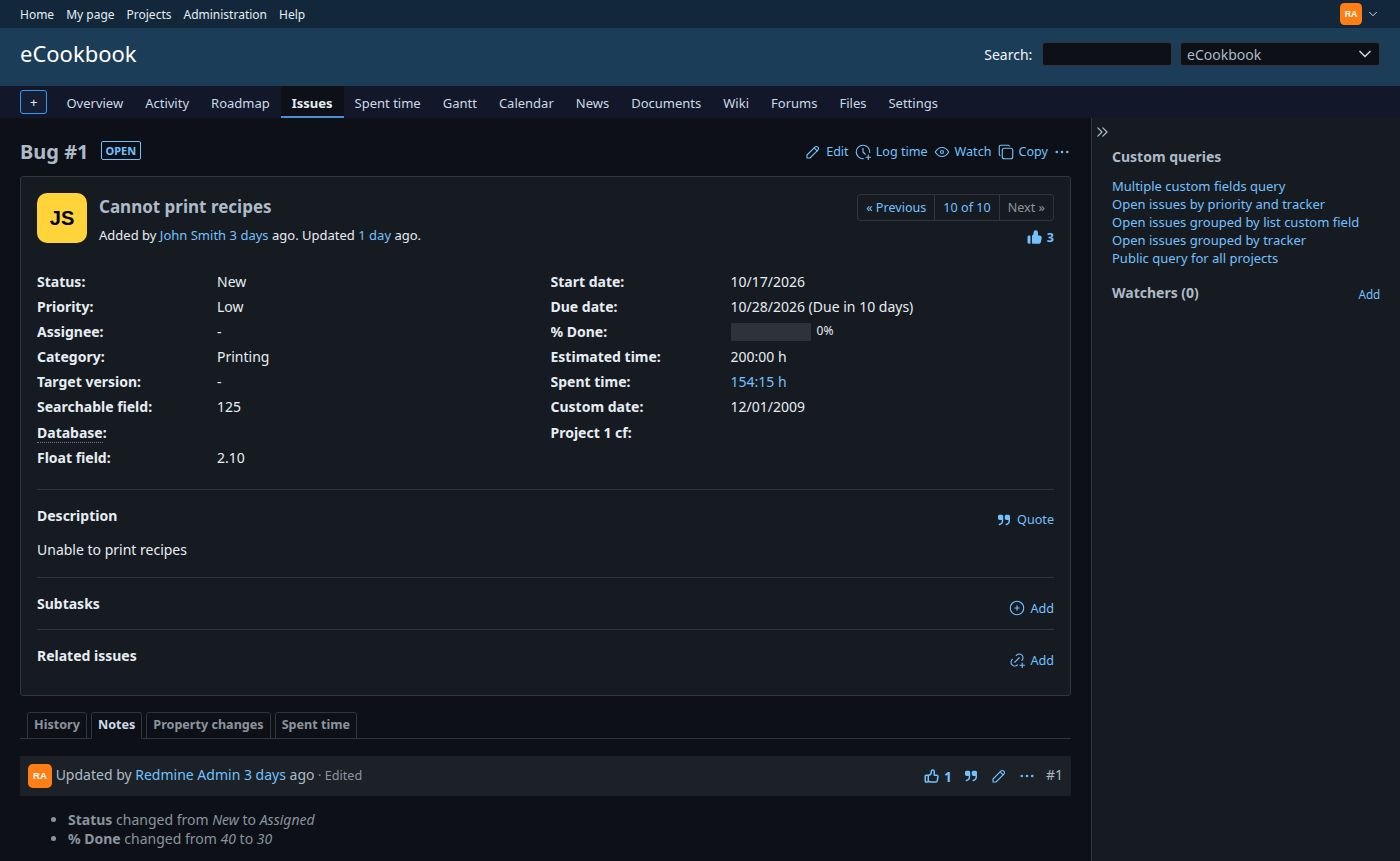
- File dark-02-issue.png dark-02-issue.png added
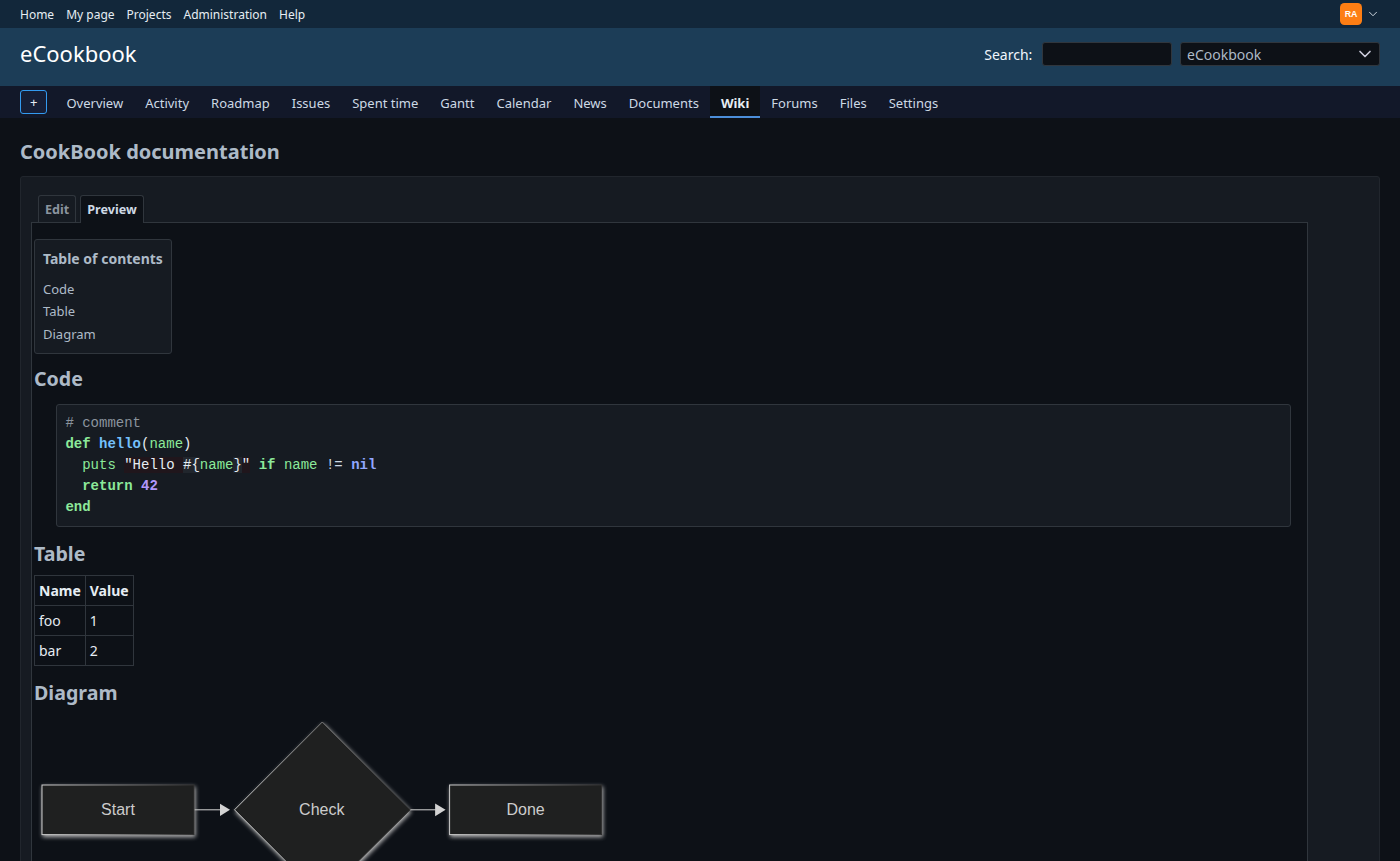
- File dark-03-wiki.png dark-03-wiki.png added
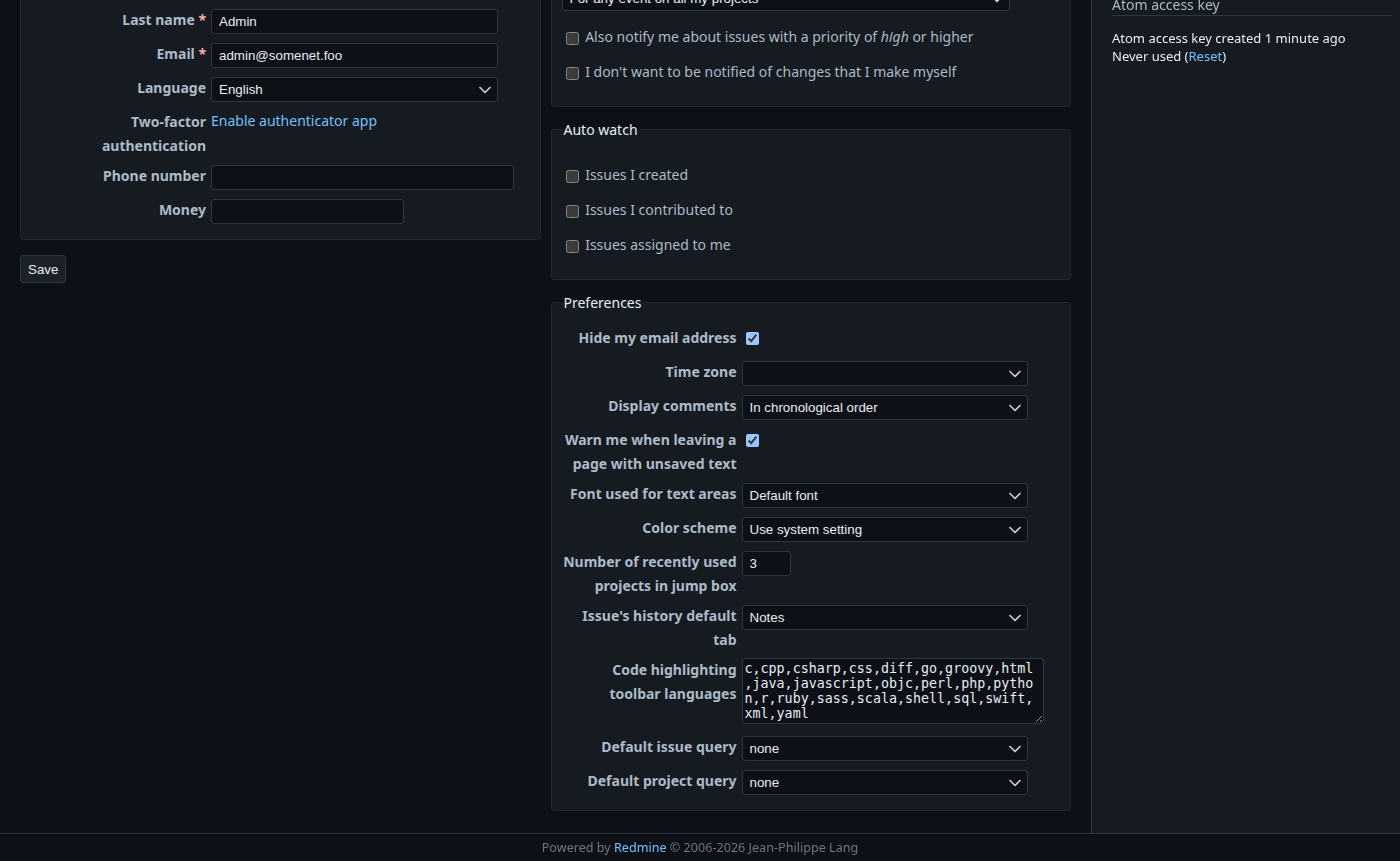
- File dark-04-my-account.png dark-04-my-account.png added
- File dark-05-gantt.png dark-05-gantt.png added
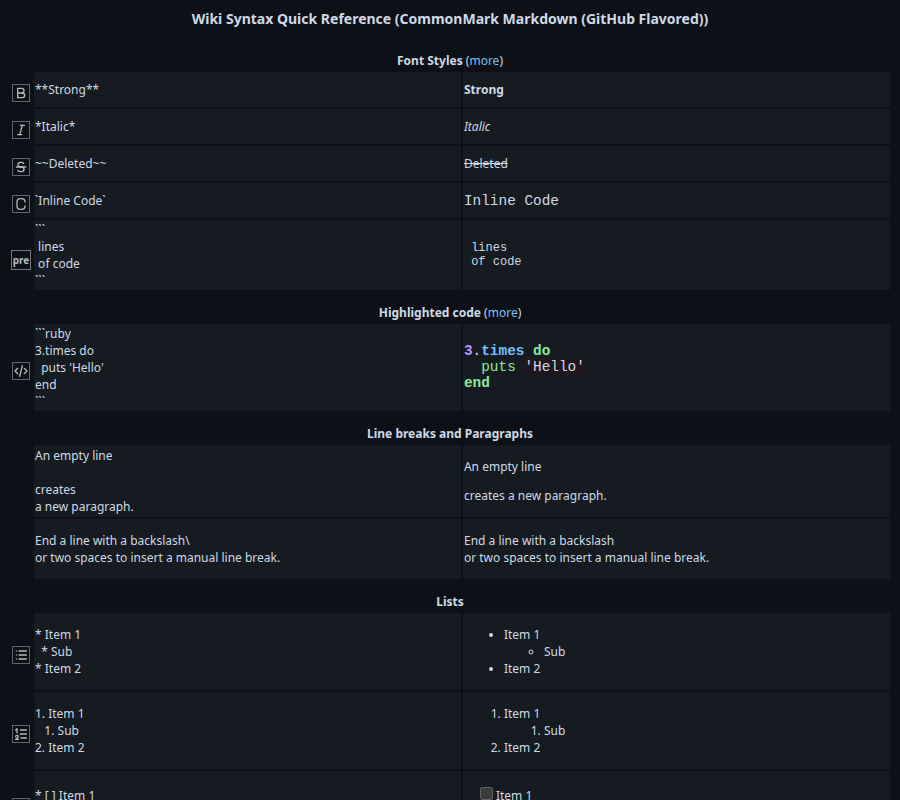
- File dark-06-help.png dark-06-help.png added
I have prepared a set of patches that add a dark mode to the default theme. It covers both points from Harald Welte's last note: it is a per-user setting, and by default it follows the OS/browser setting (prefers-color-scheme). It is not a separate global theme.
The patches are against current trunk and can be applied in order with git am.
 |
 |
Approach
The default stylesheets already use the Open Color CSS variables almost everywhere. So most of the dark mode comes from redefining these variables, not from overriding single rules.
- A new stylesheet,
dark.css, redefines the semantic tokens and the Open Color palette:- The grays are inverted, based on the GitHub dark palette: page
#0d1117, boxes#161b22, borders#30363d, text#e6edf3. - For the hues, steps 0-3 become dark tinted backgrounds, steps 4-6 stay as they are, and steps 7-9 become light colors for text. These values are generated from
open-color.css. - The Redmine blue is kept, just darker: top menu
#12273a, header#1c3d57, selection#2c6aa0.
- The grays are inverted, based on the GitHub dark palette: page
dark.cssis loaded withmedia="screen and (prefers-color-scheme: dark)". Older browsers simply keep the light mode. Printing always uses the light colors.- A few elements get explicit rules: avatars and badges keep their colors; the issue box, login form and wiki TOC get a neutral background instead of yellow/orange; plus jQuery UI widgets and the wiki toolbar icons (SVGs with a fixed stroke, so the buttons are inverted).
- Mermaid diagrams are rendered with Mermaid's
darktheme when the page is in dark mode. - The dark mode is only enabled for the default theme. With a custom theme,
dark.cssis not loaded and the preference is hidden, because themes often have hard-coded colors and would only be partly darkened. - No new dependencies and no database migration are needed.
Patches
- 0001-Introduce-semantic-color-tokens-for-backgrounds-sele.patch (6 files)
Refactoring with no visible change. Hard-codedwhitebackgrounds and the colors of selected items and the header/top menu text are replaced with CSS custom properties in:root, such as--color-background,--color-background-overlayand--color-selected-background. White text on colored backgrounds stays white. The only visible difference: the context menu selection text is now#fffinstead of#f8f9fa. - 0002-Add-a-dark-color-scheme-for-the-default-theme.patch (4 files)
Addsdark.css, the link in the base layout, the Mermaid theme switch, and tests. - 0003-Add-a-color-scheme-preference-to-choose-between-ligh.patch (9 files)
Adds a "Color scheme" preference to My account with the options Use system setting (default), Light and Dark. It is stored inUserPreference#othersliketextarea_font, so no migration is needed. A new helper,color_scheme_tags, renders thecolor-schememeta tag and sets themediaattribute ofdark.cssaccording to the preference (screenfor Dark; not loaded at all for Light). Onlyen.ymlis updated. - 0004-Apply-the-color-scheme-to-the-wiki-syntax-help-pages.patch (50 files)
The wiki syntax help pages are rendered without the base layout. Each of them now calls a new helper,heads_for_wiki_syntax, in place of itsstylesheet_link_tagline, so the help pages follow the setting too. Nothing else in these files is changed.
Testing
- New tests:
test/integration/lib/redmine/themes_test.rb,test/functional/welcome_controller_test.rb,test/functional/my_controller_test.rb,test/functional/users_controller_test.rb,test/functional/help_controller_test.rb. - The related functional, integration, unit and helper tests pass. stylelint and RuboCop report no offenses.
- I checked the pages manually in Chrome with the dark mode on, as anonymous and as admin: issue list with context menu, issue view and edit, wiki (code highlighting, tables, TOC, Mermaid, preview), Gantt, calendar, roadmap, activity, forums, My page, My account, administration, workflows, and the wiki syntax help pages.
Known limitations / possible follow-ups
- The striped pattern of the Gantt bars and the legacy PNG icons are images and do not adapt.
- Custom themes cannot opt in to the dark mode yet. This could be added later, for example with a marker file in the theme, similar to
theme.js. light-dark()would makedark.cssunnecessary, but it would also break the light mode in browsers without support for it. That is why the separate stylesheet with amediaattribute is used.- With patch 0002, a Mermaid diagram downloaded as PNG in dark mode keeps the dark theme: light lines and labels on a transparent background, which are hard to read in documents with a light background. I have a small follow-up patch that renders the diagram again with the default theme for the download only. I will post it separately.
Feedback on the color choices and the overall approach is welcome.
Updated by Florian Walchshofer about 19 hours ago
- File 0004-Apply-the-color-scheme-to-the-wiki-syntax-help-pages.patch 0004-Apply-the-color-scheme-to-the-wiki-syntax-help-pages.patch added
- File 0001-Introduce-semantic-color-tokens-for-backgrounds-sele.patch 0001-Introduce-semantic-color-tokens-for-backgrounds-sele.patch added
- File 0002-Add-a-dark-color-scheme-for-the-default-theme.patch 0002-Add-a-dark-color-scheme-for-the-default-theme.patch added
- File 0003-Add-a-color-scheme-preference-to-choose-between-ligh.patch 0003-Add-a-color-scheme-preference-to-choose-between-ligh.patch added
 Updated by Oliver Smith about 7 hours ago
Thank you very much, Florian Walchshofer!
For Osmocom/sysmocom I had also looked into making a new plugin that works with redmine 6, can be toggled by users and works with the plugins we use: https://gitea.sysmocom.de/sysmocom/redmine_dark_sysmo
I hope that this becomes a proper upstream feature in redmine at some point (so it can also work well with all plugins), maybe your patches and this plugin can be used as starting point.