Defect #33502
closed
Issue field labels for fields with descriptions are missing styling on issues show view
Added by Mischa The Evil over 6 years ago.
Updated over 3 years ago.
Description
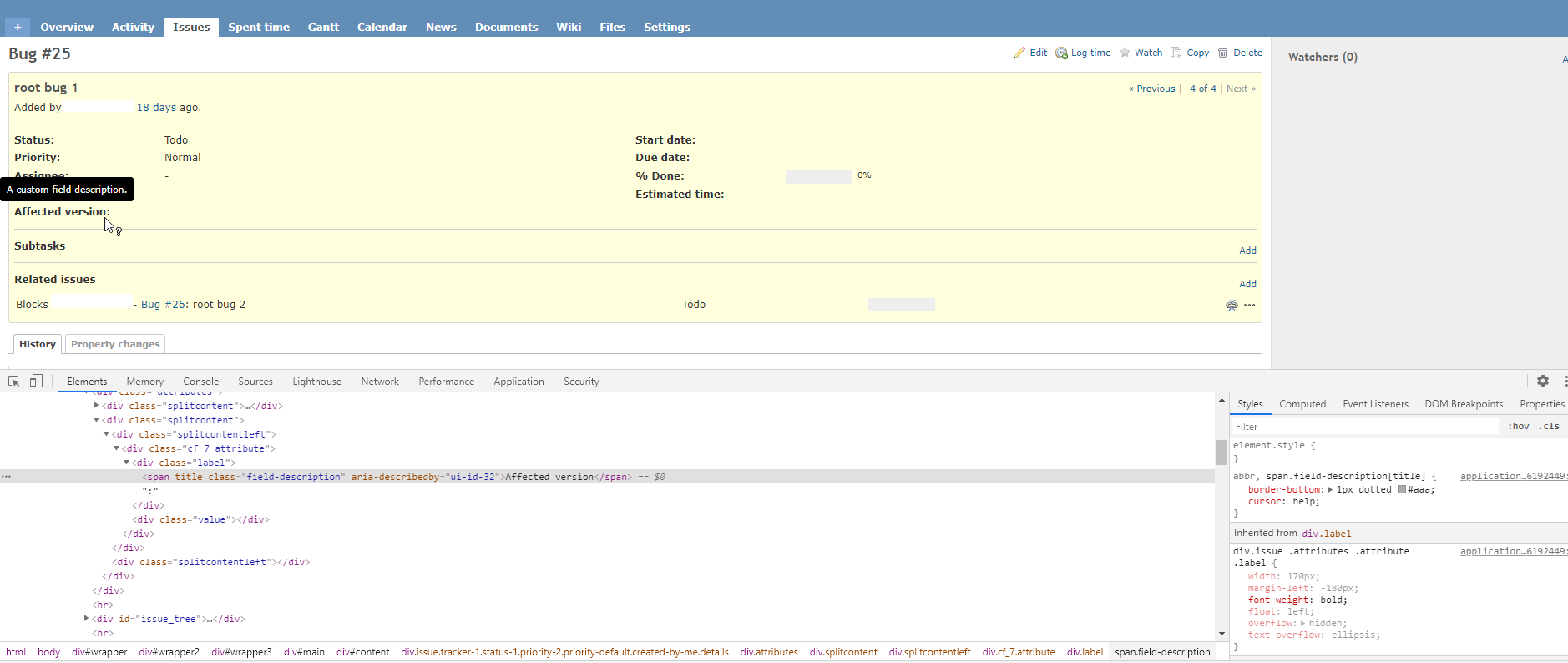
On the issues show view, issue field labels for fields with descriptions are missing the dotted border-bottom styling. At a first glance the CSS seems fine though, but a second look shows that the 'overflow: hidden;' style declaration for the div.issue .attributes .attribute .label selector (source:/trunk/public/stylesheets/application.css@19786#L533) seems to be the culprit. Disabling that declaration fixes the missing border-bottom.
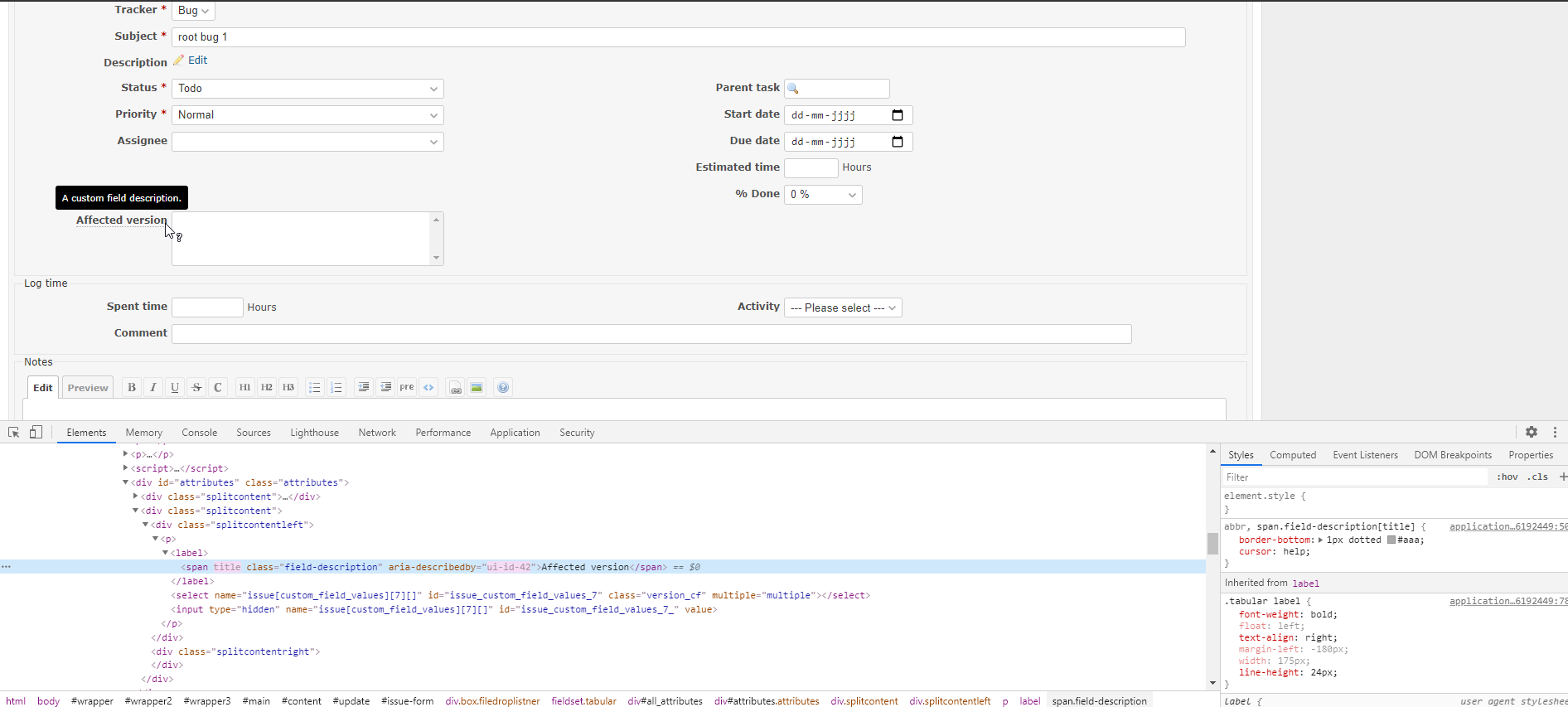
On the issues edit view, the field labels are correctly rendered with the border-bottom styling.
See the following screenshots:
Issues show without dotted border-bottom styling
Issues edit with dotted border-bottom styling
Files
- Status changed from New to Confirmed
The "overflow: hidden;" that causes the issue was added in r16039.
Changing overflow: hidden; to overflow: clip visible; will fix the issue.
Current (overflow: hidden;):

Patch applied (overflow: clip visible;):

We cannot simpley remove the overflow property. Removing the overflow causes another problem as shown in the screenshot below.

- Subject changed from Issue field labels for fields with descriptions are missing styling on issues show view. to Issue field labels for fields with descriptions are missing styling on issues show view
- Target version changed from Candidate for next minor release to 4.2.11
Setting the target version to 4.2.11.
- Status changed from Confirmed to Resolved
- Assignee set to Go MAEDA
- Resolution set to Fixed
- Status changed from Resolved to Closed
Backported the change to stable branches.
Also available in: Atom
PDF


 Updated by