Plugins Directory » Add date formats with week days
|
|
Author: | ablida dev |
|---|---|---|
| Website: | https://github.com/ablida/add_date_formats_with_week_days | |
| Code repository: | https://github.com/ablida/add_date_formats_with_week_days | |
| Registered on: | 2023-12-06 (almost 3 years ago) | |
| Current version: | 0.0.3 | |
| Compatible with: | Redmine 7.1.x, 7.0.x, 6.1.x, 6.0.x, 5.1.x, 5.0.x | |
| User ratings: |
Redmine Add Date Formats with Week Days
A small Redmine plugin that adds date formats with week days to the date format setting.
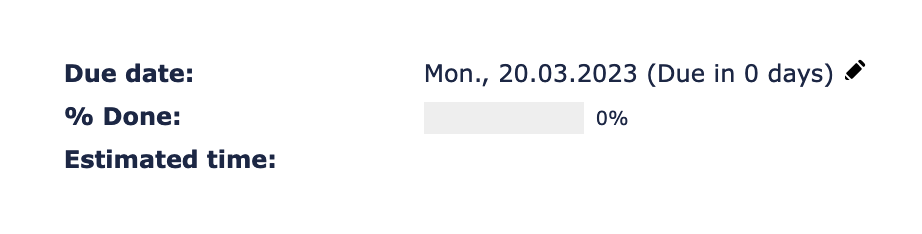
Introduction
Redmine offers almost everything we need out of the box. We only had to extend it a little for our internal needs, and this plugin was the result.
Features
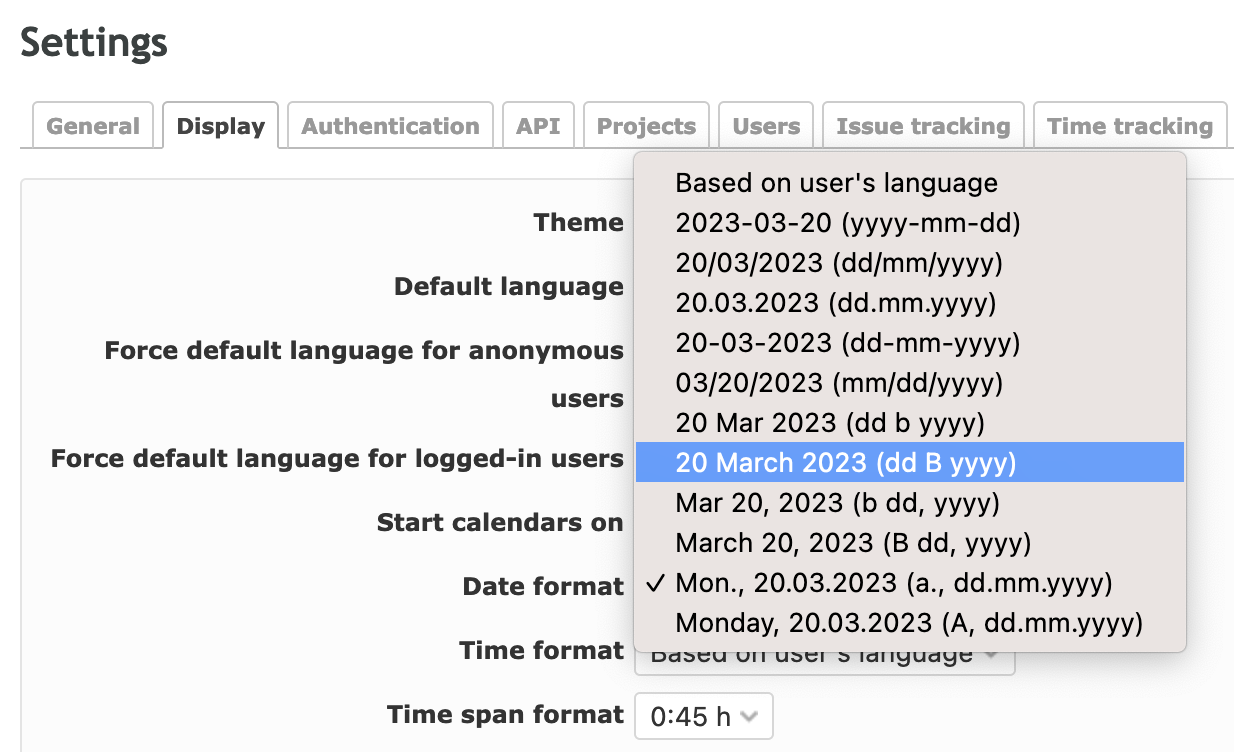
The plugin adds two extra options to Administration → Settings → Display → Date format:
| Format | Example (German) | Example (English) |
|---|---|---|
%a., %d.%m.%Y |
Do., 22.10.2026 | Thu., 22.10.2026 |
%A, %d.%m.%Y |
Donnerstag, 22.10.2026 | Thursday, 22.10.2026 |
Week days are localized automatically using the language of the current user. All of Redmine's built-in date formats remain available.
Installation
- Clone the plugin into the
pluginsdirectory of your Redmine installation. The directory name must beadd_date_formats_with_week_days, as it has to match the plugin ID. - Restart Redmine.
cd /path/to/redmine/plugins
git clone https://github.com/ablida/add_date_formats_with_week_days.git
Alternatively, download the repository as a ZIP and extract it to plugins/add_date_formats_with_week_days.
No database migrations are required. More information on installing Redmine plugins: Redmine Plugins
Upgrading from add_date_formats_with_day_names
Up to version 0.0.1 the plugin was called add_date_formats_with_day_names. To upgrade:
- Remove the old directory
plugins/add_date_formats_with_day_names. - Install the new version as described above.
- Restart Redmine.
Your selected date format is kept, since Redmine stores the format itself and not the plugin name.
Configuration
- Click Administration in the top menu.
- Open Settings and switch to the Display tab.
- Pick one of the new entries in the Date format dropdown and save.
Usage
Once a new format is selected and saved, dates throughout Redmine are shown with week days after the next page reload.
Uninstallation
Remove the plugins/add_date_formats_with_week_days directory and restart Redmine. If one of the plugin's formats was selected, choose a different date format in the settings first.
License
This plugin is licensed under the GNU General Public License v2.0, unless otherwise stated.
About
Copyright (c) 2021–2026 ablida
Changelog
0.0.3 (2026-10-22)
Compatible with Redmine 7.1.x, 7.0.x, 6.1.x, 6.0.x, 5.1.x, 5.0.x.
0.0.2 (2021-01-18)
Compatible with Redmine 5.1.x, 5.0.x.