Plugins Directory » Rubylode GlitchTip
|
|
Author: | Nick Gorbikoff |
|---|---|---|
| Website: | https://github.com/rubylode/redmine-rubylode-glitchtip | |
| Code repository: | https://github.com/rubylode/redmine-rubylode-glitchtip | |
| Registered on: | 2026-11-04 (9 days ago) | |
| Current version: | 2.1.0 | |
| Compatible with: | Redmine 7.0.x, 6.1.x, 6.0.x, 5.1.x | |
| User ratings: |
TL;DR: the GlitchTip errors that need a look, inside Redmine.
What it does:
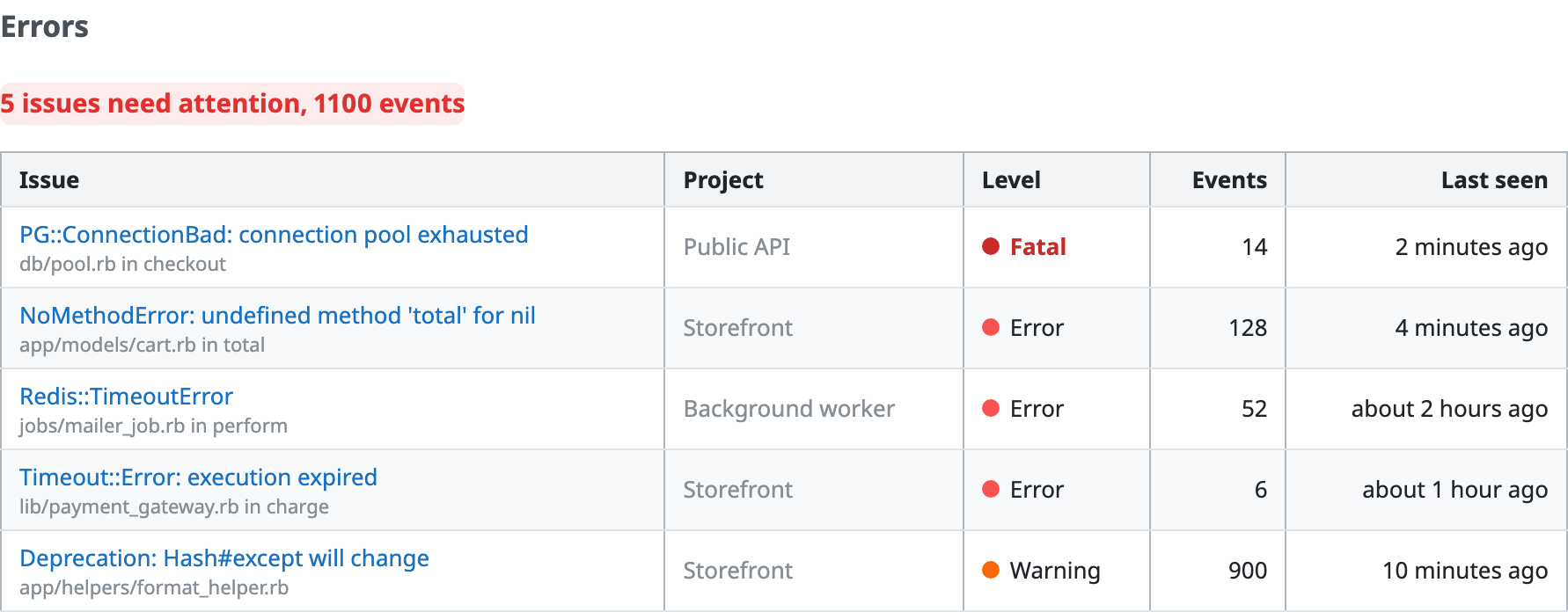
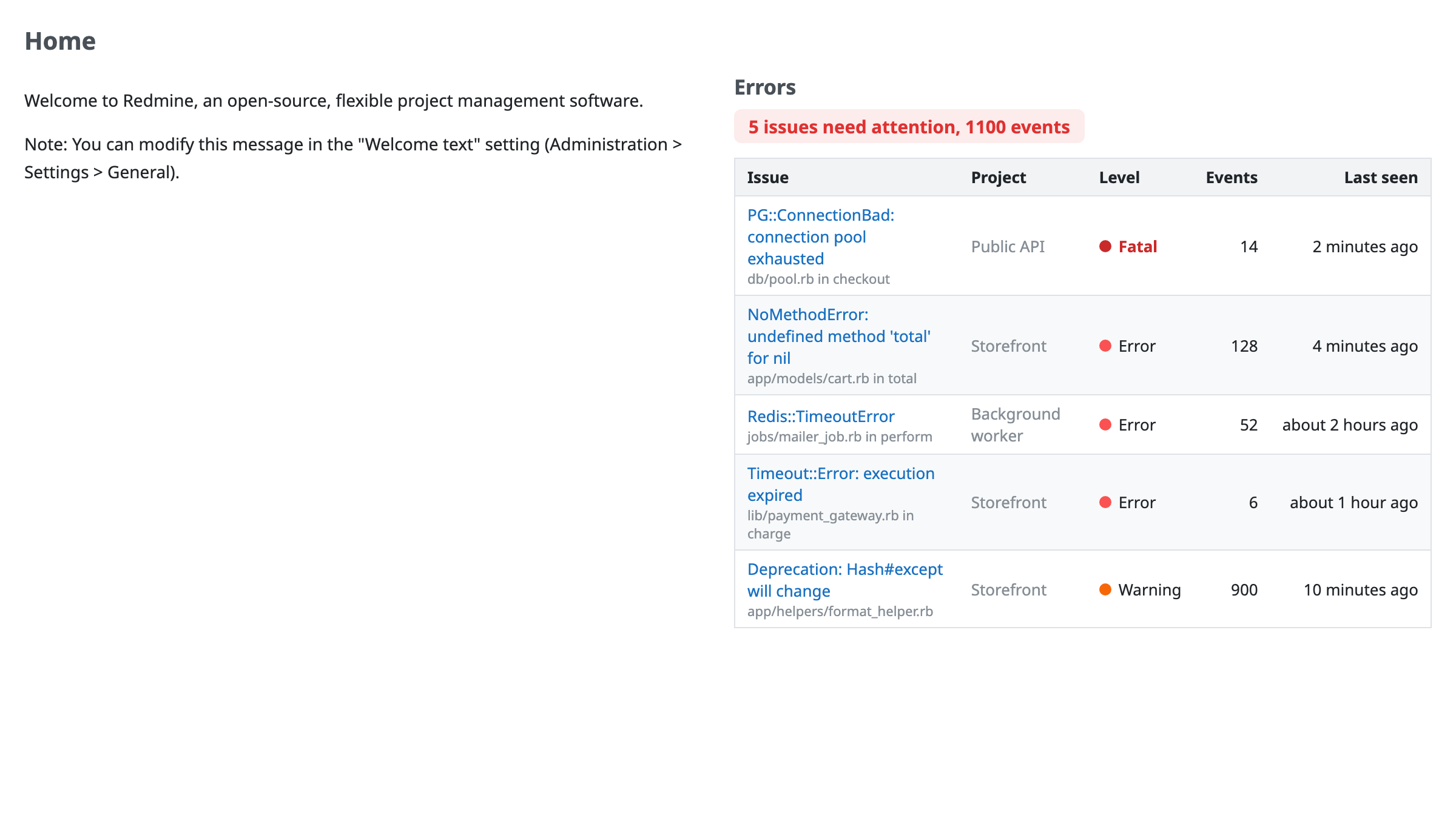
- A summary line ("3 issues need attention, 214 events") and a table: title and culprit, project, level, event count, last seen, and a link to the issue in GlitchTip
- You choose the look-back window, the levels, the minimum event count and which projects count
- A wiki macro, a page, a My page block, and a partial for themes and other plugins
- Put it on the welcome page, every project's Overview, or any page you list
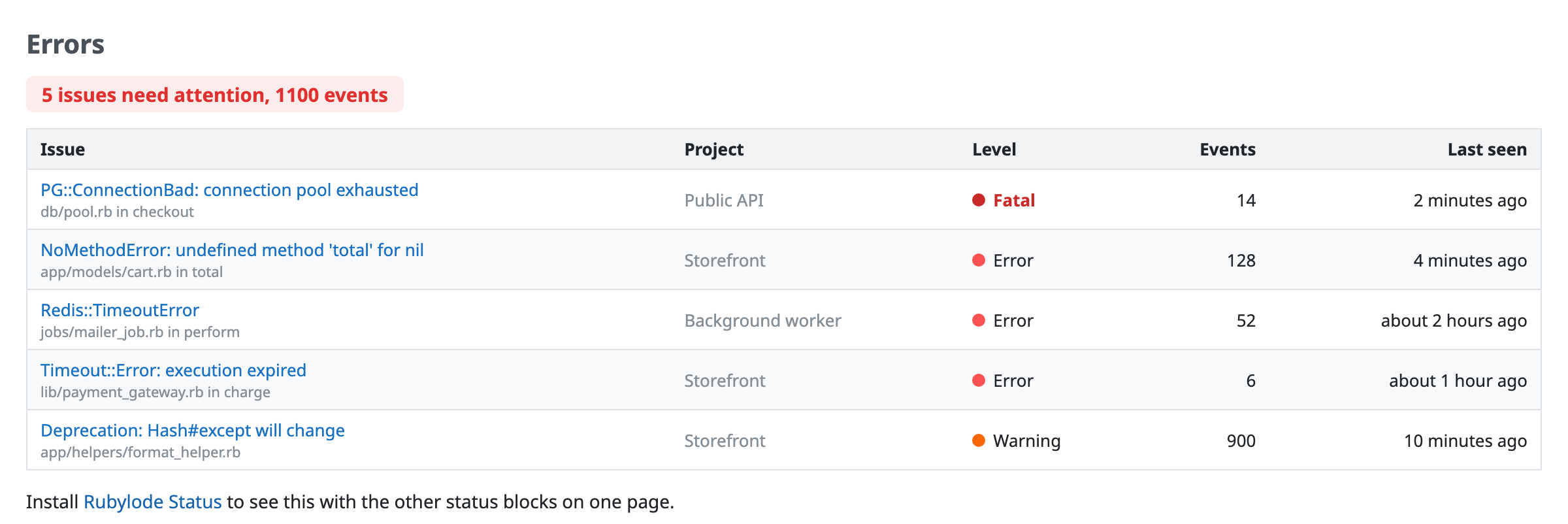
Source and README: github.com/rubylode/redmine-rubylode-glitchtip. GPL v2 or later. Pull Requests are welcome!
Installation notes
- Clone it into your Redmine's
pluginsfolder, namedredmine_rubylode_glitchtip:
cd /path/to/redmine/plugins
git clone https://github.com/rubylode/redmine-rubylode-glitchtip.git redmine_rubylode_glitchtip
# In GlitchTip, make an API token with read access to issues. Put it in an environment variable that starts with
GLITCHTIP_, such as GLITCHTIP_API_TOKEN.
# Restart Redmine. There is no migration.
# Set the GlitchTip address and organization slug under Administration, Plugins, Rubylode GlitchTip, Configure.
To upgrade, git pull and restart. Details are in the README on GitHub.
Changelog
2.1.0 (2026-11-05)
Compatible with Redmine 7.0.x, 6.1.x, 6.0.x, 5.1.x.
No change to what the plugin does. The README screenshots, the documentation and the build were updated.
2.0.0 (2026-11-04)
Compatible with Redmine 7.0.x, 6.1.x, 6.0.x, 5.1.x.
2.0.0 (2026-11-04)
The settings and the page follow the Rubylode plugin standard, and the block shows on the Rubylode Status page. The page moves from /glitchtip_errors to /status/glitchtip; the old address redirects for this release.
Upgrading from 1.x: run bundle exec rake redmine:plugins:migrate RAILS_ENV=production and restart Redmine. The migration moves your saved settings to the new names.
The full list of changes is in the CHANGELOG on GitHub.
1.1.1 (2026-11-04)
Compatible with Redmine 7.0.x, 6.1.x, 6.0.x, 5.1.x.