Plugins Directory » Rubylode Uptime Kuma
|
|
Author: | Nick Gorbikoff |
|---|---|---|
| Website: | https://github.com/rubylode/redmine-rubylode-uptime-kuma | |
| Code repository: | https://github.com/rubylode/redmine-rubylode-uptime-kuma | |
| Registered on: | 2026-11-04 (9 days ago) | |
| Current version: | 2.1.0 | |
| Compatible with: | Redmine 7.0.x, 6.1.x, 6.0.x, 5.1.x | |
| User ratings: |
TL;DR: the status of your services, from Uptime Kuma, inside Redmine.
What it does:
- The services you list, under the names you choose, with the ones that are down first and a one-line summary
- Kuma's latest response time on each row
- A wiki macro (
{{service_status}}), a page, a My page block, and a partial for themes and other plugins - Put it on the welcome page, My page, every project's Overview, or any page you list
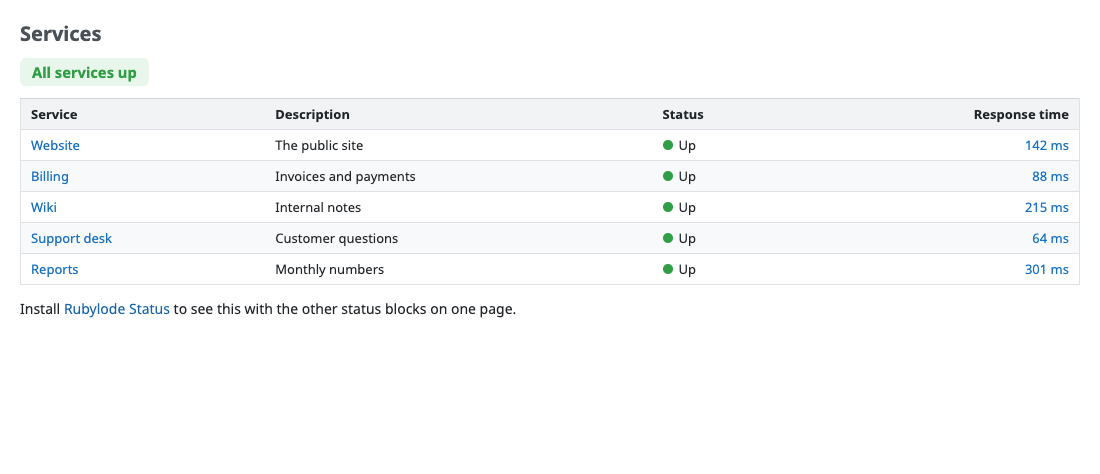
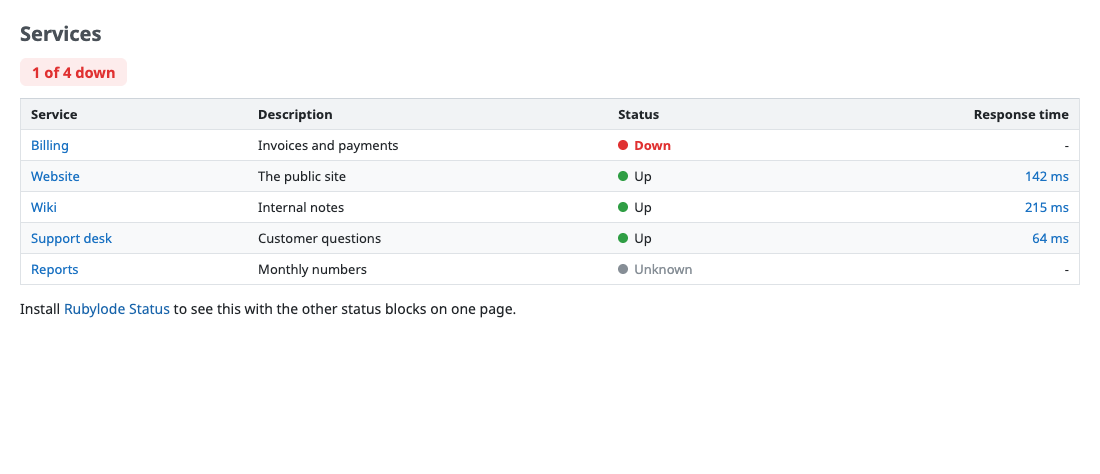
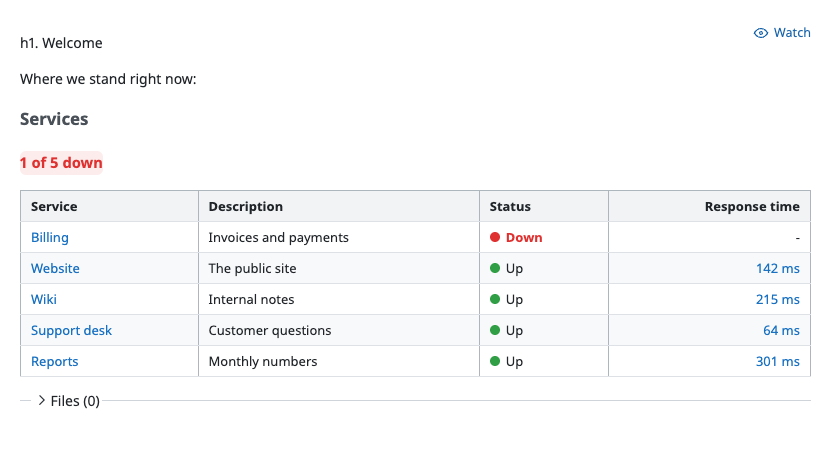
Source and README: github.com/rubylode/redmine-rubylode-uptime-kuma. GPL v2 or later. Pull Requests are welcome!
Installation notes
- Clone it into your Redmine's
pluginsfolder, namedredmine_rubylode_uptime_kuma:
cd /path/to/redmine/plugins
git clone https://github.com/rubylode/redmine-rubylode-uptime-kuma.git redmine_rubylode_uptime_kuma
# In Uptime Kuma, make an API key (Settings, API Keys). Put it in an environment variable that starts with
UPTIME_KUMA_, such as UPTIME_KUMA_API_TOKEN.
# Restart Redmine. There is no migration.
# Enter the metrics URL and the services list under Administration, Plugins, Rubylode Uptime Kuma, Configure.
To upgrade, git pull and restart. Details are in the README on GitHub.
Changelog
2.1.0 (2026-11-05)
Compatible with Redmine 7.0.x, 6.1.x, 6.0.x, 5.1.x.
No change to what the plugin does. The README screenshots, the documentation and the build were updated.
2.0.0 (2026-11-04)
Compatible with Redmine 7.0.x, 6.1.x, 6.0.x, 5.1.x.
2.0.0 (2026-11-04)
The settings and the page follow the Rubylode plugin standard, and the block shows on the Rubylode Status page. The page moves from /service_status to /status/uptime_kuma; the old address redirects for this release.
Upgrading from 1.x: run bundle exec rake redmine:plugins:migrate RAILS_ENV=production and restart Redmine. The migration moves your saved settings to the new names.
The full list of changes is in the CHANGELOG on GitHub.
1.1.1 (2026-11-04)
Compatible with Redmine 7.0.x, 6.1.x, 6.0.x, 5.1.x.