Plugins Directory » Redmine Modern Layout
|
|
Author: | Victor Lima Cerqueira |
|---|---|---|
| Website: | https://github.com/cerqueirav/redmine_modern_layout | |
| Code repository: | https://github.com/cerqueirav/redmine_modern_layout.git | |
| Registered on: | 2026-10-01 (23 days ago) | |
| Current version: | 0.1.0 | |
| Compatible with: | Redmine 6.1.x, 6.0.x | |
| User ratings: |
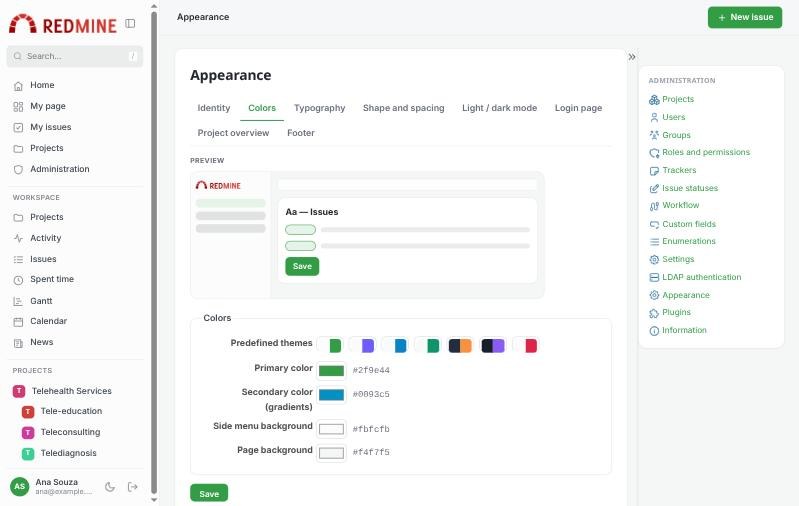
A modern, customizable layout for Redmine 6: side navigation, top bar, card-based content, login page styles, a project overview dashboard and an Appearance page (Administration > Appearance) to set logo, colors, fonts, footer and dark mode without editing code.
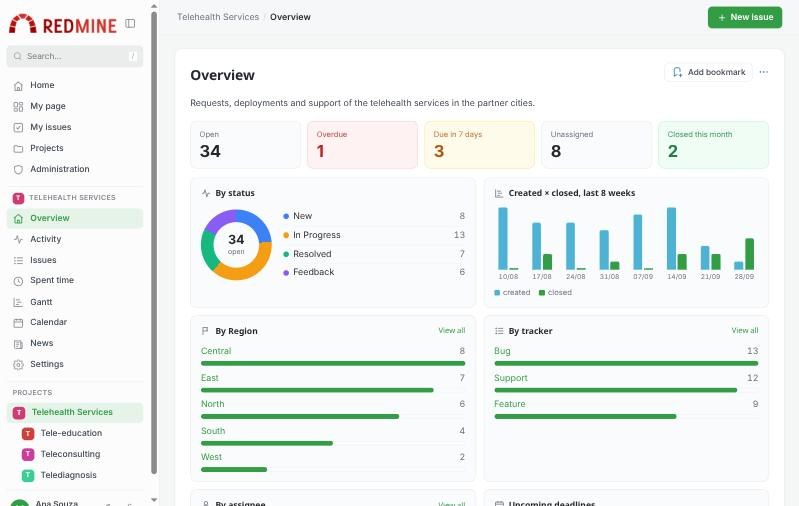
Source code, documentation and issues: github.com/cerqueirav/redmine_modern_layout
- Collapsible side navigation with icons and the project tree, search box (
/shortcut), top bar with breadcrumbs and a "New issue" button. - Appearance page in tabs, with live preview: system name, logo, favicon, 7 predefined themes, custom colors, 12 fonts, text size, corner radius, density.
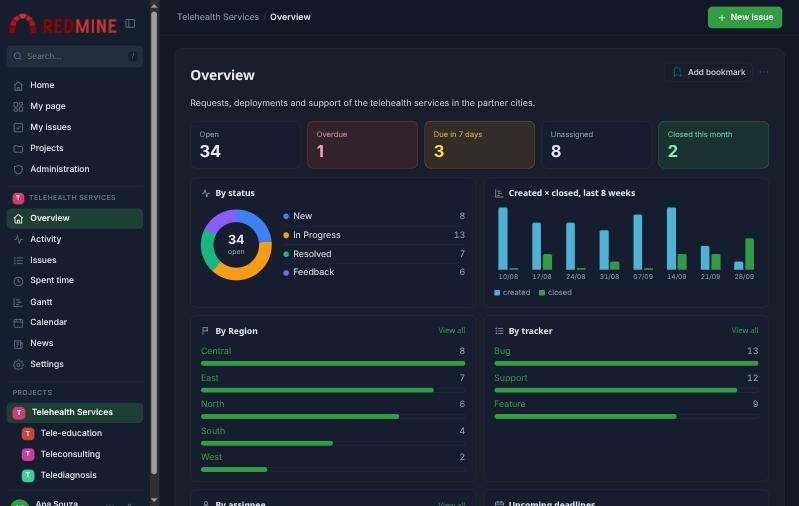
- Light, dark or automatic mode, with an optional switch for each user.
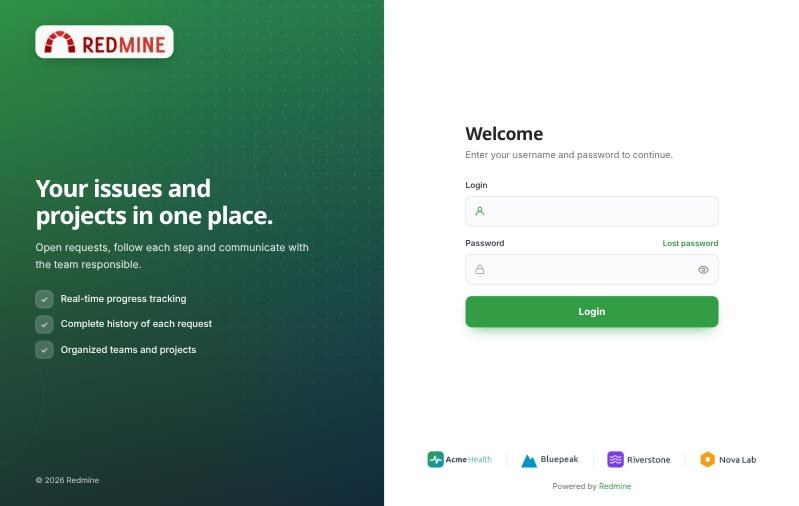
- Login page in 5 styles (Split, Showcase, Card, Partner banner, Classic) with configurable texts, background image and partner banner.
- Project overview dashboard: indicators linked to filtered issue lists, issues by status, created × closed over 8 weeks, by tracker, by a custom field of your choice, by assignee, upcoming deadlines, recent activity and subprojects as cards. Respects permissions.
- Footer with text, links and partner banner.
- Uploaded images checked by content; SVG files with scripts refused.
- No database migrations, no gems, no external JavaScript libraries.
- Translated into 10 languages: en, pt-BR, pt, es, fr, it, de, ru, ja, zh.
Screenshots
Login page (Split style)
Administration > Appearance
Dark mode
License: GPL v3 or later.
Installation notes
cd /path/to/redmine/plugins
git clone --branch v0.1.0 https://github.com/cerqueirav/redmine_modern_layout.git
Restart Redmine. No database migration is needed. Then go to Administration > Appearance.
The plugin replaces the base layout and the project overview of Redmine 6: plugins that replace the same views are not compatible. Use Redmine's default theme.
Sample images to try it are in docs/samples.
Changelog
0.1.0 (2026-10-01)
Compatible with Redmine 6.1.x, 6.0.x.