Plugins Directory » Time Tracker App by Redmineflux
|
|
Author: | Zehntech Technologies Inc |
|---|---|---|
| Website: | https://www.redmineflux.com/product/redmine-plugins/time-tracker-app/ | |
| Code repository: | - | |
| Registered on: | 2026-05-19 (5 months ago) | |
| Current version: | 6.2.0 | |
| Compatible with: | Redmine 6.1.x, 6.0.x, 5.1.x, 5.0.x, 4.2.x | |
| User ratings: |
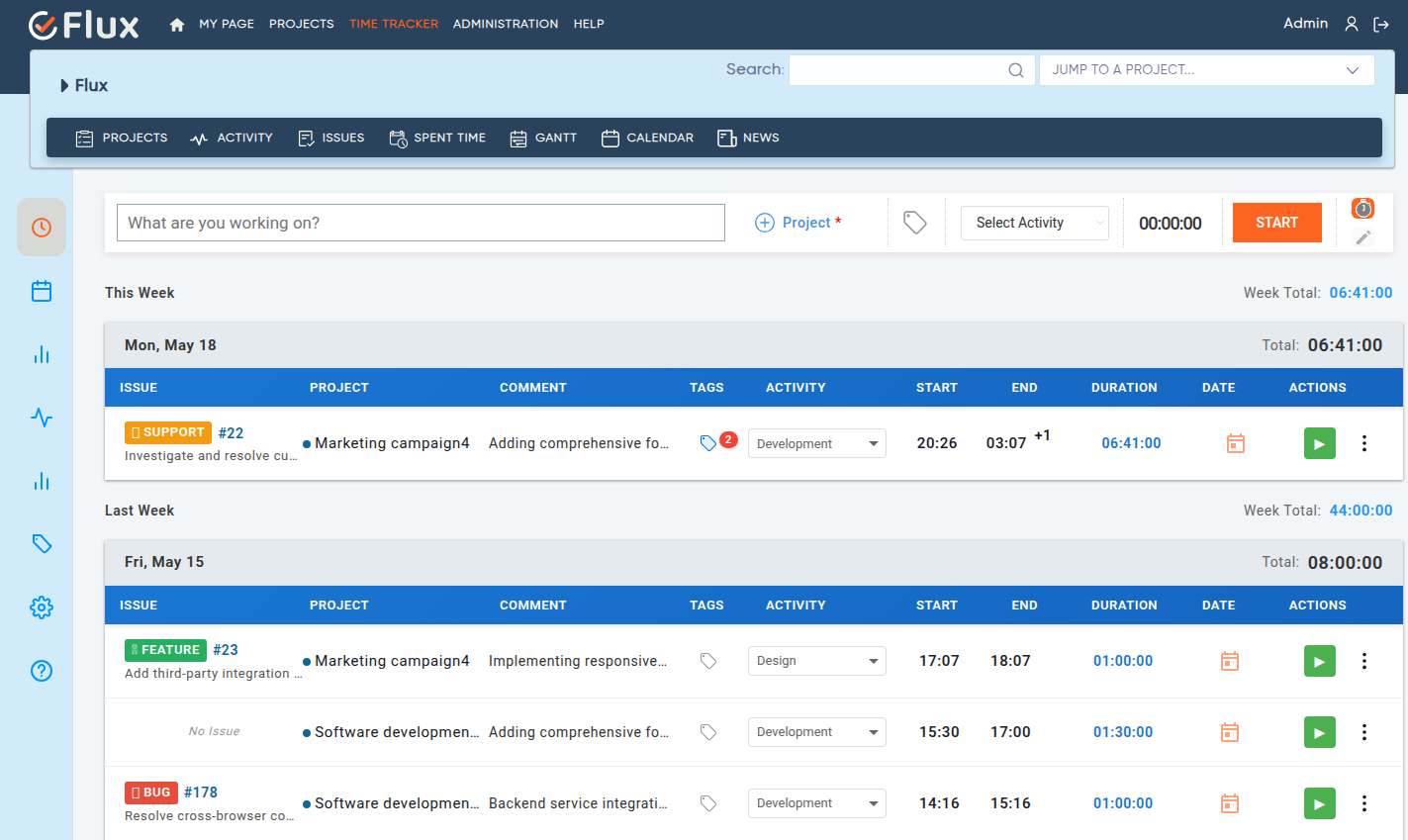
The Time Tracker Plugin for Redmine helps teams track work hours, manage time entries, and monitor productivity efficiently. It allows users to start timers, log manual time entries, track activities, and generate detailed reports directly from Redmine. Users can easily manage time logs, view calendar-based entries, and analyze project time data using a modern and user-friendly interface.
## Key Features of Redmineflux Time Tracker Plugin
- Track work hours in real time using start and stop timers.
- Log manual time entries with custom start and end times.
- Edit time entries directly using inline editing functionality.
- Duplicate existing time entries to save time on repeated work logs.
- Delete time entries easily when updates are required.
- Log and manage time entries directly from the calendar view.
- Drag, resize, and move calendar entries for quick schedule updates.
- View user activities and time tracking history from a centralized activity panel.
- Generate Summary, Detailed, and Weekly reports for better analysis.
- Export reports for project tracking and reporting purposes.
- Create and manage tags to organize time entries efficiently.
- Track user locations during time logging using map integration.
- Configure location-based tracking for selected users or teams.
- Choose from multiple layout designs for a personalized experience.
- Use the browser extension to track time directly from your browser.
Installation notes
To install Time Tracker Plugin follow these steps
- Make sure you have a working installation of Redmine.
- Unzip the plugin and copy it to redmine_root/plugins or copy the archive in the same location and perform the unzip command in the console and do not change the plugin folder name.
- Run the following command to install the required dependencies
Bundle install
- Run migrate command for database migration
RAILS_ENV=Production bundle exec rails redmine:plugins:migrate
- Restart Redmine
- Login as a administrator.
- Navigate to Administration tab from top menu.
- Click on Settings and find the API tab and enable the rest API
Explore All Premium Redmineflux Plugins
- Redmineflux Helpdesk Plugin
- Redmineflux Knowledge Base
- Redmineflux Gantt Chart
- Redmineflux Timesheet
- Redmineflux Agile Board
- Redmineflux Checklist
- Redmineflux Fluxshot Chrome Extension
- Redmineflux Workload
- Redmineflux Issue Template
- Redmineflux Custom Dashboard
- Redmineflux Notification
- Redmineflux Testcase Management Plugin
Explore All FREE Redmineflux Plugins
Explore All Premium Redmineflux Themes
Changelog
6.2.0 (2026-05-18)
Compatible with Redmine 6.1.x, 6.0.x, 5.1.x, 5.0.x, 4.2.x.